Wifi Shortcuts+
Switch networks instantly. View WiFi status. Create nicknames. Free, no ads.
About Wifi Shortcuts+
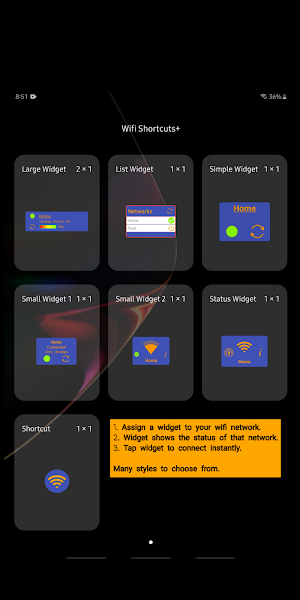
Simple but powerful widget to view and control WiFi directly from your home screen. Switch easily between multiple networks such as 2.4 GHz and 5.0 GHz. Use a widget to monitor the status of a specific access point. Use a "shortcut" to automate switching to a specific network. Create and aliases/nicknames for each network. Schedule tasks to enable/disable or connect to a network.
Features:
• Tested on Oreo, Pie, and Q; Samsung, Pixel, LG.
• 7 widgets to choose from.
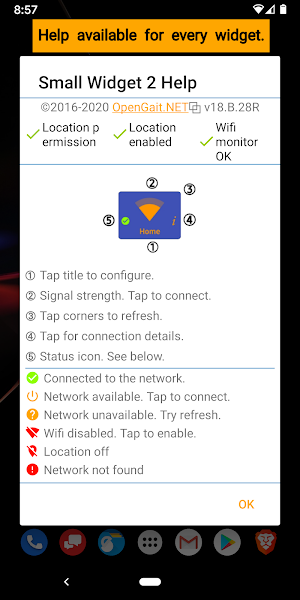
• Help screens for every widget.
• Shortcut for automating switch to a network.
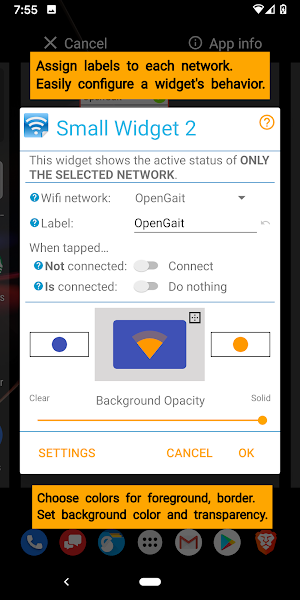
• Create custom names/labels for your networks.
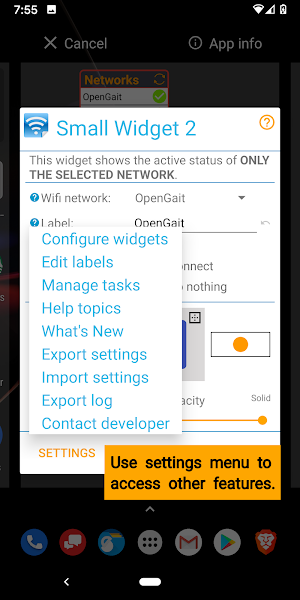
• Schedule tasks to manage your WiFi connections.
• Customize your widget with 100's of color combinations.
• Save and restore your nicknames, custom colors and tasks.
• Highly-conservative battery consumption.
PLEASE NOTE: This is a widget and shortcut application. Use your launcher to find the widget (or shortcut) and drag it to your home screen. Also, the app cannot be moved to the SD card because the widgets will not work.
Widgets (vs shortcuts) are small apps that run from the home screen when certain events take place. To keep battery drain to a minimum, the widgets in this application only update in the following cases:
• When you unlock the device.
• When you enable/disable WiFi.
• When you connect/disconnect from a network.
LOCATION: Starting with Oreo 8.1, Google also requires your location setting enabled.
Otherwise information about the current WiFi connection and the nearby access points will not work. This is an issue with Android and not the app itself.
Permissions:
• Approximate location: Need for WiFi scan.
• Location enabled (8.1): Need for accurate WiFi information.
• Read/modify contents of SD card: Load an icon. Save and restore settings.
• Connect/disconnect WiFi: Connect to your network when shortcut tapped.
• View WiFi connections: Show you a list of networks to choose.
• Install shortcuts: Place your shortcut on the home screen.
• Prevent sleeping: Run tasks at a specific time.
Similar Apps

Civil War Battlefields
Find and explore famous and little-known Civil War battlefields. If you...

Revolutionary War Battlefields
Find and explore famous and little-known American Revolutionary War battlefields. If...

Upkeeper
Simple to use personal maintenance manager. Set due dates for tasks...
OpenGait Kakuro
The object is to fill in the rows and columns with digits...

French and Indian Battlefields
Find and explore famous and little-known French and Indian War battlefields (also...

War of 1812 Battlefields
Find and explore famous and little-known battlefields of America's "second war of...
Frequently Asked Questions (FAQ)
What is Wifi Shortcuts+?
Which devices and Android versions are compatible with Wifi Shortcuts+?
How many widgets are available in Wifi Shortcuts+?
Can I customize the appearance of the widget in Wifi Shortcuts+?
Can I save my preferences and settings in Wifi Shortcuts+?
Can I use the app on an SD card?
What is the difference between widgets and shortcuts in relation to Wi-Fi Shortcuts+?
How often do the widgets in Wi-Fi Shortcuts+ update?
Does Wi-Fi Shortcuts+ require location settings to be enabled?
What permissions does Wi-Fi Shortcuts+ require?