About MOAD-POC
MOAD Mobile is an operational app for authorized MOAD teams to manage day-to-day warehouse and branch workflows from one place.
Use MOAD Mobile to scan barcodes, process item movements, and keep a clear activity trail with photo proof and time-based records.
Key capabilities include:
- Barcode-driven workflows for Check In, Check Out, Switch Zone, and Stock Transfer
- Fast barcode validation with camera scan flow and duplicate-scan protection
- Branch-aware operations to help ensure items are processed under the correct location
- Switch Zone process with required before/after proof photos
- Stock Transfer creation with destination branch selection and dispatch proof photos
- Product detail scan view (SKU, barcode, status, zone, category, supplier, price, and description)
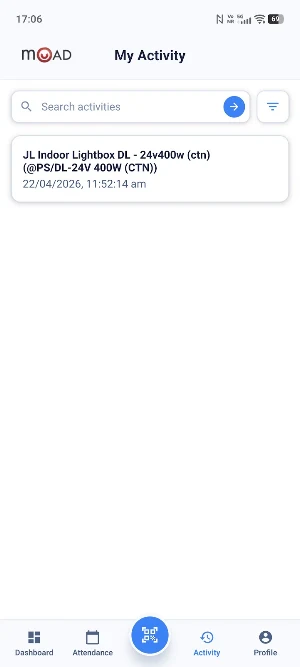
- Personal Activity history with search, filters, sort options, and proof photo review
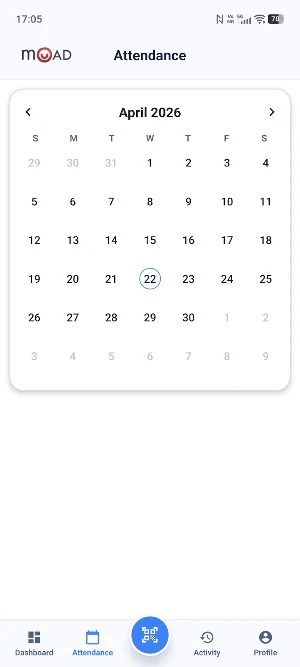
- Attendance tracking with calendar view and daily timeline summaries for work, lunch, and overtime
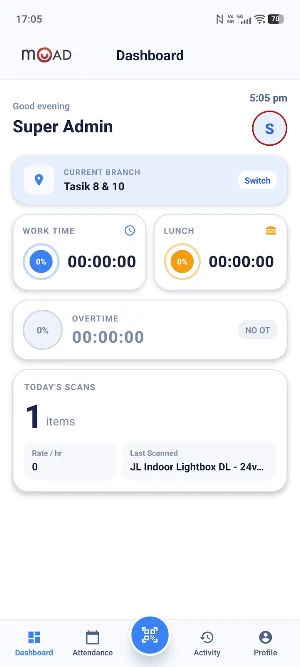
- Dashboard insights including current branch, work/lunch/overtime timers, and today’s scan activity
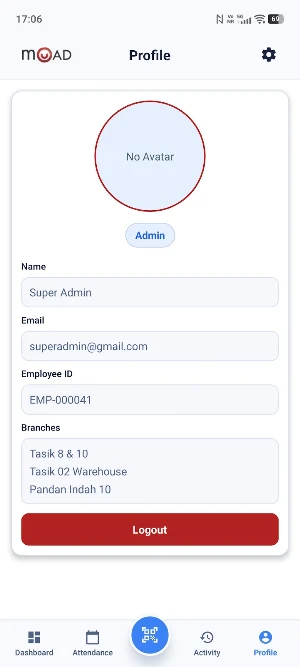
- Profile and app preferences including language support (English / Chinese), theme mode, and scan sound toggle
MOAD Mobile is designed for operational accuracy, traceability, and faster execution on the floor.
Important:
- This app is intended for authorized MOAD users and requires a valid company account to sign in.
- Camera access is used for barcode scanning and proof photo capture.
MOAD-POC details
MOAD-POC is a free Tools app for Android with 10+ installs on Google Play. It was released on June 4, 2026 and last updated on June 4, 2026. It's developed by CodeSpace AI Technology Sdn Bhd. It requires Android 7.0 or later.
- Category
- Tools
- Installs
- 10+
- Price
- Free
- In-app purchases
- No
- Ads
- No ads
- Current version
- 1.0.0
- Requires Android
- 7.0
- Content rating
- Everyone
- Released
- June 4, 2026
- Last updated
- June 4, 2026
- Developer
- CodeSpace AI Technology Sdn Bhd
What’s new in MOAD-POC
First release
Version 1.0.0 · Updated June 4, 2026
