About Smart Solity
Smart security, ‘Smart Solity’.
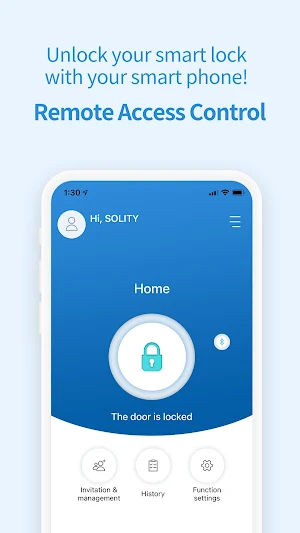
Access Solity’s Smart Locks with this APP anywhere and whenever you want.
Safe and convenient solution.
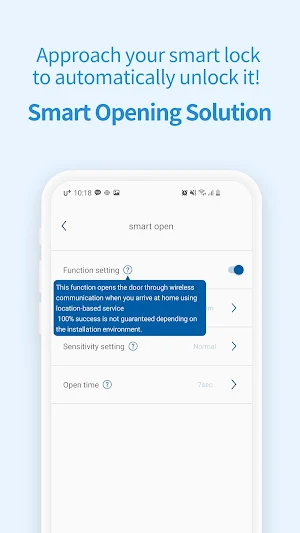
● Smart opening: Automatically unlocks the door when you approach the smart lock with your phone.
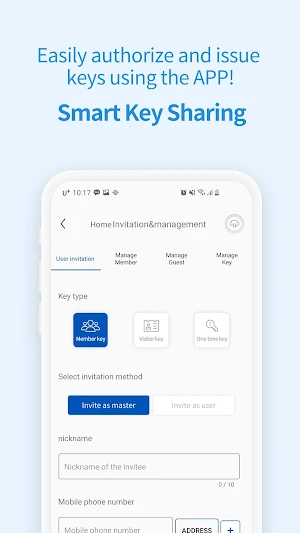
● Smart key sharing: Easily make access keys and share it by MMS to anyone you’d like. (Member, Visitor and One-time key)
● Smart Alarm: All events and alarms will be logged real time.
● History: All events and alarms can be sorted by date, user and events.
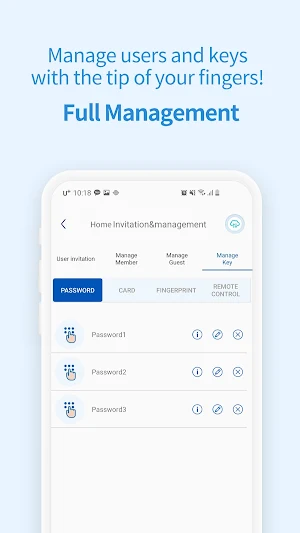
● Smart Lock Control: You can manage the member and visitor’s password, RFID cards and fingerprints, and/or also issue, edit or delete them.
● Settings: Force lock, manual lock, volume control, software update and much more.
For more details please visit our website https://www.solitykorea.com/en or contact [email protected]
Smart Solity details
Smart Solity is a free Tools app for Android with 1,000+ installs on Google Play and a 3.8/5 average rating from 20 ratings. It was released on October 27, 2019 and last updated on January 29, 2021. It's developed by SOLITY CO., LTD. It requires Android 8.0 or later.
- Category
- Tools
- Rating
- 3.8 / 5 (20 ratings)
- Installs
- 1,000+
- Price
- Free
- In-app purchases
- No
- Ads
- No ads
- Current version
- 1.2.3
- Size
- 36M
- Requires Android
- 8.0 and up
- Content rating
- Everyone
- Released
- October 27, 2019
- Last updated
- January 29, 2021
- Developer
- SOLITY CO., LTD
What’s new in Smart Solity
Modify Login screen
Version 1.2.3 · Updated January 29, 2021
Similar Apps

SmartRent Community Manager
Designed for existing SmartRent enabled communities, this app provides community managers and...