About Simple Resume
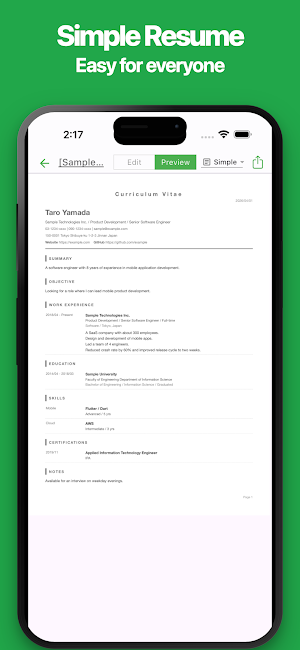
Create resumes easily on your smartphone or tablet.
Simply enter your information to create a clean and professional-looking resume.
You can enter and manage all the information you need for your resume, including personal details, education, work experience, qualifications, skills, and personal statements.
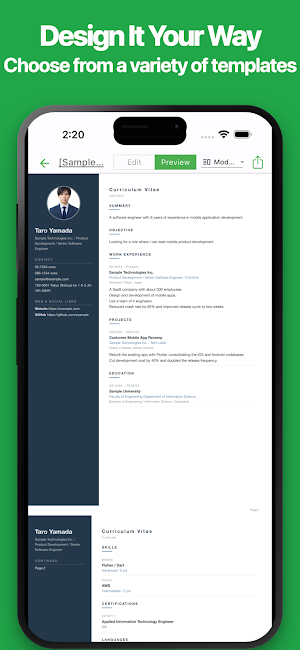
Choose from multiple templates to create a resume that fits your needs.
The app can be used for job searches, career changes, part-time job applications, internships, and many other situations.
Export your completed resume as a PDF, share it, or print it directly.
You can complete everything from creating your resume to exporting it using only your smartphone or tablet.
Simple and easy to use, with no account registration required.
A convenient resume maker for anyone who wants to create a resume quickly and easily.
■ Features
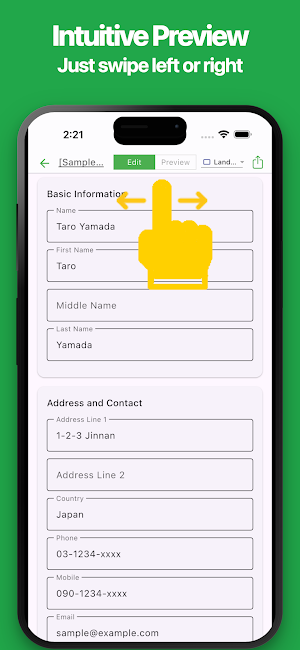
・Intuitive Interface
A simple and easy-to-understand UI / UX.
Create and edit your resume easily, even if it is your first time using the app.
・Easy Resume Creation
Simply enter the required information to create your resume.
Create a clean and organized resume without spending time adjusting complicated layouts.
・Personal Information
Enter your name, date of birth, address, phone number, email address, and other basic information needed for applications.
・Profile Photo
Add a profile photo to your resume.
Create a complete resume directly from your smartphone or tablet.
・Education & Work Experience
Add schools, employers, positions, and dates.
Organize your education and professional experience in an easy-to-read format.
・Qualifications & Certifications
Add your qualifications, licenses, and certifications.
Keep important credentials organized and highlight those relevant to each application.
・Skills
Add language, IT, business, and other professional skills.
Customize your skills according to the position or company you are applying to.
・Personal Statement
Add a personal statement, motivation, strengths, experience, and other information.
Organize and present your strengths according to each application.
・Job Preferences
Add your preferred position, work location, working conditions, and other preferences.
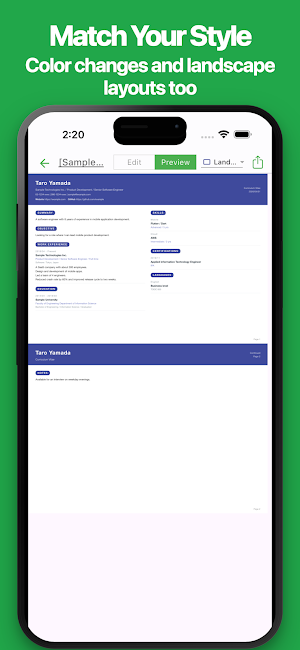
・Multiple Templates
Choose from multiple resume templates.
Select a layout that suits your application and purpose.
・PDF Export
Export your completed resume as a PDF file.
Perfect for online applications and sending your resume by email.
・Easy Printing
Print your resume directly from your smartphone or tablet.
Quickly prepare a paper copy whenever you need one.
・Export & Share
Export your resume and easily share it by email, messaging apps, and other services.
Useful for submitting applications or keeping backups.
・Import
Import saved resume data and continue editing anytime.
Reuse a previous resume to quickly create a new version for another application.
・Manage Multiple Resumes
Create and save multiple resumes for different companies, positions, or purposes.
Keep different versions of your resume and customize each one for a specific application.
・Ready to Use
No account registration is required.
Start creating your resume immediately after installing the app.
・Dark Theme
Dark theme support makes it comfortable to edit your resume at night.
Recommended for anyone looking for a simple way to create a resume for a job search, career change, part-time job, internship, or other application, as well as anyone who wants to complete a resume entirely on their smartphone or tablet.
Simple Resume details
Simple Resume is a free Business app for Android with 5+ installs on Google Play. It was released on September 8, 2026 and last updated on September 9, 2026. It requires Android 7.0 or later. The app offers in-app purchases.
- Category
- Business
- Installs
- 5+
- Price
- Free
- In-app purchases
- Yes
- Ads
- No ads
- Current version
- 1.0.2
- Requires Android
- 7.0
- Content rating
- Everyone
- Released
- September 8, 2026
- Last updated
- September 9, 2026
What’s new in Simple Resume
1st release
Version 1.0.2 · Updated September 9, 2026
