ToolGPT: AI Media Assistant
Compress & convert video, edit photos, PDF tools - 30+ tools, just ask
About ToolGPT: AI Media Assistant
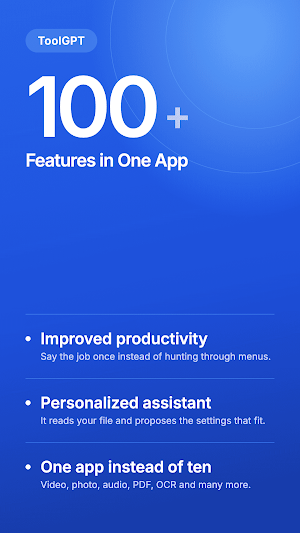
Every media tool you need, in one conversation.
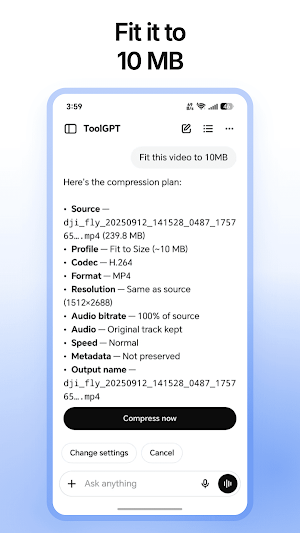
Instead of hunting through menus and settings screens, just say what you want — "compress this to 10MB", "convert to MP3", "crop it for Instagram" — and ToolGPT sets it up, shows you the settings on a card you can edit, and runs it.
40+ tools. One chat. No learning curve.
HOW IT WORKS
1. Pick a video, audio file, photo or PDF
2. Say what you want in plain language, or speak it
3. Check the card it builds, change anything you like, tap start
VIDEO
• Compress — hit a target size or quality without wrecking the picture
• Convert — MP4, MKV, AVI, MOV, WEBM, FLV, 3GP and more
• Cut and trim — keep exactly the part you want
• Merge — join clips into one file
• Split — break a long video into pieces
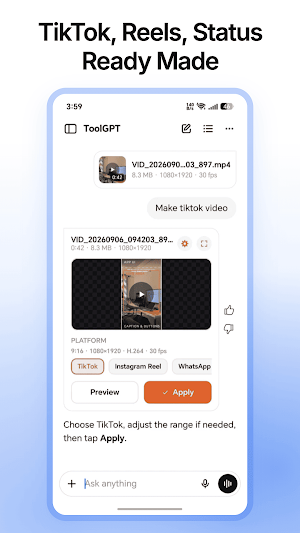
• Crop and aspect ratio — reframe for YouTube, Reels, TikTok or Shorts
• Filters — 25 cinematic colour grades across 5 style packs
• Stabilize — smooth out shaky handheld footage
• Blur — soften the frame
• Watermark — add your own text or logo
• Speed — slow motion or timelapse
• Reverse — play it backwards
• Fade — clean fade in and out
• Volume — raise, lower or mute
• Video to GIF — make a shareable loop
• Grab a frame — save a still as an image
• Add or replace audio — swap in a new soundtrack
• Extract audio — pull the sound out as MP3, AAC or WAV
AUDIO
• Convert — MP3, AAC, WAV, FLAC, OGG, M4A and more
• Merge — stitch tracks end to end
• Effects — reshape how it sounds
• Fade in and fade out
• Speed and reverse
• Volume adjust
PHOTO
• Compress — smaller file, same photo
• Convert — JPG, PNG, WEBP
• Crop, rotate and straighten — freeform or fixed ratio
• Resize — down to any common size, with the aspect ratio kept
• Filters — 30 looks across 6 style packs
• Blend — combine two images
• Collage — build a grid from your photos
• Slideshow — turn a set of photos into a video
PDF
• Compress — shrink a PDF small enough to email
• PDF to images — export every page
• Images to PDF — build a document from your photos
AND
• ZIP — bundle your results into one archive
• Platform presets — ready-made settings for YouTube, Instagram, TikTok and WhatsApp
• Voice mode — talk to ToolGPT hands-free
• Floating bubble — keep the chat one tap away while you use other apps
• Job queue — line several jobs up and let them run
• Output folder — everything you have made, sorted and ready to share
WHY TOOLGPT
Your files are processed on your phone by FFmpeg, the same engine professional tools are built on. They are not uploaded anywhere to be converted.
You do not need to know what a bitrate or a codec is. Ask for the result and ToolGPT chooses the settings. Every card stays editable though, so if you do know, nothing is hidden from you.
PREMIUM
ToolGPT is free to use. Premium removes ads and lifts usage limits.
SUPPORT
Found a bug, or want a tool we do not have yet? Write to us — we read every message and we reply.

