About Auto Clicker & Swipe
Auto Clicker automates repetitive screen tap and swipe action without root access. Enable the accessibility service, place target point or swipe path, and automate repeated action based on your setting.
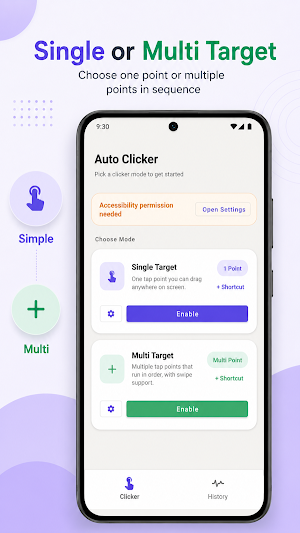
TWO MODES
Single Target (Simple)
Place one draggable click point anywhere on the screen for repeated tap in a fixed location.
Multi Target
Add multiple click point that run in sequence. Each point can have its own position, delay, hold duration, and repeat count.
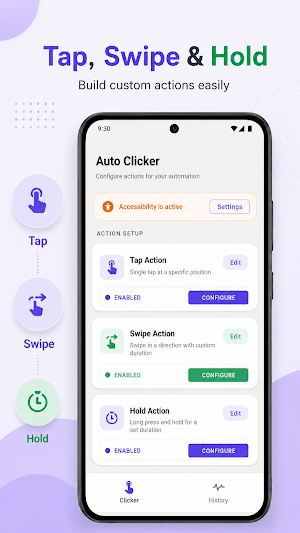
SWIPE ACTION
Create swipe gesture by setting the start and end point on the screen. Use swipe action for scrolling, sliding, or other repetitive gesture task. Swipe duration and delay can be adjusted based on your need.
LONG PRESS ACTION
Create long press automation by placing a target point and setting the hold duration. Use long press action for tasks that require holding on the screen, such as selecting, dragging preparation, or other repetitive hold gestures.
SHORTCUT
Create shortcut for saved configuration so you can start or open your automation setup faster from the device home screen. Shortcut helps you access frequently used tap or swipe configuration more easily.
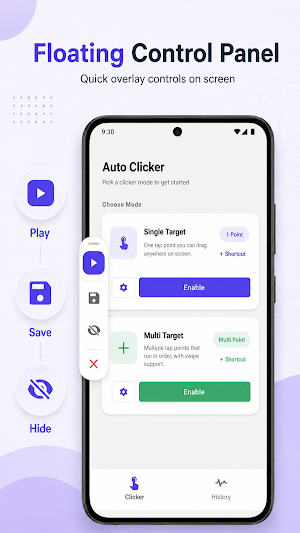
FLOATING CONTROL PANEL
The floating overlay provide quick access to core control:
- Play / Pause — start or stop automation
- Setting — adjust interval, loop count, and action timing
- Save — save the current configuration
- Hide / Show — control overlay visibility
- Close — dismiss the panel
SAVE CONFIGURATION
Save tap and swipe layout as named configuration and reopen them later from History. Support up to 25 saved configuration.
IMPORT & EXPORT
Export saved configuration for backup or transfer, and import them again when needed.
HISTORY
Open saved configurations from History. Advanced History makes it easier to find and manage saved automation setup with search, sorting, and simple navigation.
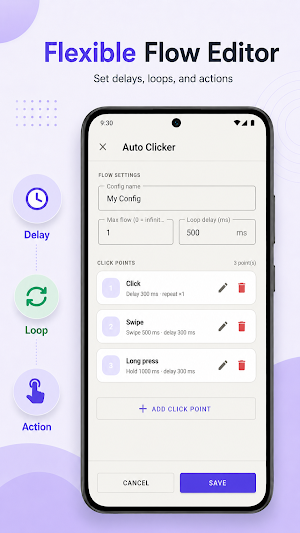
CONTROL SETTINGS
- Click interval — time between tap (minimum 100 ms)
- Loop count — fixed or unlimited repetition (0 = unlimited)
- Per point delay & duration — available in Multi Target mode
- Swipe duration — control how long each swipe action takes
- Swipe delay — set delay before or after swipe action
- Loop delay — pause between full sequence
HOW TO USE
1. Open Auto Clicker and select a mode.
2. Enable the accessibility service.
3. Position target point or create a swipe path.
4. Press Play to start.
No root required. Supports Android 7.0 and above.
PERMISSIONS
Accessibility Service
Required to perform tap, long press, and swipe automation based on user setting.
Display over other app
Required for the floating control panel.
Notification
Shown when the service is active.
Automation run only when enabled by the user.

