120 FPS Settings for Gaming
Configure supported 60, 90 & 120 FPS settings on compatible devices.
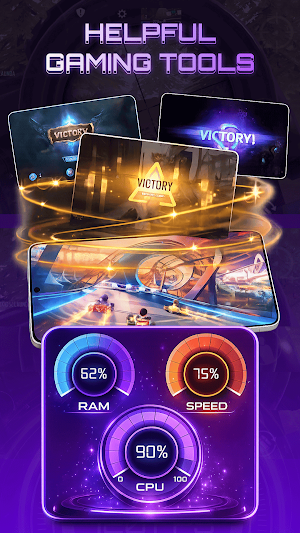
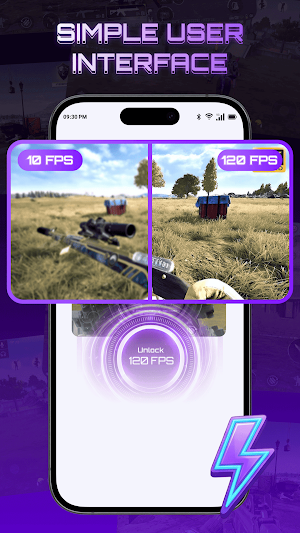
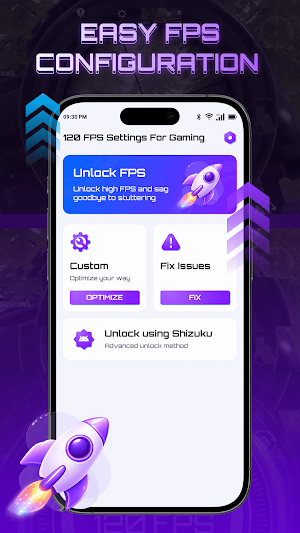
About 120 FPS Settings for Gaming
120 FPS Settings for Gaming
120 FPS Settings for Gaming is a utility app that helps users access and manage frame rate settings on compatible devices. The app provides an easy interface for selecting supported FPS options, choosing a game version, and using available configuration tools.
Whether you want to explore available frame rate settings or configure supported options on your device, the app offers a simple and organized experience.
Features
🎮 Frame Rate Settings
Choose from supported frame rate options such as 60 FPS, 90 FPS, and 120 FPS on compatible devices and games.
🌍 Multiple Version Support
Select the appropriate game version or region to access compatible configuration options.
⚙️ Custom Configuration
Use available configuration tools to apply supported settings based on your device and selected version.
🛠️ Issue Assistance
Access built-in guidance to help resolve common configuration issues during setup.
📱 Simple Interface
Navigate all features through a clean and user-friendly interface designed for quick access.
🔧 Optional Shizuku Support
Advanced users can use Shizuku-compatible features where supported by their device.
Why Choose 120 FPS Settings for Gaming?
• Clean and simple design
• Easy access to supported frame rate settings
• Support for multiple game versions
• Custom configuration options
• Optional advanced features for compatible devices
• Lightweight and easy to use
Important Information
• Frame rate availability depends on your device, Android version, and the game you are using.
• Not all devices or games support every FPS option.
• Some features may require additional permissions or compatible third-party components such as Shizuku.
• This app does not modify game files, bypass game restrictions, or guarantee specific frame rates or performance improvements.
• This application is an independent utility and is not affiliated with, endorsed by, or associated with any game developer or publisher.
Download 120 FPS Settings for Gaming to conveniently access supported frame rate configuration tools on compatible devices.
Similar Apps

TAP Kiln Control Mobile
Remote Kiln Control: edit schedules, modify settings, review logs, and more.

Reveri: Relief in Minutes
When Nothing Else Works

WiFi Mouse Pro
PC remote: Pro wireless mouse, keyboard, scanner, AI tools & desktop.

Sensi
Remote control your home comfort. Anytime, anywhere.

Google Automotive Keyboard
Fast and smart typing with your voice or hand
