Visual Aid - Alignment Overlay
Custom on-screen markers, name tags and instant screen text translation.
About Visual Aid - Alignment Overlay
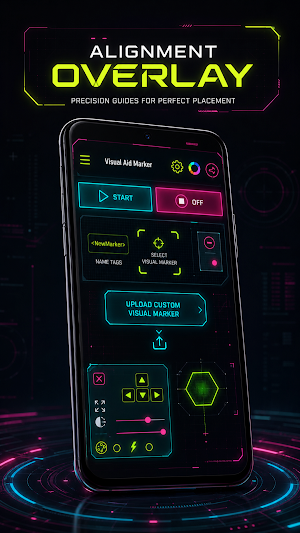
Visual Aid puts a precise visual marker on top of anything on your screen — and keeps it exactly where you want it.
Pick a marker, drop it on screen, then fine-tune the position, size, opacity and colour until it sits perfectly. The overlay floats above every app, and a single tap from the notification or the floating panel turns it off again.
◆ VISUAL MARKERS
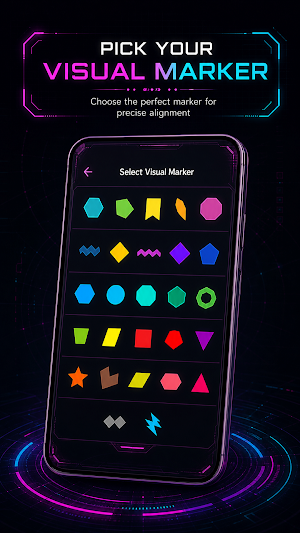
• A full library of free markers — dots, crosses, circles, brackets and more
• Premium marker packs with sharper, more detailed designs
• Country flag markers to show where you are from
• Upload your own image as a custom marker
◆ PIXEL-PERFECT CONTROL
• Nudge the marker up, down, left and right one step at a time
• Snap back to the exact centre of the screen with one tap
• Size and opacity sliders, live on screen
• Spin to rotate the marker to any angle
• Disco mode cycles the colour for high visibility during fast action
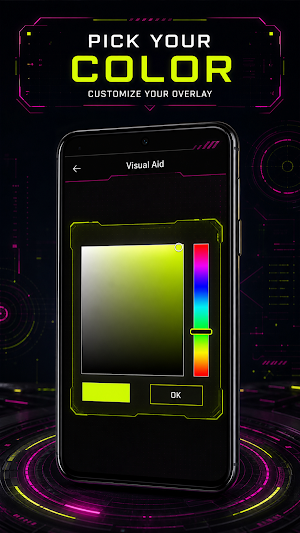
• HEX colour picker — dial in any colour you like
◆ NAME TAGS
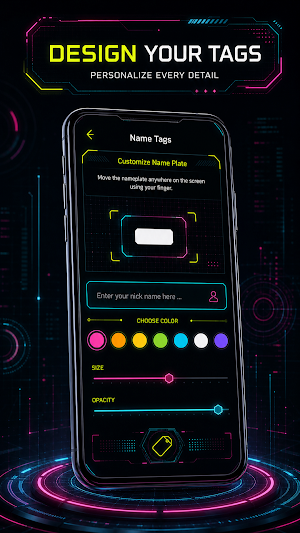
• Build a custom name plate and drag it anywhere on screen
• Adjust size and opacity
• Perfect for streams, recordings, screenshots and screen sharing
◆ SCREEN TRANSLATION (NEW)
• Capture your whole screen or drag a box around just the part you need
• Reads text straight off the screen and translates it instantly
• Latin, Chinese, Japanese, Korean and Devanagari scripts supported
• Runs on device — once a language pack is downloaded it works offline
• Nothing you capture ever leaves your phone
◆ FLOATING CONTROL PANEL
• Move, centre or hide the overlay without leaving the app you are in
• Persistent notification to stop the overlay at any moment
• Runs in the background so your marker survives app switches
◆ BUILT FOR EVERY SCREEN
• No root required
• Works over full-screen apps
• Available in 30 languages
• Light on battery and memory
WHO IT IS FOR
• Streamers and content creators who need a clean on-screen reference point
• Designers and photographers aligning layouts, grids and compositions
• Anyone who wants a fixed focus point, a screen guide or a reading anchor
• Users reading menus, documents or interfaces in a language they do not speak
PREMIUM
Premium unlocks the full premium marker library, removes all ads and adds priority support. Subscriptions renew automatically and can be cancelled any time in Google Play.
PERMISSIONS
• Display over other apps — required to draw the marker above other screens
• Notifications — required to keep the overlay service alive and to switch it off
• Screen capture — used only while Screen Translation is running
NOTE
Visual Aid is a visual utility tool. It is not designed to provide a competitive advantage, and using an overlay to gain an advantage in games or other apps may violate their policies.
Similar Apps
Voice Recorder
HD audio recorder for voice memos, meetings & lectures — trim, tag & share
Grammar Check by AI Writing
AI grammar checker & writing keyboard - fix, rewrite & reply in every app
GPS Photo Stamp Map Camera
GPS camera to stamp photos & videos with location, map, address, time & weather

WakeBeat Wake to Music
Wake up to your favorite songs — a gentle music alarm clock, not a buzzer.
CubeMind – Puzzle Solver
Scan & solve 17 cube puzzles in 3D: 2x2, 3x3, 4x4, 5x5, Pyraminx, Skewb + timer

Hair Clipper Prank: Fun Sounds
Hair clipper, haircut, fart & air horn prank sounds + fake call to prank anyone
