Rogue Watch Face
Want colorful and classic watch face design? Rogue watch face got you covered!
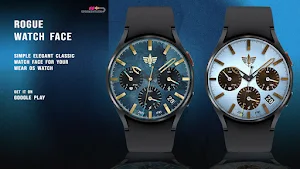
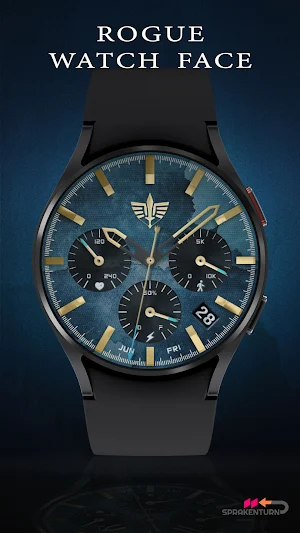
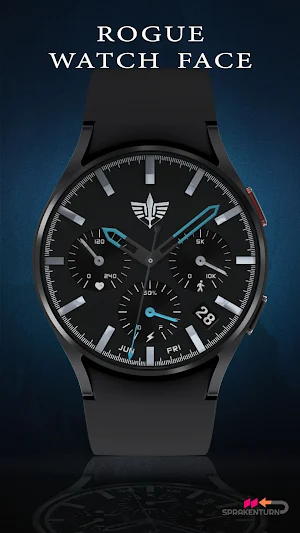
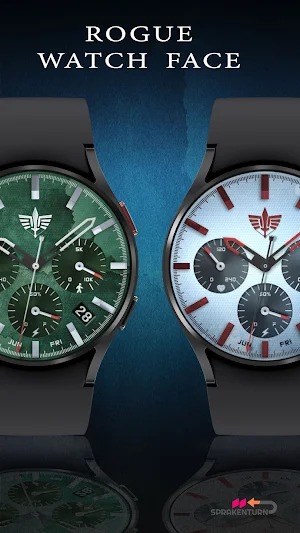
About Rogue Watch Face
Simple classic watch face your Wear OS watch with Wear OS version 4 (API 33+) or higher. Examples are Samsung Galaxy Watch 5, 6, 7, 8, Pixel Watch 2, etc. This watch face was designed using Watch Face Studio tool.
✰ Features:
- Analog dial for time, heart rate, steps and battery information
- Customization (dial background, index and dial hands colors)
- Month, day of the week and day display
- 4 preset app shortcut (HR, steps, calendar and/or event)
- 7 custom shortcuts to access your favorite widget
- Always on display now 100% synced to your active color theme and can be dimmed down if you wish to save more battery (brightness options)
INSTALLATION:
1. Make sure your watch is connected to your smartphone (Bluetooth) with same GOOGLE account.
2. In Play Store App, select your watch as targeted device for installation. The watch face will be installed on your watch.
3. After installation, if your active watch face is not replaced. Follow these 3 SIMPLE STEPS before you comment not working.
3.1- Long press on your current watch face --> swipe to right until --> "Add watch face" (+/plus sign)
3.2- Scroll down and look for "Downloaded" section
3.3- Search and click on your new watch face to activate it - and that's it!
SETTING UP SHORTCUTS/BUTTONS:
1. Press and hold the watch display.
2. Push the customize button.
3. Swipe from right to left until you reach the "complications".
4. The 7 shortcuts are highlighted. Click on it to set what you want.
CUSTOMIZATION OF DIAL STYLE e.g. BACKGROUND, INDEX ETC:
1. Press and hold watch display then hit "Customize".
2. Swipe left and right to choose what to customize.
E.g. Background, Index frame etc.
3. Swipe up and down to choose options available.
For bugs, comments or suggestions, don't hesitate to contact me at ([email protected]).
Rogue Watch Face details
Rogue Watch Face is a paid Personalization app for Android with 500+ installs on Google Play. It was released on September 17, 2023 and last updated on September 18, 2026.
- Category
- Personalization
- Installs
- 500+
- Price
- $1.99
- In-app purchases
- No
- Ads
- No ads
- Current version
- 2.1.0
- Requires Android
- Varies with device
- Content rating
- Everyone
- Released
- September 17, 2023
- Last updated
- September 18, 2026
What’s new in Rogue Watch Face
Rogue Watch Face 2.1.0 - Updated companion app - Fixed companion app issue related to DEX code optimization
Version 2.1.0 · Updated September 18, 2026
Alternatives to Rogue Watch Face
Looking for apps like Rogue Watch Face? Here are 6 similar Android apps on Google Play. The highest rated is Ballozi LUXOS Watch Face (4.7/5).
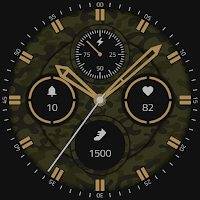
SW2608 Military Analog Watch
Military Analog Watch Face with customizable color themes and ambient mode
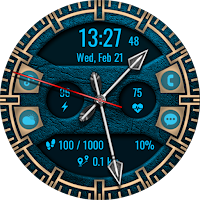
ACD407 Archer
Hybrid analog and digital Wear OS watch face with an archery theme.
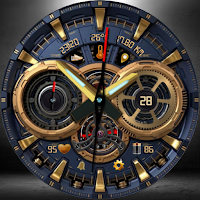
Spectro: Mechanical Watch Face
Luxury mechanical design with steampunk gears, fitness tracking, and 3D depth.
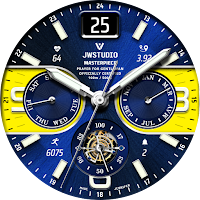
JW045 jwstudio
High-quality watchfaces for Wear OS 4.0 of higher
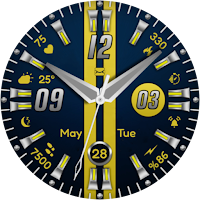
KZY082
KZY082 is made for Wear OS
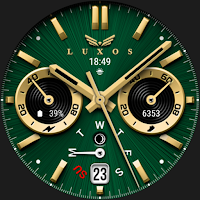
Ballozi LUXOS Watch Face
A modern sporty analog watch face for Wear OS designed by BALLOZI
| App | Rating | Price | Installs | Last updated |
|---|---|---|---|---|
| Rogue Watch Face | – | $1.99 | 500+ | Sep 18, 2026 |
| SW2608 Military Analog Watch | – | 0.99 USD | 50+ | – |
| ACD407 Archer | – | 1.49 USD | 0+ | – |
| Spectro: Mechanical Watch Face | – | 1.99 USD | 100+ | Aug 25, 2026 |
| JW045 jwstudio | – | 1.49 USD | 10+ | – |
| KZY082 | – | 0.49 USD | 10+ | Sep 10, 2025 |
| Ballozi LUXOS Watch Face | 4.7 / 5 | 1.99 USD | 100+ | – |