
About PassForge
PassForge – Secure Password Generator
Protect your online accounts with PassForge, a fast, secure, and easy-to-use password generator. Create strong, random passwords in seconds with customizable options and keep your accounts safer.
Whether you're creating passwords for social media, email, banking, or work, PassForge helps you generate unique and secure passwords that are difficult to guess.
Features
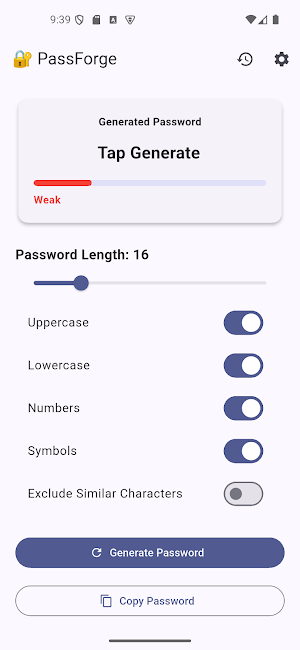
🔐 Generate strong and random passwords instantly
📏 Choose password length from 4 to 64 characters
🔠 Include uppercase letters
🔡 Include lowercase letters
🔢 Include numbers
🔣 Include special characters
🚫 Exclude similar characters for better readability
📊 Real-time password strength indicator
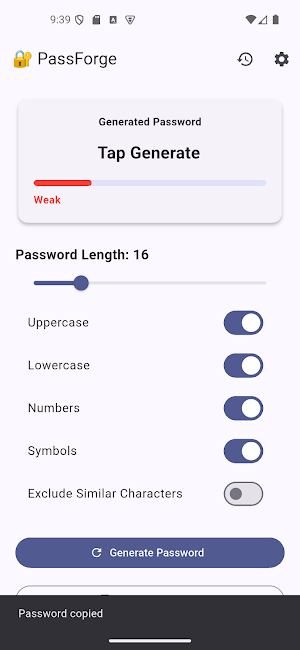
📋 One-tap copy to clipboard
🕒 Password history for recently generated passwords
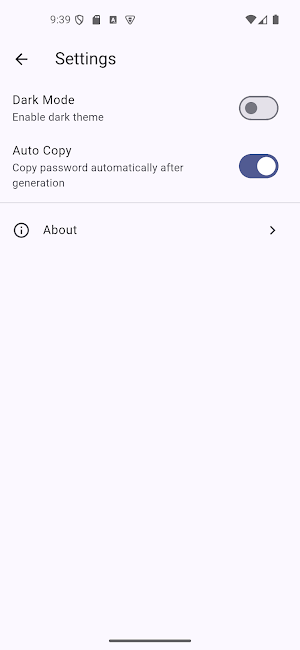
🌙 Light and dark mode support
⚡ Fast, lightweight, and works completely offline
Why Choose PassForge?
• No account or sign-up required
• No internet connection needed
• No unnecessary permissions
• Simple and modern Material Design interface
• Generate secure passwords in just one tap
• Password history stored locally on your device
Privacy First
PassForge is designed with privacy in mind. Your passwords are generated locally on your device and are never uploaded, shared, or transmitted to any server. The app does not collect or store your personal information.
Create stronger passwords, improve your online security, and protect your digital life with PassForge.
PassForge details
PassForge is a free Travel & Local app for Android with 1,000+ installs on Google Play and a 5.0/5 average rating from 1 rating. It was released on June 26, 2019 and last updated on June 26, 2026. It's developed by Boyne Solutions. It requires Android 7.0 or later.
- Category
- Travel & Local
- Rating
- 5.0 / 5 (1 rating)
- Installs
- 1,000+
- Price
- Free
- In-app purchases
- No
- Ads
- No ads
- Current version
- 1.0.0
- Requires Android
- 7.0
- Content rating
- Everyone
- Released
- June 26, 2019
- Last updated
- June 26, 2026
- Developer
- Boyne Solutions

