MedQuePMS Staff
Staff app for clinic operations: patient intake, vitals, queue and records
About MedQuePMS Staff
MedQuePMS Staff is the clinic operations app for reception, nursing, and clinical staff. It is the staff-side companion to the MedQuePMS patient platform, giving your front desk and care team one fast, secure place to run the day.
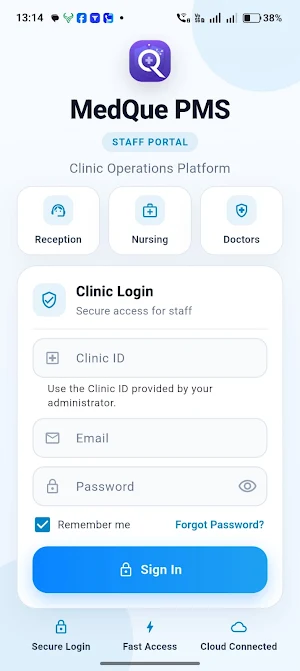
Sign-in is restricted to authorized clinic staff using credentials issued by your clinic administrator. This app is intended for healthcare providers and their teams, not for patients.
WHAT YOU CAN DO
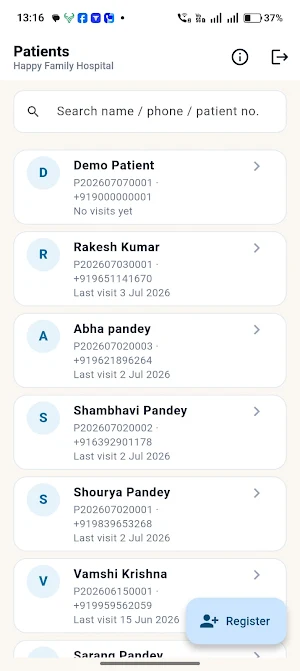
• Patient intake — register walk-in and appointment patients in seconds and capture the details that matter before the consultation.
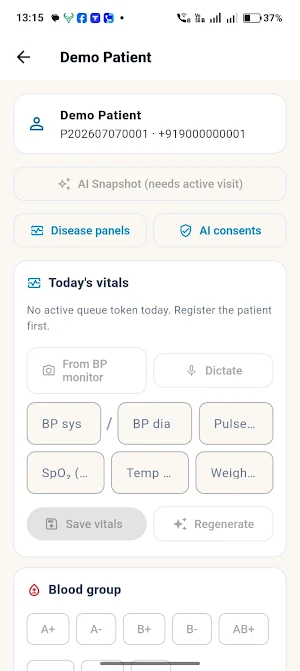
• Vitals and clinical capture — record blood pressure, temperature, blood group, and other vitals at the desk or bedside.
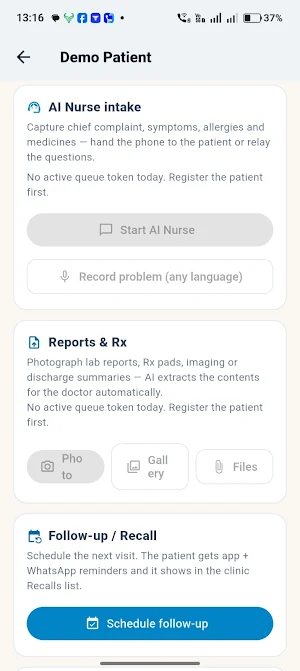
• Document capture — photograph prescriptions, lab reports, and referral letters and attach them to the right patient, even on a shaky connection.
• Voice chief-complaint capture — let the patient describe their problem in their own language; the app transcribes it for the care team.
• Live queue and roster — see who is waiting, who is in consultation, and move patients through the visit without paperwork.
• Share magic links — send patients a secure link so they can track their queue position and receive updates on their own phone.
BUILT FOR INDIAN CLINICS
• Works across reception, nursing, and doctor workflows in a single app.
• Designed for busy OPD desks with quick, low-tap flows.
• Cloud-connected so every device in the clinic stays in sync.
SECURE BY DESIGN
• Access is protected by staff login and clinic-scoped permissions.
• Patient data is handled with encryption and strict access controls.
• Each clinic's data is isolated from every other clinic on the platform.
MedQuePMS Staff is part of the MedQuePMS practice-management platform. A subscription and a clinic account are required to use this app. To set up your clinic, contact your MedQuePMS administrator.
