Ultra Flashlight
Ultra Flashlight with quick lighting tools and a simple launcher experience.
About Ultra Flashlight
Ultra Flashlight
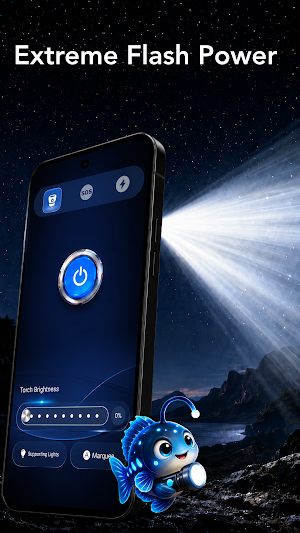
Turn your phone into a bright and convenient flashlight whenever you need extra light.
Ultra Flashlight combines an easy-to-use flashlight with a simple launcher experience, giving you quick access to useful lighting controls and your installed apps from one convenient place.
Whether you're looking for something in the dark, walking at night, dealing with a power outage, or simply need a quick source of light, Ultra Flashlight is ready to help.
🔦 Bright & Easy Flashlight
Turn your phone's LED flashlight on or off with a simple tap. The clean interface makes it easy to get light quickly without complicated controls.
⚡ Quick Access
Open the app and activate your flashlight in seconds. The simple design keeps the main flashlight controls easy to find and use.
🏠 Simple Launcher Experience
Ultra Flashlight also includes launcher functionality that can provide a convenient Home screen experience.
When you choose to use the launcher feature, you can:
* View apps installed on your device
* Quickly find and open your apps
* Access useful features from your Home screen
* Keep frequently used functions within easy reach
Using Ultra Flashlight as your default Home app is optional. You can change your default launcher at any time through your Android device settings.
📱 Clean and Simple Design
The interface is designed to keep everyday functions straightforward. Important controls are clearly displayed so you can quickly access the flashlight and launcher features you need.
🌙 Useful in Everyday Situations
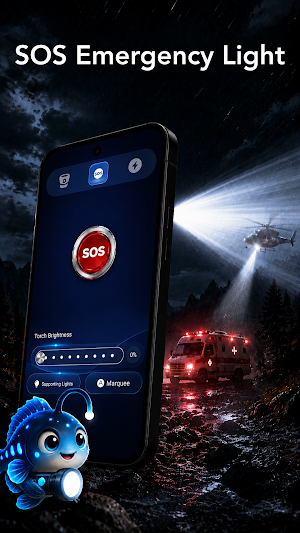
Ultra Flashlight can come in handy when:
* Looking for something in a dark room
* Walking in low-light conditions
* Finding items under furniture
* Experiencing a power outage
* Searching inside a bag
* Needing a convenient portable light
* Quickly accessing apps from your Home screen
🔐 Privacy-Focused App Access
When launcher functionality is enabled, Ultra Flashlight may access basic information about installed applications as necessary to display and launch them.
Installed-app information used for launcher functionality is not intended to be sold or used to build advertising profiles.
You remain in control of your permissions and can manage them through your Android device settings.
✨ Light When You Need It
Simple lighting, quick controls, and convenient app access come together in Ultra Flashlight.
Install Ultra Flashlight and keep a useful flashlight and launcher within easy reach.
Similar Apps
Lotto365: Numbers & QR Check
Create number sets, save picks, scan QR codes, and check weekly draw results.
QR Barcode Scanner And Home
Scan and create QR codes, manage apps, widgets and shortcuts on your custom Home
Upower20
Programmable AC/DC power supply with BLE control & smart configuration.

IP Toolkit
Network utilities for IP, DNS, HTTP, SSL, ports and CIDR.
AutoScheduler - Automate Apps
Automate your phone: schedule app auto launches for routines, study, and games.

Agenda UNAD
Simple and lightweight application to manage your activities with a secure connection