AI Photo Revive
Revive old photos with AI to restore, sharpen, denoise, vintage and share.
About AI Photo Revive
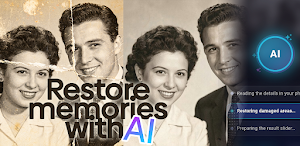
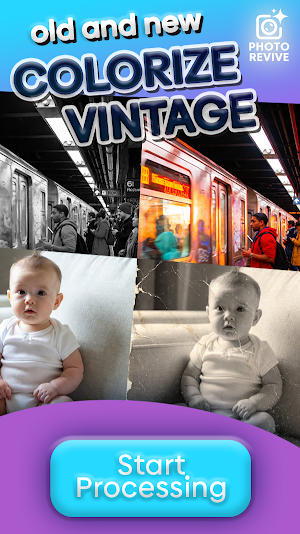
AI Photo Revive helps you bring old, blurry, faded, and damaged photos back to life on Android. Whether you are restoring family portraits, cleaning up scanned prints, improving dark snapshots, or adding color to black-and-white memories, AI Photo Revive gives you a simple workflow: choose a photo, pick the enhancement mode, select a processing tier, and generate a result you can compare, save, and share.
WHAT YOU CAN DO
- Restore damaged portraits and worn photos
- Colorize faded or black-and-white images with natural-looking tones
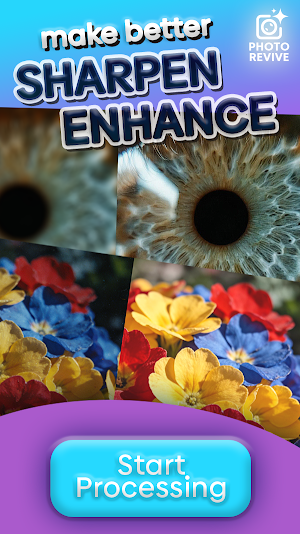
- Enhance blurry photos and recover cleaner detail
- Sharpen soft images for clearer faces and edges
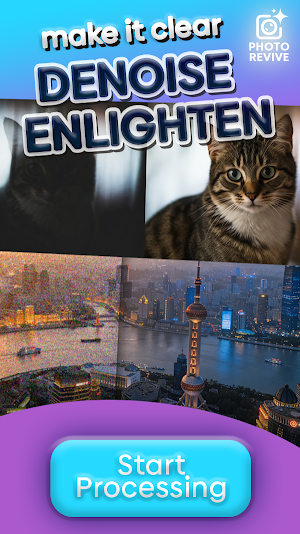
- Remove scratches, dust, grain, marks, and unwanted noise
- Brighten dark photos while keeping a natural look
- Create a vintage effect when you want an aged print style
WHY PEOPLE USE PHOTO REVIVE
- Simple flow from photo selection to finished result
- Before-and-after slider to inspect changes in detail
- Save results to your device or share them instantly
- History screen to revisit previous processed photos
- Google sign-in keeps subscriptions, credits, and usage tied to one account
- Flexible billing with a recurring plan plus optional top-up credits
HOW IT WORKS
- Pick a photo from your gallery.
- Choose a mode such as Restore, Colorize, Enhance, Sharpen, Denoise, - Enlighten, or Vintage.
- Select Basic or Advanced processing.
- Review the final image with the before-and-after slider.
- Save, save as, or share the result.
GREAT FOR
- Old family photos
- Scanned prints and albums
- Faded portraits
- Low-light or dark images
- Soft and blurry snapshots
- Photos with scratches, dust, or noise
SUBSCRIPTIONS AND CREDITS
AI Photo Revive uses credits for AI processing. Weekly plan credits and optional top-up credits are available through Google Play. You can manage or cancel your subscription in Google Play.
IMPORTANT NOTES
- Results depend on the quality and condition of the original photo.
- Some images may look better with a different mode or tier.
- An internet connection is required for processing.
Similar Apps

PromptPool - AI Prompts
Explore thousands of creative AI prompts for images design

Evidence Camera: Cloud Proof
Cloud proof for rental, move-in, repair, and delivery photo/video evidence.

Memoro AI
Bring old family photos back to life — restore, colorize & enhance in one tap.

Twlip
Smart photo & video gallery with backup to Drive, Telegram, OneDrive & more.

Kept: Photo & Gallery Cleaner
Photo cleaner: swipe to delete duplicate & blurry photos, free up storage.

The Lens House
Valued clients of The Lens House - download your photos and more!

