Winter Season Watch Face
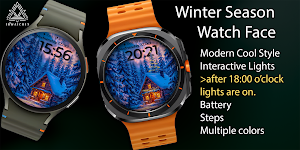
A cozy interactive winter story on your wrist with glowing lights!
About Winter Season Watch Face
🏔️✨ Winter Season Watch Face – A Magical Christmas Story ❄️🎄
Step into a cozy winter night right on your wrist!
This interactive watch face brings the warmth of a snowy cabin and the sparkle of Christmas lights to life — just like a winter fairy tale.
🌟 Main Features
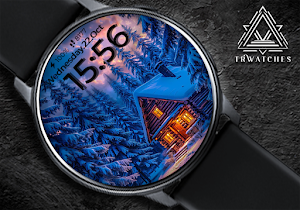
🏠 Animated winter scene – cozy wooden cabin surrounded by snowy pine trees
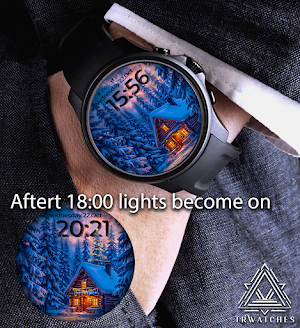
🎄 Interactive night mode – after 6PM, the Christmas lights on the house and tree magically turn on
🌌 3D clock effect – time floats beautifully above the winter landscape
🔋 Battery level indicator (top of the screen)
👣 Step counter – track your daily progress
📅 Full date display – weekday, day, and month
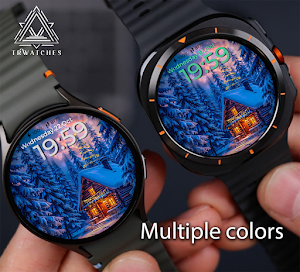
🌈 Multi-colored text accents – elegant color transitions for a dynamic look
💫 Optimized for day & night readability
💡 How it works
🕕 From 06:00 PM to 07:00 AM, the watch face glows with warm festive lights.
🌞 During the day, the scene stays calm and peaceful under the daylight snow.
✨ Just raise your wrist — and watch your cabin come to life!
💚 Compatible with
All Wear OS smartwatches – Samsung Galaxy Watch 4/5/6, Pixel Watch, OnePlus Watch 2, TicWatch, and more.
--------------------------------------------------------------------------------------------------------
Watch face installation notes on smart watch:
Phone app serves only as a placeholder to make it easier to install & find the watch face on your Wear OS watch. You have to select your watch device from the install dropdown menu.
If you download the helper directly with the phone , you need to open application and touch on the display or the download button. -> will start to install on the watch.
A wear os watch need to be connected.
If not working in that way , you can copy that link into your phone chrome browser and click on arrow down from right , and you choose the watch face to install.
------------------------------------------------------------------------------------------------
After installation you need to set that watch face to your screen , from wear OS app , go down at downloaded watch faces and you will find it.
If you have problems , please contact me on [email protected]
------------------------------------------------------------------------------------------------
FOLLOW US AT TELEGRAM : https://t.me/TRWatchfaces
FOLLOW US WEBSITE TO GET FREE COUPONS :
https://trwatches.odoo.com/
------------------------------------------------------------------------------------------------
Try to see others designs in my google profile.
Similar Apps
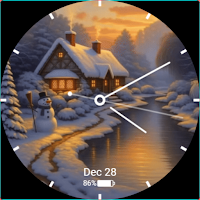
Snowfall Analog Watch Face
Minimal analog watch face with subtle snowy animation for Wear OS
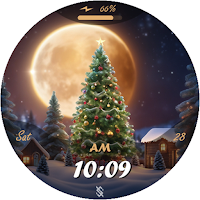
BFF48- Merry Christmas & Snow
Holiday for Wear OS by BFF-Storm (Except for the square watch face)
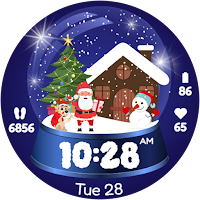
Christmas Globe
Christmas Globe: Transform your Wear OS device into a festive timekeeper!
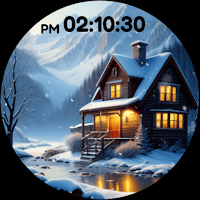
HSP Watch Face S7 SNOW
HSP WF - DIGITAL SNOW - Wacth desing for Wear OS

Christmas Magic
Christmas Theme Watch Face for Wear Os
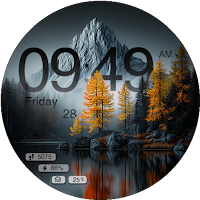
Nature 3D Watch Face
Nature 3D watch face with weather, steps, date and a stunning outdoor design
