Hairstyle AI: Hair Try On
Try hairstyles on your photo, compare looks, and choose with confidence.
About Hairstyle AI: Hair Try On
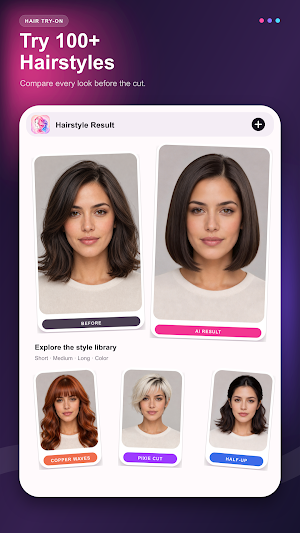
Hairstyle AI is an AI hairstyle try-on, instant hairstyle preview, and virtual hair makeover app that lets you preview haircuts and hair colors on your own photo. Upload a clear selfie or take a photo, choose a look, and create a personalized haircut preview.
AI Hairstyle Try On with Instant Preview
Explore hundreds of women’s hairstyles and men’s hairstyles, from short hair and long hair to medium-length cuts, bangs, bobs, pixie cuts, layers, curls, waves, and straight styles. Browse and switch between hairstyle previews instantly to compare different directions before starting AI generation. Once you find a look you like, use the virtual hairstyle changer as a haircut simulator and apply it to your photo.
Reference Photo Hair Transfer
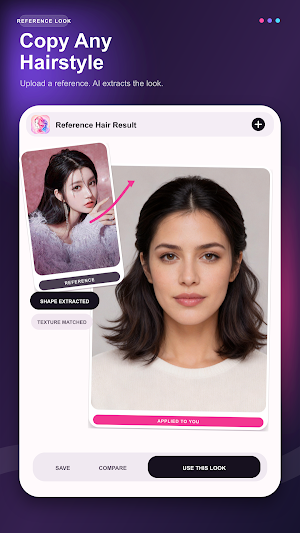
Found a hairstyle you love? Upload a reference photo and use its haircut silhouette, length, fringe, part, volume, curl pattern, and texture as inspiration. The reference hairstyle guides the hair edit while your portrait remains the identity source.
Virtual Hair Color Changer
Try a new hair color before dyeing. Preview natural black, chocolate brown, chestnut, blonde, copper, cherry red, burgundy, smoky gray, blue black, and other salon-inspired shades. You can also upload a hair-color reference to explore highlights, lowlights, gradients, and color direction.
Face Shape Hairstyle Match
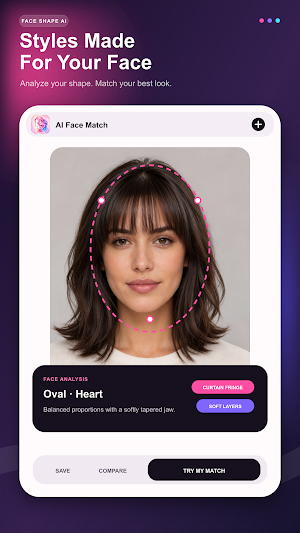
Use AI face analysis to explore hairstyle suggestions based on visible facial geometry, preferred hair length, color, and styling goal. Compare ideas for a flattering everyday look, fuller-looking volume, or a polished low-maintenance haircut. This face-shape hairstyle tool is for inspiration, not professional advice.
Front, Side, and Back Hair Views
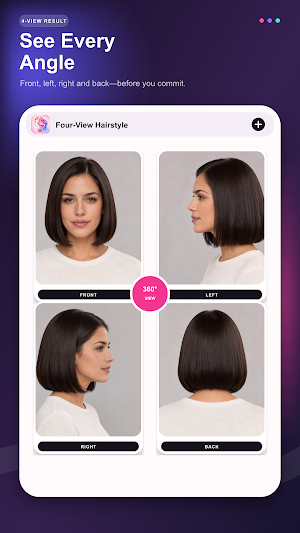
Start from a generated hairstyle and create independent front, left, right, or back views. Multi-angle hairstyle previews help you review the silhouette, layers, sides, and ends, then communicate a clearer haircut direction to a barber or stylist.
Compare, Save, Share, and Refine
Review your original photo and AI result, keep generated looks in local History, save supported images to your gallery, or share them through your device. Reopen a hairstyle result later and describe a focused adjustment to create a revised version.
More AI Portrait Tools
Go beyond a hair style changer with virtual glasses try-on, beauty and makeup looks, age transformation, feminine, masculine, or neutral styling, and custom cartoon avatars.
Popular Ways to Use Hairstyle AI
• Instantly browse and compare short hair, long hair, bangs, bobs, pixie cuts, curls, waves, and straight styles
• Compare haircut ideas for women, men, and gender-neutral styles
• Preview brown, black, blonde, red, copper, gray, or burgundy hair color
• Try a hairstyle from a reference image
• Explore hairstyle ideas for visible face shape and styling goals
• Create before-and-after hair comparisons and multi-angle hairstyle references
• Revisit, save, share, or refine generated hairstyle previews
For Better AI Hair Results
Use a clear, well-lit, front-facing photo with one person visible. Keep the face, hairline, and current hair easy to see. Results may vary with image quality, lighting, head angle, hair coverage, selected style, and reference-photo quality.
Please Note
AI-generated hairstyle, haircut, hair-color, makeup, eyewear, age, and avatar previews are creative visual references. They do not guarantee a real haircut or dye result and are not medical, beauty, or professional styling advice.
Photos used for AI generation may be sent to configured cloud AI services to create the requested result. Generation history, effect settings, and result references may be stored locally on your device. Some features use generation credits, subscriptions, or advertising; availability, pricing, trial eligibility, and benefits are shown in the app and on the Google Play checkout page. Review the in-app Privacy Policy and Terms of Use for current details.
Similar Apps
Spy Camera Locator & Detector
Detect hidden cameras, find suspicious devices & bugs to protect your privacy
TwinSpace - 2Space
MultiSpace for clone app and login to multi accounts.

Status Video - Save Status
Whatsapp status saver, stickers saver, status video online

Hide Apps, App Hider
Hide Apps with web apps, not need to install apps any more
