Rose GIF Live Wallpaper
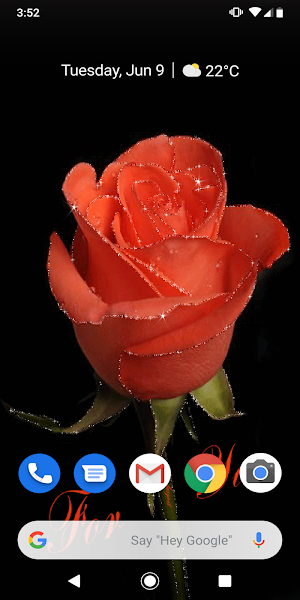
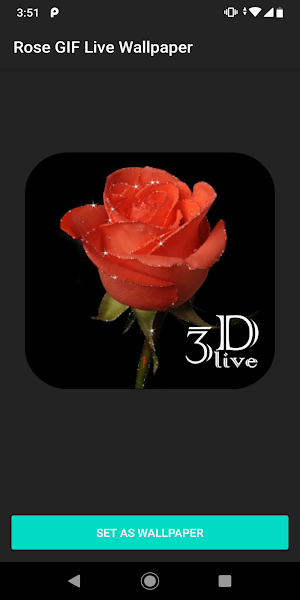
Rose GIF Live Wallpaper - free animated wallpaper with red roses.

About Rose GIF Live Wallpaper
Rose GIF Live Wallpaper
Rose GIF Live Wallpaper - free, simple and easy to use live wallpapers app.
Set GIF animation with red rose as Live wallpaper!
Set this 3D GIF Live Wallpaper with roses as animated wallpaper for lock screen!
How To Set Rose GIF Live Wallpaper:
1. Tap and hold on any blank spot on Homescreen
2. Select "Wallpapers"
3. Select "Live Wallpapers" and then choose the Rose GIF Live Wallpaper from the list.
4. Select either "Home Screen" or "Home and Lock Screens." and you’re all set!
Also check other wallpapers from out team!
Similar Apps

Golden Lion GIF Live Wallpaper
Golden Lion GIF Live Wallpaper - free, simple and easy to use...

Crypto Slots Machine FREE
Crypto Slots Machine💰💰💰 Win a lot of virtual crypto coins 💰💰💰Enjoy FREE...

Anime Asteroid Clouds Animated
Anime Asteroid Clouds Animated WallpapersAnime Asteroid Clouds Animated Wallpapers for smartphone and...

Anime - In the Snow Wallpapers
Anime - In the Snow Wallpapers For ChromecastAnime - In the Snow...

Night City Life Wallpapers For
Night City Life Wallpapers For Chromecast Night City Life Wallpapers for smartphone...
