Thomson Reuters Authenticator
Introducing the Thomson Reuters Authenticator: one app to verify your identity
About Thomson Reuters Authenticator
This app only intended for use with applicable software from Thomson Reuters. It is not intended for use with non-Thomson Reuters software.
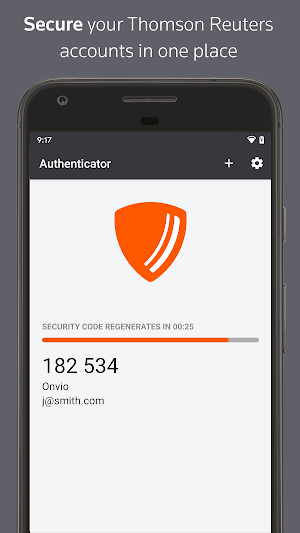
Whether using this app to access Thomson Reuters software for work or personal use, multi-factor authentication adds an extra layer of protection to your data, wherever your software or data are stored. The easy-to-use design makes it simple.
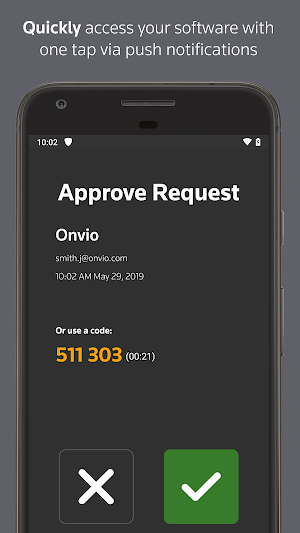
If you’ve enabled multi-factor authentication for any of your Thomson Reuters software, logging in to that software will trigger the Authenticator app to notify you on your device. Simply press approve (or use your fingerprint) to complete the sign-on process, or press deny if you’re not trying to access the software at the time.
Software that works with Thomson Reuters Authenticator allows you to authenticate on three levels:
1) Something you KNOW (your login and password)
2) Something you HAVE (your mobile device with the Thomson Reuters Authenticator app)
3) Something you ARE (your fingerprint, if your device has fingerprint enabled)
Features include:
• Automatic setup via QR code
• Support for multiple accounts
• Generate verification codes without a data connection
Similar Apps

Mega Metropolitan
MegaMetropolitan’s app is an innovative application that allows you to order a...

Skiptax - French Tax Refund
Skiptax is the first online french tax refund system approved by the...

CMI Times
India's first education news portal, a venture of CMI Infocity India Pvt...
Frequently Asked Questions (FAQ)
What is Thomson Reuters Authenticator?
Can I use Thomson Reuters Authenticator with non-Thomson Reuters software?
How does multi-factor authentication work with Thomson Reuters Authenticator?
What happens when I enable multi-factor authentication for my Thomson Reuters software?
What are the features of Thomson Reuters Authenticator?