BimdUP: Wireless File Transfer
Wireless file transfer between Android and PC—no cable or desktop app needed
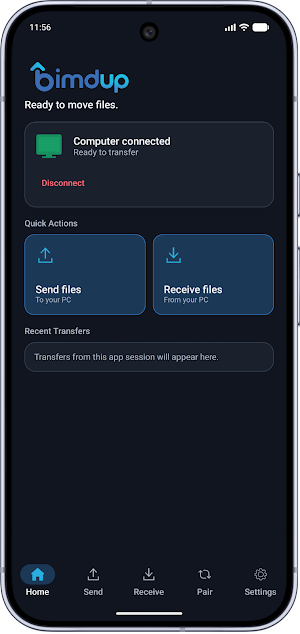
About BimdUP: Wireless File Transfer
Transfer files wirelessly between your Android phone or tablet and a computer with BimdUP. Move photos, videos, documents, PDFs, music, archives, and other files between Android and PC without reaching for a USB cable or installing desktop software.
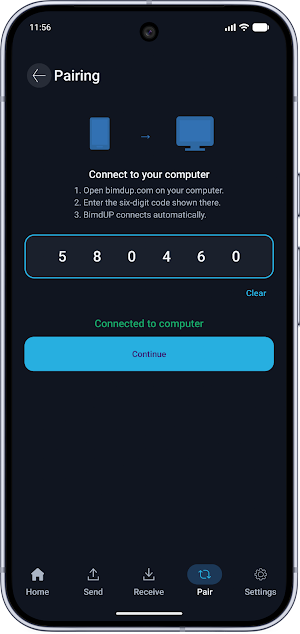
BimdUP makes phone-to-PC and PC-to-phone file transfer simple. Open BimdUP on your Android device, visit BimdUP in a modern computer browser, enter the six-digit pairing code, and start transferring.
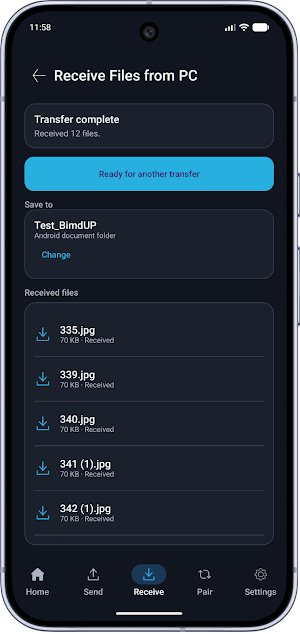
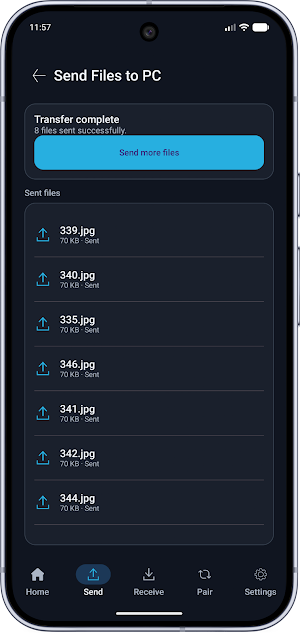
Wireless file transfer in both directions
Send files from Android to your computer or transfer files from your computer to Android. BimdUP supports everyday file transfers for school, work, photos, videos, documents, projects, backups, and more.
No desktop app required
Your computer connects through a modern web browser, so there is no Windows, Mac, or Linux desktop application to install. Just open the BimdUP transfer page and pair your devices.
Simple six-digit pairing
Connect your Android device and computer using a temporary six-digit pairing code. No BimdUP account, username, or password is required.
Built for direct device-to-device transfer
BimdUP uses WebRTC to establish an encrypted connection between your Android device and computer. File traffic uses a direct peer-to-peer connection when the network allows it. If a direct connection is unavailable, encrypted WebRTC traffic may use a TURN relay.
Transferred files are not uploaded to BimdUP for permanent cloud storage.
Choose where received files go
Select an Android folder for incoming files and save your preferred receive location for future transfers.
Keep transfers running
Active, user-started connections and file transfers can continue while BimdUP is in the background, supported by an Android foreground service and visible notification.
Key features
• Wireless Android file transfer
• Phone-to-PC and PC-to-phone transfers
• Send photos, videos, documents, PDFs, archives, and more
• Browser-based computer connection
• No desktop software required
• No BimdUP account required
• Six-digit device pairing
• Two-way file transfer
• Direct WebRTC connection when available
• Encrypted TURN relay fallback when needed
• Saved Android receive folder
• Light, Dark, and System appearance options
Whether you are moving homework to your computer, sending work documents to your phone, transferring photos, or simply avoiding another USB cable, BimdUP provides a straightforward way to move files between Android and a computer.
Similar Apps
AppDash: App Manager & Backup
Advanced app manager with backups, insights, permissions and more
Transfer All Data - PhoneClone
Transfer All Data phone clone app helps share files between Android and iOS.

ISO Today
Monitor real-time power grid conditions, get alerts and track calendar events

Avigilon Unity Video
Avigilon Unity Video enables remote video viewing from Avigilon Unity Software

Intellifi by Adtran®
The Intellifi mobile app by Adtran is the ultimate home Wi-Fi network assistant
