WiFi Analyzer
WiFi scanner, channel analyzer, distance radar — fully on-device, no signup
About WiFi Analyzer
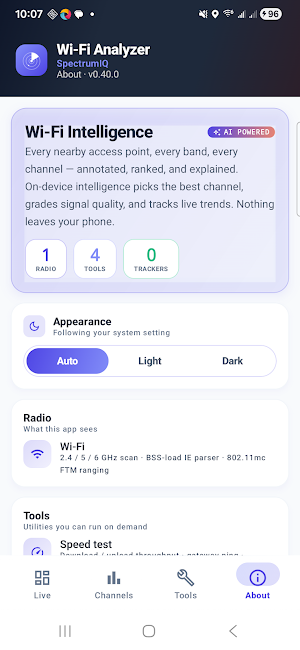
Wi-Fi Analyzer is a professional-grade Wi-Fi scanner for engineers, IT admins, network installers, and power users who need to see exactly what's happening on every band around them — without an account, without a server, and without ads.
EVERY ACCESS POINT, EVERY FREQUENCY
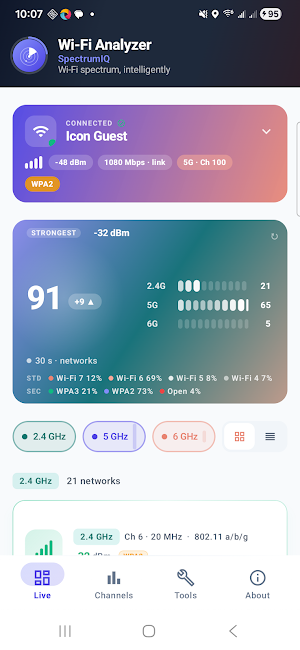
Scan every Wi-Fi network in range. See SSID, BSSID, RSSI in dBm, channel, channel width, 802.11 standard (Wi-Fi 4 / 5 / 6 / 6E / 7), security mode (open, WPA, WPA2, WPA3), and band classification across 2.4 GHz, 5 GHz, and 6 GHz. Tap any access point for the full RSSI trend chart, capability list, and signal-quality scoring.
FIND THE BEST CHANNEL
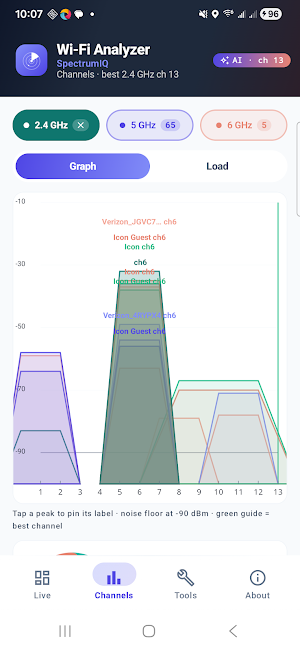
The Channels tab plots overlap on each band and recommends the least-congested channel for 2.4 / 5 / 6 GHz based on real-time scan data. A heat-style visualization shows where the noise is and which channel will give your router the cleanest air.
LIVE CONNECTION SPOTLIGHT
The home screen shows your current Wi-Fi connection front and centre — SSID, link rate, RSSI, signal quality, channel, band, and security. See at a glance whether you're on the right access point and the right band.
POWER-USER TOOLBOX
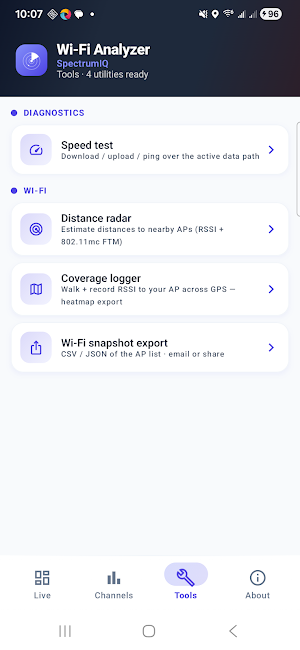
• Speed test — download / upload / ping over the active data path
• Distance radar — estimate distances to nearby APs from RSSI (with 802.11mc FTM when supported)
• Coverage logger — walk an area while recording RSSI against GPS, then export a JSON heatmap
• Wi-Fi snapshot export — share the full scan list as CSV or JSON via email, drive, or any share target
PRIVACY-FIRST, FULLY ON-DEVICE
Every scan result, MAC address, signal reading, and location fix stays on your phone. There are no accounts, no telemetry, no analytics SDK, no cloud sync, and no crash reporting in this release. The app uses your location only because Android requires it for Wi-Fi scan APIs — that location is read live and never transmitted off the device.
WHY THIS APP IS DIFFERENT
• Built natively in Kotlin with Jetpack Compose — fast, fluid, modern Android UI
• Designed for Android 13+ with Wi-Fi 6E / 7 awareness baked in
• Per-permission justifications published in the privacy policy
• No INTERNET permission is requested by the data-safety form for anything except the optional speed test
• Landscape and portrait layouts are responsive on every screen, including the channel graphs and AP detail pages
• Beautiful Tempo design system — Plus Jakarta Sans typography, considered colour, real attention to type and spacing
PART OF THE SPECTRUMIQ FAMILY
SpectrumIQ also publishes:
• 5G Analyzer — carrier, cell, SIM, RSRP / RSRQ / SINR, drive-test heatmap
• BLE Analyzer — BLE + classic Bluetooth scan, offline OUI vendor lookup
• GPS Analyzer — fix detail, sky plot, coord converter, speedometer
• Smart Compass — true-north dial, bubble level, sun position, AR camera tools
Each ships separately on Play Store. They share a codebase and the same privacy guarantees.
PERMISSIONS REQUESTED
• Precise location (ACCESS_FINE_LOCATION) — required by Android for Wi-Fi scan APIs and for tagging coverage-logger readings to your map. Never transmitted off the device.
• Nearby devices (NEARBY_WI-FI_DEVICES) — required for scanning Wi-Fi access points on Android 13+.
• Internet — used only when you explicitly tap "Speed test". The scanning and analyzer features work fully offline
Full per-permission disclosure: https://quiresystems.com/privacy-policy
Made by Quire Systems. Feedback welcome at [email protected]
