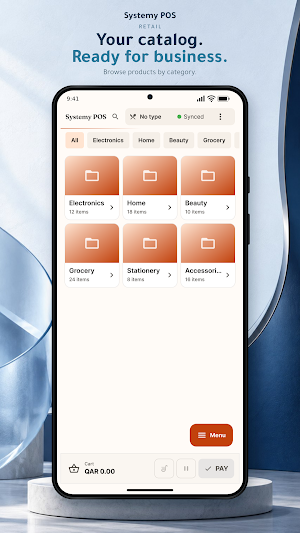
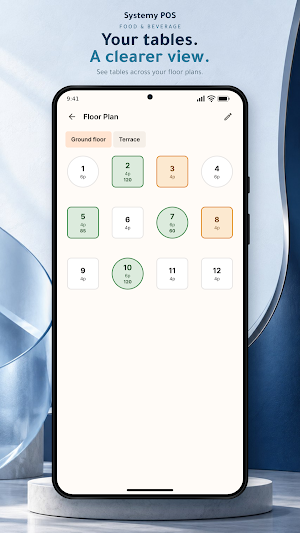
About Systemy POS
Systemy POS is a fast, reliable point-of-sale application built for boutique retail. It runs against your Odoo backend and works offline so cashiers never miss a sale — even when the Wi-Fi drops.
KEY FEATURES
- Offline-first — orders are queued locally and sync automatically when the network returns. Nothing is ever lost.
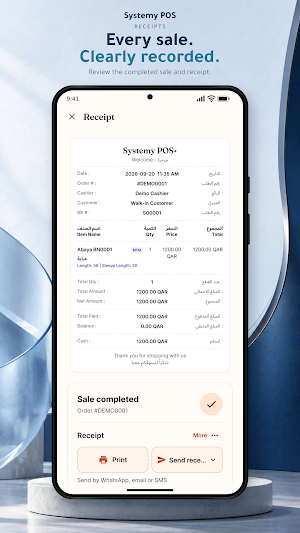
- Bilingual receipts — every printed receipt is rendered in both English and Arabic on any ESC/POS thermal printer.
- Multi-printer routing — separate receipt printers plus category-based kitchen printers, all configurable per shop.
- Full sale-order workflow — down payments, settlements, per-item refunds, and history tracking.
- Cashier profiles with 4-digit PIN protection.
- Multi-tender payments — cash, card, mobile wallets, or any custom method configured in your Odoo backend.
- Session open / close reporting with opening and closing cash counts.
- Configurable logo, receipt header, and receipt footer.
- Runs on any Android 8+ phone or tablet in portrait or landscape.
BUILT FOR
- Boutique clothing and abaya shops
- Retail counters that need reliable offline operation
- Merchants already running an Odoo backend
REQUIREMENTS
- A Systemy-compatible Odoo 19 backend, reachable over HTTPS
- Wi-Fi network access on the store premises
- Optional: an ESC/POS thermal printer on the same local network
SUPPORT
Email us any time at [email protected]. Full privacy policy and user guide are linked from the app.
Systemy POS details
Systemy POS is a free Business app for Android with 1+ installs on Google Play. It was released on July 21, 2026 and last updated on August 27, 2026. It's developed by Raqmia Technologies. It requires Android 8.0 or later.
- Category
- Business
- Installs
- 1+
- Price
- Free
- In-app purchases
- No
- Ads
- No ads
- Current version
- 1.5.0
- Requires Android
- 8.0
- Content rating
- Everyone
- Released
- July 21, 2026
- Last updated
- August 27, 2026
- Developer
- Raqmia Technologies
What’s new in Systemy POS
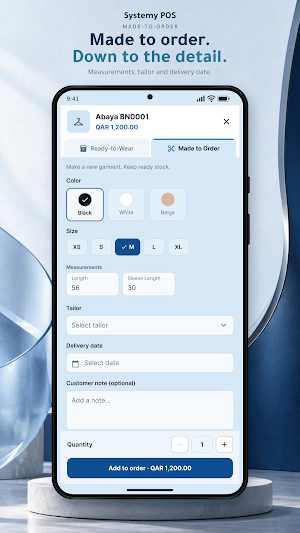
Custom sizes and colours • Pick a "Custom" option and type the exact value — it now appears on the order, the receipt and the sale order. Sale orders • Filter by status, source and delivery type from a single bar. • Status buttons now match what the office actually allows. Fixes • Tapping a product could open a different product's options. • Filter buttons sometimes ignored taps. • A register that failed to open no longer shows as open.
Version 1.5.0 · Updated August 27, 2026
