SyntelbyArvind NEOS PRO
Arvind Limited (Telecom Division) Mobile Viewer for surveillance system
About SyntelbyArvind NEOS PRO
Arvind Limited (Telecom Division) Mobile Viewer for surveillance system
Always on the go but still need to keep an eye on what’s happening back at home or office? Arvind Limited (Telecom Division) Mobile Viewer and its surveillance system is the best solution for your problem.
SyntelbyArvind NEOS PRO is a user friendly, feature rich, easy to install application that supports viewing video streams of an IP camera connected to any Arvind Limited (Telecom Division) Surveillance System such as NVR; over a mobile supporting Wi-Fi / GPRS / 3G network connectivity.
With SyntelbyArvind NEOS PRO you can:
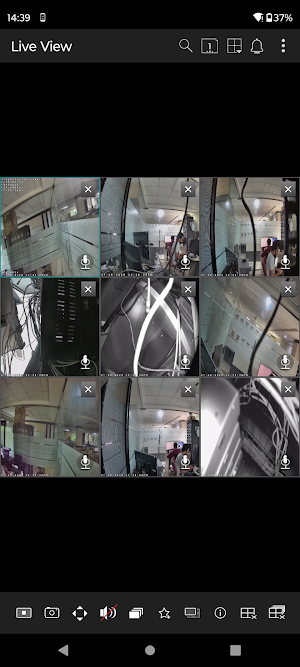
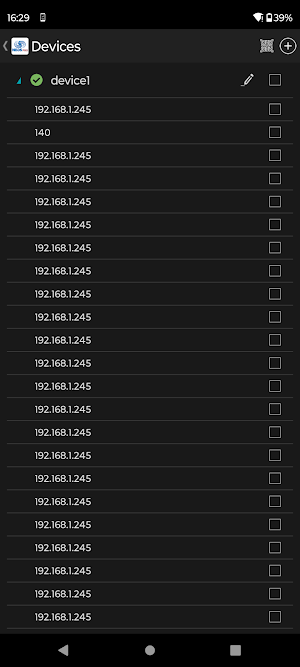
- Configure multiple devices and view live streaming of cameras from multiple devices
- Switching between cameras is now very easy with our swipe and change the channel feature
- Make a camera as your favorite and launch it quickly. Create favorite and make it default live view
- Delete already added cameras from existing Favorite
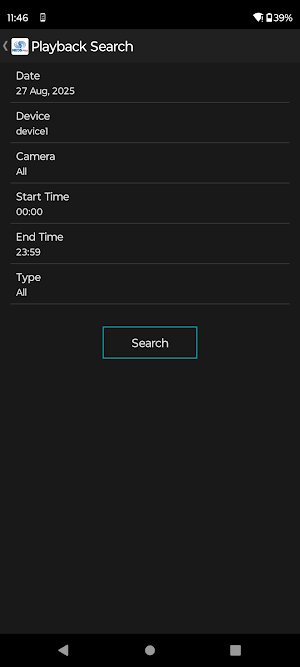
- Playback gets efficient with our Forward Play, Reverse Play, Fast Play and Slow Play in our remote playback feature
- Get in to the details with 4x zoom
- Call the operator in charge of that camera, if you observe any issue
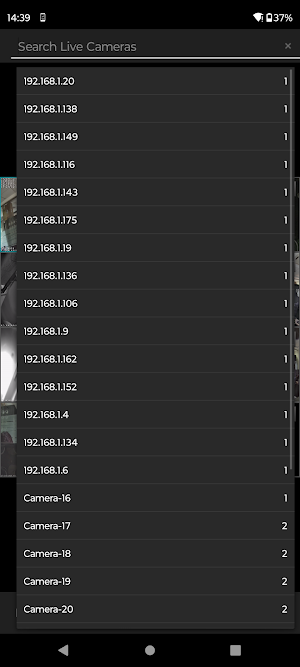
- Search cameras within Live View
Camera Toolbar with following functions
Start/Stop : To Start/Stop live view of any camera
Snapshot : To take Snapshot while playing live view of any camera
PTZ : Control PTZ supported camera position with remote PTZ control
Audio On/Off : To On/Off audio coming from camera
Sequencing : To Start/Stop Sequencing of cameras with adjustable time interval
Add to Favorite: Directly add camera in existing Favorite or create new favorite
Change Stream Type : Change live stream of any camera
Information: Get camera information
Clear Page : To clear cameras from current page
Clear All : To create cameras from entire Live View
Two way audio communication:
Communicate with device or camera from the SyntelbyArvind NEOS PRO Mobile App
Tap microphone icon from the live view of desire Camera
Select either “Speak to Device” or “Speak to Camera”
Two way Audio connection will be established if feature is supported
Follow the same process to disconnect two way audio communication Rights base camera listing
User can view only those camera(s) on which user have access rights(Monitoring, Playback rights only)
Mandatory Requirement :
- Android Version 5.0 and above
- Network Connectivity
- Arvind Limited (Telecom Division) Video Surveillance Device
Similar Apps
SmartRent
SmartRent - Opening Doors To A Smarter World
Reolink
Reolink App is the easiest remote viewing app for security cameras, NVRs, DVRs.
Cinmoore
Home Security Camera

ACSM CPT Fitness Prep 2026
1,200+ questions with answer explanations to help you pass the ACSM CPT exam!
Official ATI TEAS Prep 2026-27
Prep with the only official app from the creators of the TEAS Exam.

Lorex Classic
Please check product documentation to ensure you download the correct Lorex app.
