Stashly - Save Anything
Save anything from anywhere instantly. Links, images, text, files. All offline.
About Stashly - Save Anything
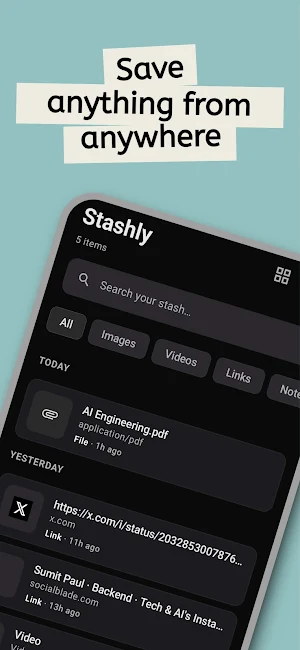
Stashly is your private, offline vault for everything you come across on your phone. Save links, images, videos, text, and files from any app with a single tap of the share button. Everything stays on your device -- no cloud, no accounts, no tracking. Access your stash anywhere with secure P2P sync and a dedicated Chrome extension for your PC.
SAVE ANYTHING IN ONE TAP
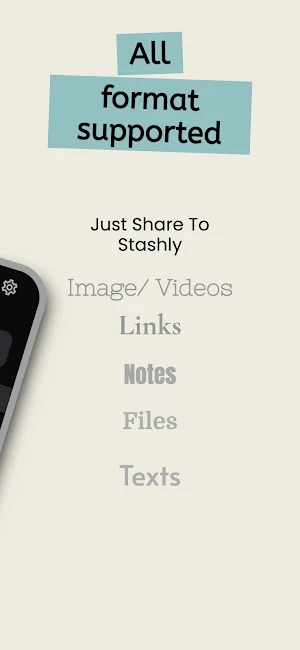
Share from any app -- browser, social media, notes, gallery -- and Stashly saves it instantly. Links, images, videos, text snippets, documents, and any other file type are all supported. Content type is detected automatically.
MULTI-DEVICE SYNC (NO CLOUD)
Sync your stash across devices using secure peer-to-peer transfer.
Connect your phone and PC with the Chrome extension.
Your data stays private and available wherever you need it.
SMART LINK PREVIEWS
When you save a link, Stashly fetches the page title, description, thumbnail, and favicon automatically. Your saved links look clean and are easy to identify at a glance.
FULL-TEXT SEARCH
Find anything you've saved in seconds. Search across titles, text content, URLs, descriptions, and even text extracted from images. Powered by SQLite FTS4 for fast, accurate results.
OCR -- SEARCH INSIDE SCREENSHOTS
Stashly uses on-device text recognition (Google ML Kit via Play Services) to extract text from images and screenshots. That text becomes fully searchable, so you can find that screenshot by typing what was written in it.
SMART COLLECTIONS
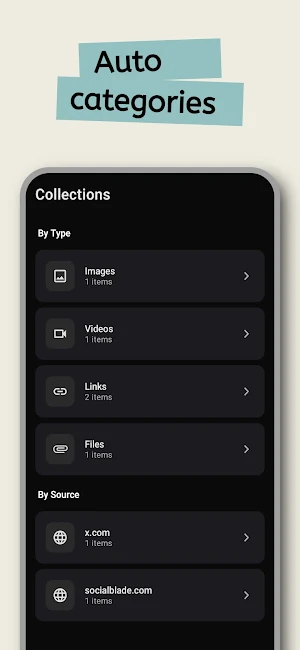
Your saved items are automatically organized by type (Images, Videos, Links, Notes, Files) and by source domain. Favorites get their own dedicated collection. No manual sorting needed.
FAVORITES
Mark any item as a favorite for quick access. Favorited items appear in a dedicated Favorites collection on the Collections tab.
LIST AND GRID VIEW
Switch between a compact list view and a visual grid layout on the home screen. Your preference is remembered.
QUICK CAPTURE TILE
Add the Stashly tile to your Quick Settings panel. Tap it to instantly save whatever is on your clipboard without even opening the app.
EXPORT AND IMPORT BACKUP
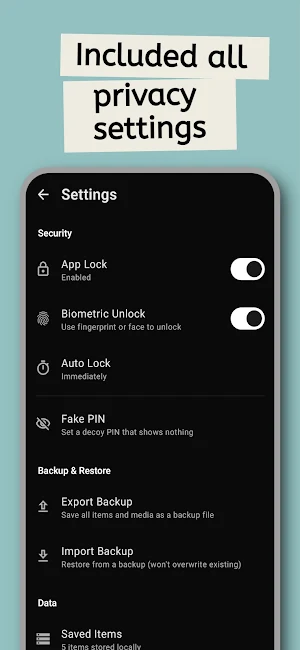
Switching devices? Export your entire stash — all items and media files — as a single backup file. Import on your new device and everything is restored; importing never overwrites existing data. Backup and restore run in the background with progress shown in the notification bar.
PIN LOCK WITH BIOMETRIC UNLOCK
Protect your stash with a 4-digit PIN. Enable fingerprint or face unlock for convenience. Set an auto-lock timeout so the app locks itself when you step away.
FAKE PIN -- DECOY VAULT
Set a secondary PIN that opens a completely empty vault. If someone asks to see your phone, enter the fake PIN and they see nothing.
COMPLETELY OFFLINE AND PRIVATE
No cloud sync. No accounts. No analytics. No ads. No data collection. Everything is stored locally on your device. Internet is only used to fetch link previews and to download the OCR model via Google Play Services when needed. Your data never leaves your phone.
DARK MODE
A clean, minimal dark theme designed for comfortable use.
BUILT WITH
Kotlin, Jetpack Compose, Material Design 3, Room Database, Google ML Kit (Play Services), Coil, Jsoup.
PERMISSIONS
- Internet: fetch link metadata and OCR model only
- Biometric: fingerprint/face unlock
- No storage permission required (uses app-private storage)
Stashly - Save Anything details
Stashly - Save Anything is a paid Productivity app for Android with 10+ installs on Google Play. It was released on March 14, 2026 and last updated on May 1, 2026. It requires Android 8.0 or later.
- Category
- Productivity
- Installs
- 10+
- Price
- $1.49
- In-app purchases
- No
- Ads
- No ads
- Current version
- 1.0.11
- Requires Android
- 8.0
- Content rating
- Everyone
- Released
- March 14, 2026
- Last updated
- May 1, 2026
What’s new in Stashly - Save Anything
• We tidied up a few things and made the app feel a bit faster along the way • Now works smoothly across your devices, so you can pick up right where you left off • Devices can now connect directly and just work - completely offline. • Added a handy Chrome extension to link your phone with your browser or even another phone • Your stuff stays with you, ready whenever and wherever you need it
Version 1.0.11 · Updated May 1, 2026


