

SpiderOak CrossClave
SpiderOak, Inc. Communication
No Knowledge collaboration tool
- Downloads
- 1K+
- on Google Play
- Price
- Free
- No in-app purchases
- Updated
- Jul 5
- 2022 · v22.0.0
Screenshots


About SpiderOak CrossClave
Share Safely
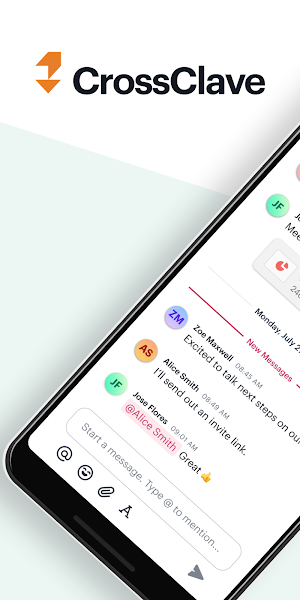
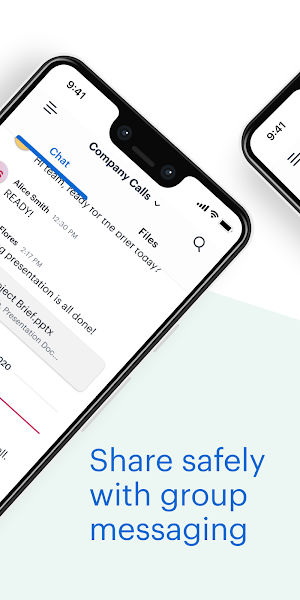
Collaborate securely with the people who matter most to you, with an uncompromising focus on privacy and security. CrossClave’s secure spaces give your family, group, or team a place to store photos and files or chat about upcoming events or projects.
CrossClave is available on Android, Windows, MacOS, and Linux, and iOS is coming soon! We release new versions regularly so you have new features and options as soon as they are available.
No Ads, No Trackers
Your security and privacy are our top concern. We use end-to-end encryption to ensure your data is never accessible in plain text once it leaves your device. Your data belongs to you. We have no access, which is just the way we like it.
CrossClave offers you:
› Security and Privacy first: never worry that your files or communications will be intercepted by bad actors.
› Access Controls: Add people to your Team and give access to Spaces as needed. Members can view and edit only what they need to. Adding and removing Team members is easy and keeps your group in sync.
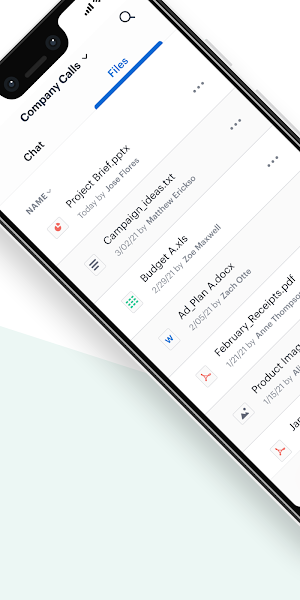
› File Collaboration: Historical versions, folders and sub-folders, and sharing integration mean you can access and edit files on the go and ensure your group’s work is always safe and preserved.
We do ask you bear in mind that CrossClave is still under active development. We appreciate your patience as CrossClave changes and grows. We love to hear how you are using CrossClave and how we can improve. Let us know through our Help Center, https://crossclave.support, our Community Forum, https://spideroak.chat, or by email at [email protected]
Collaborate securely with the people who matter most to you, with an uncompromising focus on privacy and security. CrossClave’s secure spaces give your family, group, or team a place to store photos and files or chat about upcoming events or projects.
CrossClave is available on Android, Windows, MacOS, and Linux, and iOS is coming soon! We release new versions regularly so you have new features and options as soon as they are available.
No Ads, No Trackers
Your security and privacy are our top concern. We use end-to-end encryption to ensure your data is never accessible in plain text once it leaves your device. Your data belongs to you. We have no access, which is just the way we like it.
CrossClave offers you:
› Security and Privacy first: never worry that your files or communications will be intercepted by bad actors.
› Access Controls: Add people to your Team and give access to Spaces as needed. Members can view and edit only what they need to. Adding and removing Team members is easy and keeps your group in sync.
› File Collaboration: Historical versions, folders and sub-folders, and sharing integration mean you can access and edit files on the go and ensure your group’s work is always safe and preserved.
We do ask you bear in mind that CrossClave is still under active development. We appreciate your patience as CrossClave changes and grows. We love to hear how you are using CrossClave and how we can improve. Let us know through our Help Center, https://crossclave.support, our Community Forum, https://spideroak.chat, or by email at [email protected]
What’s new
Version 22.0.0 · Updated July 5, 2022
Improved the Sync protocol for CrossClave to reduce the data used by CrossClave when syncing data Users signing up can now specify a Team Join URL to sign up on alternate environments
User reviews

Finally... a Dropbox and Google Drive alternative for people who care about security and privacy
Alternatives to SpiderOak CrossClave
Looking for apps like SpiderOak CrossClave? Here are 4 similar Android apps on Google Play. The highest rated is HawaiiUSA FCU Mobile Banking (4.8/5), and all 4 are free to download.


| App | Rating | Price | Installs | Last updated | Compare |
|---|---|---|---|---|---|
| SpiderOak CrossClave | – | Free | 1,000+ | Jul 5, 2022 | |
| Danfoss Ally™ | – | Free | 50,000+ | Nov 25, 2025 | Compare |
| OpenSolar | 3.3 / 5 | Free | 10,000+ | Sep 2, 2026 | Compare |
| HawaiiUSA FCU Mobile Banking | 4.8 / 5 | Free | 10,000+ | – | Compare |
| Cosmostation Interchain Wallet | 4.3 / 5 | Free | 100,000+ | Oct 6, 2026 | Compare |