Photo Recovery : File Recovery
Easily scan and restore deleted pictures, videos, and files from your device.
About Photo Recovery : File Recovery
Accidentally deleted your photos or lost important files? The Photo Recovery App is a handy tool designed to help you scan your device's storage and attempt to restore deleted images and other media.
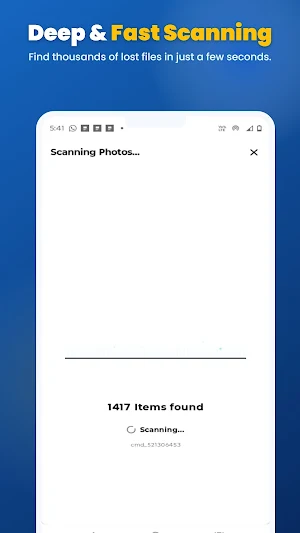
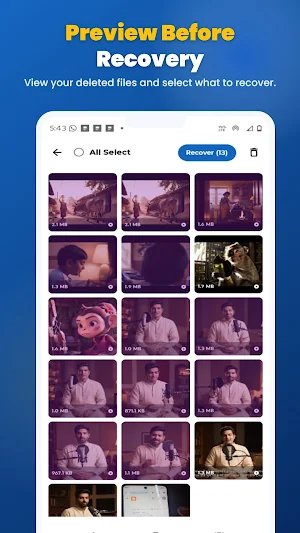
Our scanning technology checks your phone's internal memory and SD card to locate deleted photos, allowing you to preview and restore them back to your gallery.
While the app focuses on helping you get your pictures back, it also includes a complete set of file recovery features to manage your other important data.
🌟 Core Features:
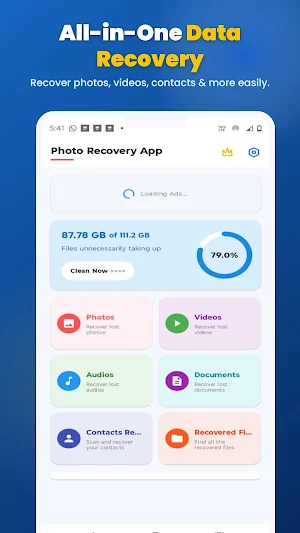
📸 Photo Recovery Our image recovery tool scans your device to find deleted photos and hidden pictures. View a preview of the images found and choose which ones you want to restore to your phone.
🎥 Video Recovery Lost an important video clip? You can also scan for deleted videos (such as MP4, AVI, and MKV) and restore them alongside your photos.
🎵 Audio & Voice Note Recovery Scan and retrieve deleted voice recordings, music, and audio files (MP3, WAV) that you may have accidentally removed.
📄 Document Recovery Helpful for getting back deleted work files, PDFs, Word documents, Excel sheets, and text files.
📇 Contact Recovery Accidentally wiped your phonebook? The app scans your device to help you find and recover deleted contacts.
🧹 Storage Cleaner Keep your device organized. Identify large duplicate videos, junk files, and unnecessary data taking up your storage, and clean them up easily.
⭐ App Highlights:
✔ Deep Scanning: Thoroughly searches your storage for recently deleted files. ✔ Preview Feature: View your deleted pictures and videos before restoring them. ✔ User-Friendly Interface: A clean and straightforward design makes the recovery process easy. ✔ No Root Required: Works safely on standard, non-rooted devices. ✔ Privacy Focused: Your files are scanned locally on your device.
🛠️ How to use:
Open the app and select the category you want to scan (Photos, Videos, Audios, Documents, or Contacts).
Tap "Scan" and wait for the app to search your storage.
Browse the list of found files and use the preview feature.
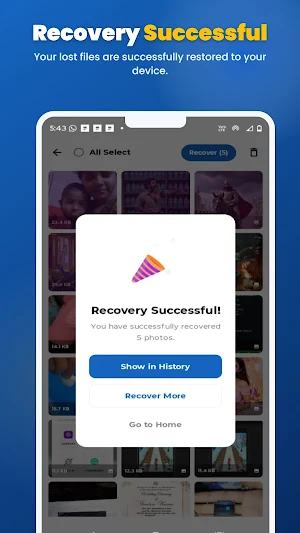
Select the items you need and tap "Recover" to save them back to your device.
⚠️ Important Note: While the Photo Recovery App performs a deep scan of your storage, it may not be able to recover all deleted files. If the storage space of the deleted file has been overwritten by new data, recovery may not be possible. Some files may also be recovered at a different resolution than the original.
Download the Photo Recovery App today and easily manage and restore your lost files!
Photo Recovery : File Recovery details
Photo Recovery : File Recovery is a free Tools app for Android with 10+ installs on Google Play and a 5.0/5 average rating from 1 rating. It was released on July 14, 2026 and last updated on August 24, 2026. It's developed by SKYWAVE TECH. It requires Android 7.0 or later. The app contains ads and offers in-app purchases.
- Category
- Tools
- Rating
- 5.0 / 5 (1 rating)
- Installs
- 10+
- Price
- Free
- In-app purchases
- Yes
- Ads
- Contains ads
- Current version
- 1.1.5
- Requires Android
- 7.0
- Content rating
- Everyone
- Released
- July 14, 2026
- Last updated
- August 24, 2026
- Developer
- SKYWAVE TECH


