SimWealth
Know how much you have left every day. You can scan receipts. Financial information is stored on the device.
About SimWealth
How much can I spend today?
SimWealth answers this question every day, helping you stay on plan — no subscription required.
No bank account linking needed, and your financial information is on your device.
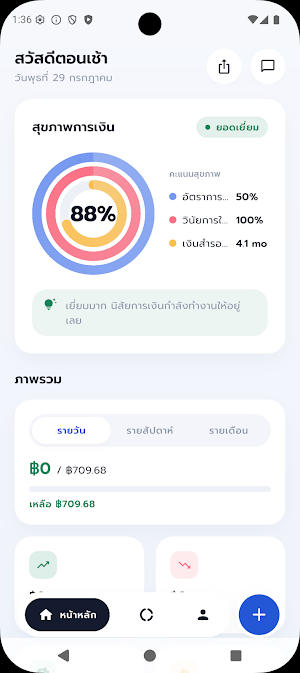
▍ Know your financial health in numbers.
Answer a short question at the start and receive a financial health score from 0–100, calculated based on your savings rate,
emergency fund, spending discipline, and debt burden, along with advice on how to improve your score.
▍ Plan today, not just summarize at the end of the month.
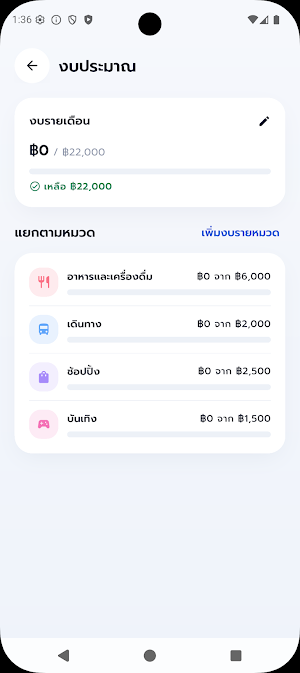
Set a monthly spending limit, and the app will calculate how much you can spend today. The "Actual Spending vs. Plan" card compares your spending to your daily goal in an easy-to-understand way. Switch between daily, weekly, or monthly views.
You can also set limits for different categories.
▍ Scan slips instead of typing.
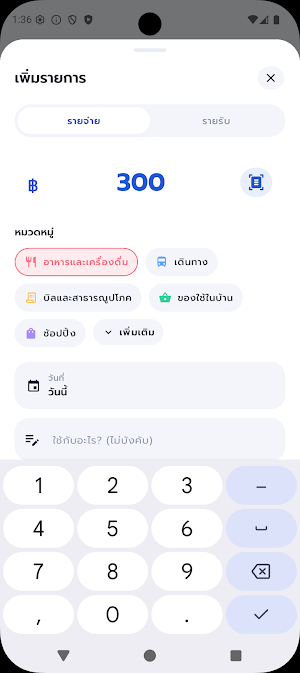
Take a picture of a money transfer slip or select multiple from your image library. The app reads the amount, date, and reference number automatically.
It guesses the category, skips duplicates, and marks unclear slips for review before saving.
Slip reading is done 100% on your device; images are not uploaded anywhere, and it works even without an internet connection.
▍ Calculated savings goals. Choose from 6 financial goals — retirement, home, car, travel, education, or custom.
The retirement goal automatically calculates the required amount. For other goals, simply enter the amount and desired year.
The app will then tell you how much you need to save each month to reach your goal.
▍ Home widget
See your available funds for today without opening the app, with a one-tap expense recording button.
Available for both Android and iPhone.
▍ Recurring items, no need to record repeatedly.
Enter your salary, rent, or membership fees once, and the app will automatically record it monthly with a summary.
You can revert the entries if needed.
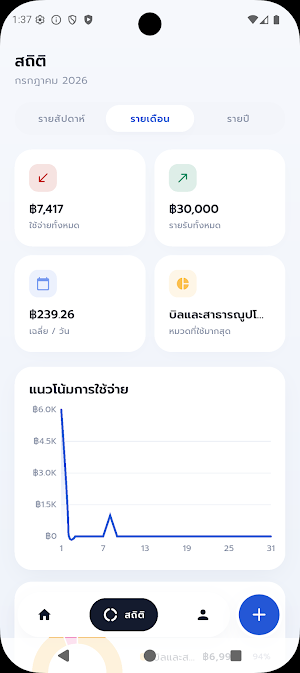
▍ Easy-to-read statistics
Spending trends, category breakdown, and income-to-expense ratio. Choose from 10 expense categories and
5 income categories, with your top 5 most frequently used categories appearing first.
▍ Timed reminders
Set up to 5 reminders per day with a daily summary to help you remember to record your expenses.
🔒 Privacy
All your financial information — transactions, limits, goals, receipt images — is stored only on your device.
No user accounts, no servers, no data sales. OCR Receipt Reading
Done on the entire device.
The only thing exported is an error report when the app crashes (so we can fix bugs).
This does not contain your financial data.
Need to switch devices or back up? Export to a single file anytime and import again.
✓ Free, no ads, no in-app purchases
✓ Thai and English languages
✓ Light and dark modes
Before downloading, please note:
• Supports Thai Baht (THB) only.
• Does not automatically connect to bank accounts — record manually or scan receipts.
• No user account; data is tied to this device. If you change devices or delete the app,
export a backup file first.
• This is a tool to help plan and track spending, not investment advice
or personal finance advice.
Start by recording your first transaction, and then make each day part of your plan.
Similar Apps

Kindling
Believe in Love and take Positive Action towards your Happy Relationship

Water Reminder: Drink Tracker
Water Reminder and hydration tracker for your daily water goals

Montreal Tamil Hub
Connect, share & celebrate Tamil culture with events, news & services.

Veluna: App for couples
The private app for couples. Only what you both like becomes a match.

Colonial Woods
Ready for a change?

DirectRent
Rent and lend items easily and securely with DirectRent save money and resources
