SHARE2me: Social Downloader
Share links to download instantly. Social media gallery with tags & filters
About SHARE2me: Social Downloader
SHARE2me is a social media downloader and offline gallery for Android. Save supported photos, videos, reels, stories, highlights, posts, and other media from shared links in one organized library.
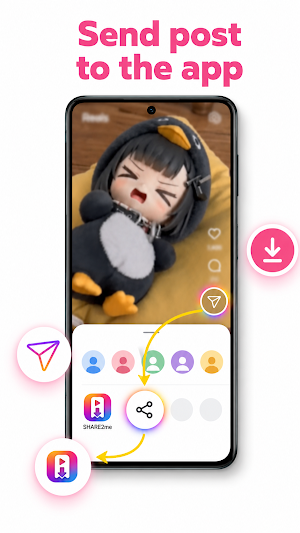
Share a supported link from Android’s share sheet, paste a copied link manually, or use the optional Floating Ball to detect copied links and start downloads with fewer app switches.
Social media downloader and link saver
1. Download supported photos, videos, reels, stories, highlights, posts, and media from shared links
2. Share supported links directly to SHARE2me from Android’s share sheet
3. Use the optional Floating Ball to detect copied links and start downloads
4. Paste a link manually
5. Browse and save supported posts or highlights by username
6. Continue photo and video downloads in the background
7. Receive download progress notifications and status updates
8. View download history with timestamps and status
9. Import local photos and videos from your device into the same media gallery
Video downloader and photo downloader
10. Save supported video links and photo links in a few steps
11. Download supported short videos, posts, stories, highlights, and shared media
12. Keep downloaded media in device storage for offline access
13. Check completed, pending, and failed downloads in download history
14. Open saved photos and videos directly from your offline gallery
Offline gallery for saved media
15. Browse saved photos and videos without an internet connection
16. Choose Small, Medium, Large, or Extra Large gallery layouts
17. Adjust the minimum number of columns for each gallery layout
18. Open media in a full detail view
19. Pinch to zoom on images
20. Play supported videos inside the app
21. View filename, resolution, file size, saved date, and media details
22. Show saved media in your device’s gallery apps
Media organizer and gallery manager
23. Create and manage color-coded tags for photos and videos
24. Apply multiple tags to the same saved media item
25. Mark important media as favorites
26. Add memo notes to saved items
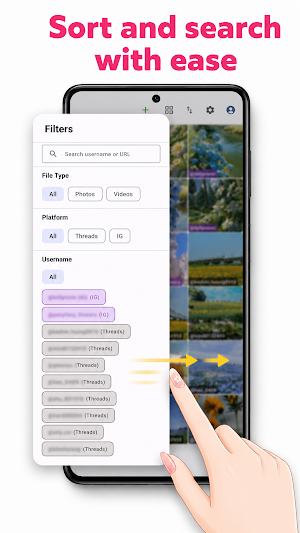
27. Search your complete offline media library
28. Filter by username, platform, media type, tags, favorites, or memos
29. Sort saved media by date, username, or file size
30. Select multiple items with long-press and drag
31. Batch share, delete, favorite, and tag saved media
Backup and restore
32. Export saved media, tags, memos, and download history as a backup archive
33. Restore your offline gallery from a backup file
34. Move your saved media collection to another device
Customize SHARE2me
35. Choose System, Light, Dark, or AMOLED Black theme
36. Choose from 24 supported app languages
37. Turn tags on or off
38. Configure tagging behavior when importing photos and videos
Fast saving workflow
39. Follow a first-run tutorial for sharing links and using the Floating Ball
40. Try the Android share sheet workflow directly from the tutorial
41. Use Floating Ball edge snapping, drag-to-close, rotation handling, and animations
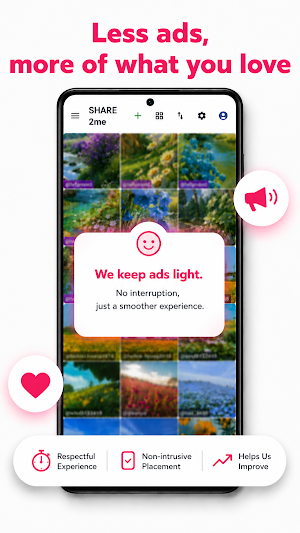
42. Save 300 items to automatically remove the bottom banner ad as a reward
43. Choose the paid ad-free option to remove banner ads, gallery grid ads, and interstitial ads
SHARE2me is made for creators, collectors, researchers, and anyone looking for a social media downloader, video downloader, photo downloader, link saver, media organizer, and offline gallery.
SHARE2me is intended for personal use. Respect creators’ rights, platform rules, and copyright laws. SHARE2me is not affiliated with or endorsed by any third-party platform. Feature availability may vary by platform, content type, link, account settings, region, and device.
