Scnr - PDF Scanner
Offline PDF scanner with on-device OCR. Scan documents, IDs & receipts.
About Scnr - PDF Scanner
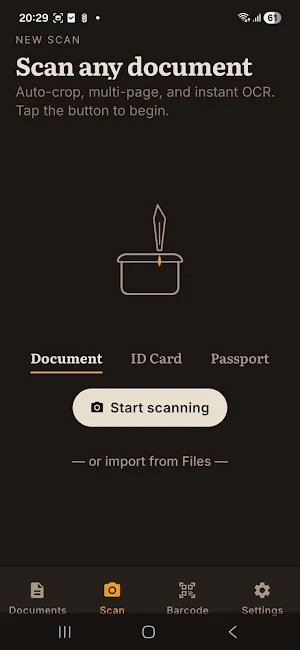
Scnr — the free PDF scanner that turns your phone into a powerful document scanner. Scan any document, ID card, receipt, or whiteboard and save it as a clean, searchable PDF in seconds.
Everything happens on your device. No account, no cloud upload, no tracking — your scans never leave your phone.
KEY FEATURES
• PDF scanner with smart edge detection and auto-crop
• Multi-page scans combined into a single PDF
• OCR text recognition — searchable PDFs in 100+ languages
• Image to PDF converter — turn JPG, PNG, or HEIC files into PDFs
• Built-in signature tool — sign documents on the go
• Barcode and QR code scanner with history
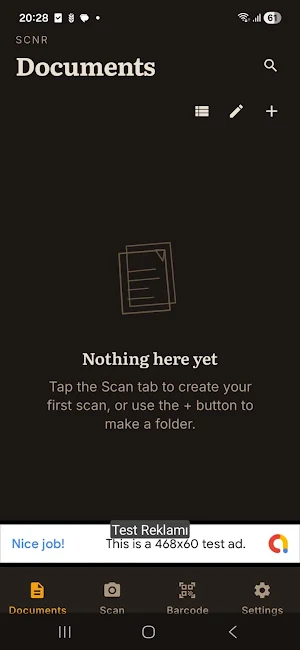
• Folder organization with optional password lock (fingerprint or PIN)
• Export as PDF, JPG, or CSV
• Standard share sheet — send to email, cloud, messaging apps
WHAT YOU CAN SCAN
✓ Documents and contracts
✓ Receipts and invoices
✓ ID cards and passports
✓ Notes and whiteboards
✓ Books and articles
✓ Business cards
✓ Tax forms
PRIVACY FIRST
Scnr runs entirely offline. OCR is performed on-device using Google ML Kit. No documents are uploaded anywhere. There is no analytics SDK, no tracking, and no account required to use the app.
PREMIUM (optional)
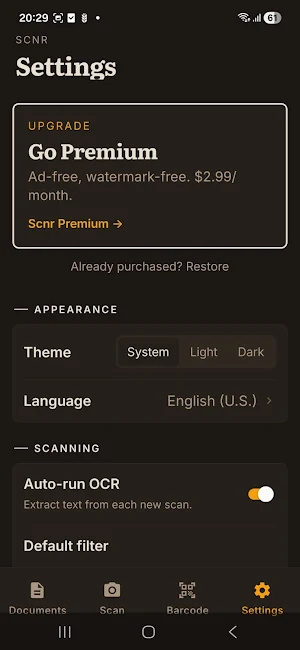
Upgrade to remove ads and the Scnr watermark from exported PDFs. The free tier includes the full scanner, OCR, signature, barcode, and export features.
Why Scnr?
Most PDF scanners on the Play Store either upload your documents to their servers or charge for basic features. Scnr does neither — fast, private, and free document scanning with OCR built right in.
Whether you need to scan receipts for expenses, digitize old paper notes, or quickly turn a page into a searchable PDF, Scnr handles it on your phone. No internet, no account, no compromise.
Scnr - PDF Scanner details
Scnr - PDF Scanner is a free Productivity app for Android with 5+ installs on Google Play. It was released on August 19, 2026 and last updated on August 20, 2026. It's developed by ProsodyAI. It requires Android 7.0 or later. The app contains ads and offers in-app purchases.
- Category
- Productivity
- Installs
- 5+
- Price
- Free
- In-app purchases
- Yes
- Ads
- Contains ads
- Current version
- 1.0.1
- Requires Android
- 7.0
- Content rating
- Everyone
- Released
- August 19, 2026
- Last updated
- August 20, 2026
- Developer
- ProsodyAI
What’s new in Scnr - PDF Scanner
Scnr is here — turn any paper document into a clean PDF with your camera. • Auto edge detection, cropping and filters • Multi-page PDFs with searchable text (OCR) • Merge, split, compress and convert • Signatures, stamps and watermarks • Barcode and QR scanning • Lock folders with your fingerprint or face • 100% on-device — nothing is uploaded
Version 1.0.1 · Updated August 20, 2026
