PDF Toolkit - Edit & Convert
Offline PDF Toolkit: merge, split, compress, convert and secure PDFs
About PDF Toolkit - Edit & Convert
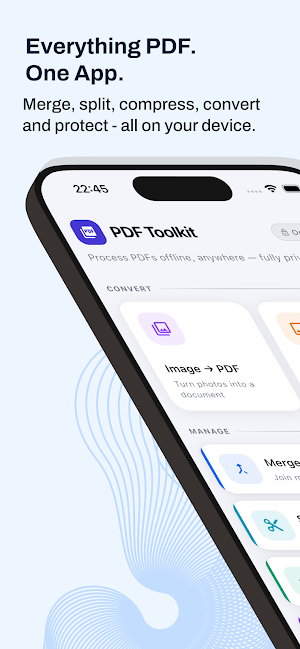
PDF Toolkit is a fast, privacy-focused PDF utility for everyday work.
Convert, organize, and secure your files directly on your device with clean, simple tools.
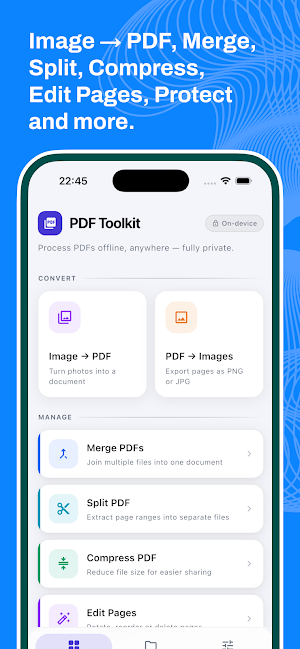
Create and manage PDFs with:
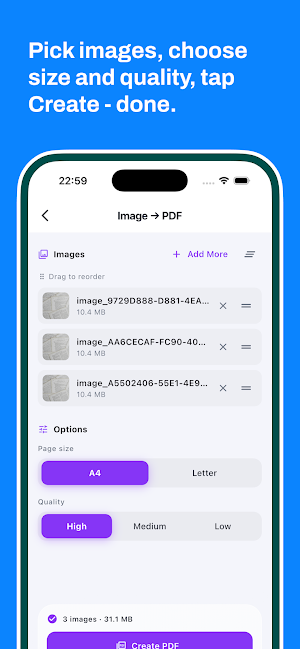
- Image to PDF conversion
- PDF merge (combine multiple PDFs)
- PDF split by page ranges
- PDF compression for smaller file size
- PDF to image export (JPG/PNG)
- Protect PDF with password
- Unlock password-protected PDFs
Why users like PDF Toolkit:
- Offline-first processing for better privacy
- No account required
- Quick file actions: open, share, and manage outputs
- Easy-to-use interface with clear workflows
- Useful settings for file naming, quality, and default options
Built for students, office work, business documents, forms, and personal file organization.
Notes:
- Some features may vary by device performance and file complexity.
- This app includes ads to support ongoing development.
PDF Toolkit - Edit & Convert details
PDF Toolkit - Edit & Convert is a free Tools app for Android with 50+ installs on Google Play. It was released on March 30, 2026 and last updated on May 30, 2026. It requires Android 7.0 or later. The app contains ads.
- Category
- Tools
- Installs
- 50+
- Price
- Free
- In-app purchases
- No
- Ads
- Contains ads
- Current version
- 1.3.0
- Requires Android
- 7.0
- Content rating
- Everyone
- Released
- March 30, 2026
- Last updated
- May 30, 2026
What’s new in PDF Toolkit - Edit & Convert
Initial release of PDF Toolkit: Edit & Convert. • Image to PDF - convert photos into a document • PDF to Images - export pages as JPG or PNG • Merge PDFs - combine multiple files in any order • Split PDF - extract pages or page ranges • Compress PDF - reduce file size (light, medium, strong) • Edit Pages - rotate, reorder and delete pages • Protect & Unlock - AES-256 password protection • New Languages: English, Deutsch, Español, Português, हिन्दी, Bahasa Indonesia, 日本語, 한국어
Version 1.3.0 · Updated May 30, 2026

