AI Social Media Auto Posting
Create AI captions, schedule posts, and manage social media posting easily.
About AI Social Media Auto Posting
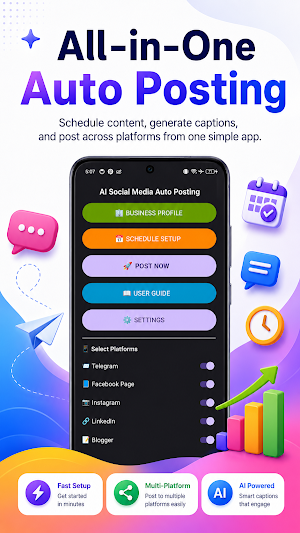
AI Social Media Auto Posting is a productivity tool that helps users prepare, manage, and publish social media content using their own accounts, API keys, access tokens, IDs, and third-party platform permissions.
The app is designed for creators, businesses, photographers, marketers, and social media managers who want to save time while creating captions and managing posting workflows.
Key Features:
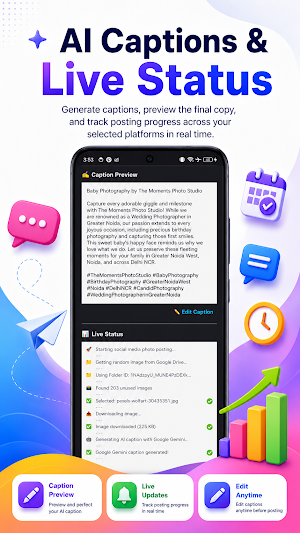
• AI-assisted caption, title, description, and hashtag generation
• Manual POST NOW option for quick posting
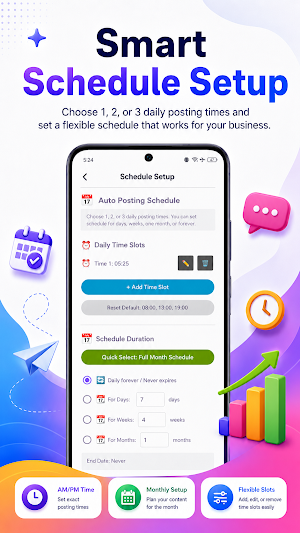
• Daily auto posting schedule with up to 3 posting times
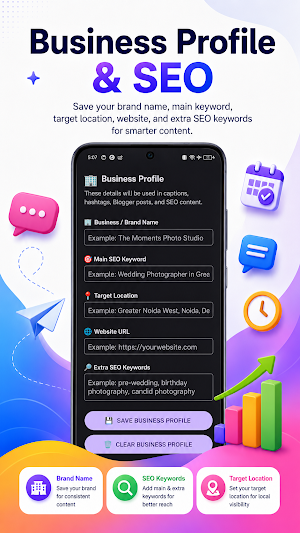
• Business Profile for brand name, website, target location, and SEO keywords
• Google Drive folder image selection
• Caption preview and edit option before posting
• Posting status and schedule status display
• Next post preview for scheduled posting
• Stop or pause automatic schedule anytime
• Built-in Hindi and English user guide
• Support for user-configured third-party platform integrations
How It Works:
1. Add your Business Profile details.
2. Add your own valid API keys, access tokens, IDs, and permissions in Settings.
3. Connect Google Drive if you want to use images from a Drive folder.
4. Select the platforms you want to use.
5. Use POST NOW for manual posting or Schedule Setup for automatic posting.
Important Notes:
This app does not create a separate user account. Users are responsible for providing and managing their own third-party credentials, tokens, permissions, and connected accounts.
Posting depends on valid user-provided API keys, access tokens, platform IDs, account permissions, and third-party service availability. If a token, API key, or permission expires, the related feature may stop working until the user updates the correct credentials in Settings.
Google Drive and Blogger features require Google account authorization and proper access to the selected Drive folder or Blogger blog.
The app stores user-provided settings locally on the device and uses third-party APIs only when configured and enabled by the user.
This app is a productivity and automation helper. It does not guarantee successful posting on any third-party platform if required credentials, permissions, API access, or platform rules are not satisfied.
Similar Apps
AI Affiliate Auto Poster
Generate affiliate articles, captions, and social posts with AI.
ABC Learning App for Kids
Fun ABC learning for kids! Trace letters, phonics, quizzes & games 🎓
123 learning app for kids
Fun learning app for kids to trace, count, match and learn numbers

Rent Hisaab
Manage rent, tenants & bills easily. Simple and smart rent manager app.

Wedding Pose App
Discover wedding pose ideas for bride, groom, couple and pre wedding.

QR Scanner Offline
Scan and create QR codes instantly. Works offline with fast results.
