Reverse - Image Search
Search by Image tool to find relevant images, faces, identify plants in few taps

About Reverse - Image Search
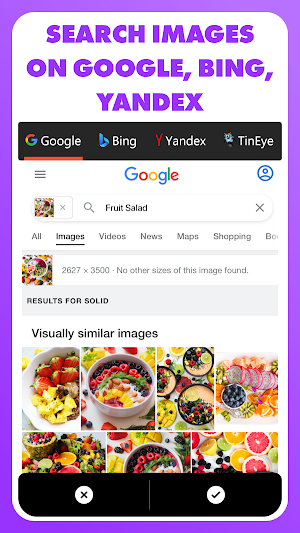
Reverse - Image Search 🔍 is a number #1 REVERSE search engine on the PlayStore that helps to reverse photo search for your personal or business purposes extremely easy and fast from multiple search engines: Google, Bing, Yandex, TinEye, and etc. This image search app allows you to search for any image using a photo finder, search by Image with or without using keywords. The search results are so fast that you just need to import or paste the image you want and you are done - thanks to our AI powered technology.
Why "Reverse - Image Search"?
• The powerful AI powered REVERSE Search Engine
• Find similar images in just 3 seconds
• To find images with or without using any keyword.
• You can verify the source of photographs, screenshots and memes.
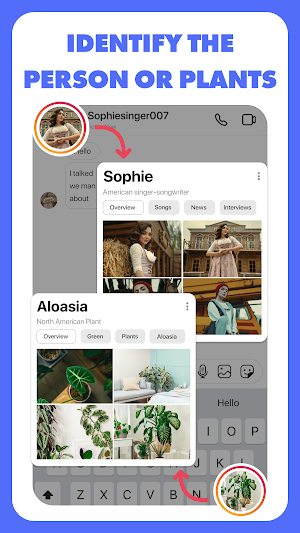
• Find out what that plant 🌿 is in your friend's apartment.
• What kind of animal 🐩 you saw in the park.
• Research profile pictures 👩🏼🏫 of their potential dates
• Find the photo's location 🏔️ while travelling anywhere in the world.
• Search for a similar Product 👗👟 to buy in the internet and do many more interesting things with Reverse Image Search
• And last but not the least, you can find who want to be your friend on Instagram, Facebook, Tiktok or any other social media platform by reverse search his/her profile picture.
Excising Features of the Reverse Image Search App:
• Search image by selecting pictures from gallery or using camera.
• Search using multiple search such as Google, Bing, Yandex & TinEye.
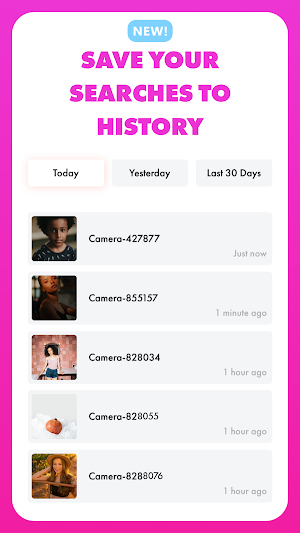
• Search history to track and reuse your searched images.
• Search history always saved in cloud, so you can access in multiple devices.
• Image Editor to rotate and crop according to your needs.
• Use copied image url to search image from the internet.
• Search copied images directly in app.
• Search copied texts directly in app.
• Download Images from the search results (without any restrictions, UNLIMITED)
• Search Filters (eg: content type, color, size, time, and more).
Steps to Use: How to reverse image search?
1️⃣ First Download and Install "Reverse - Image Search" on Your Android Mobile
2️⃣ Select Image from photo video gallery, capture from camera, or pasting URL.
3️⃣ Modify Image in case if you need to crop the image.
4️⃣ After that, you just have to click on the “Search” button to start your search.
5️⃣ Now, our free image lookup tool will pull the most relevant images from the web through Google, Bing, Yandex and TinyEye search engines.
Get ready to start your reverse image search. It will help you find more information on that picture you are curious about. We appreciate your feedback, please share your feedback to us at : [email protected].
☺️ If you enjoy the app, please share it with your friends.
Similar Apps

Mylio - memory management app
Mylio is a digital memory manager, a library where you can organize...

VisitReport
With snapADDY VisitReport you can get started at trade fairs and in...

PhotoScan by Google Photos
PhotoScan is a scanner app from Google Photos that lets you scan...

Google Lens
Google Lens lets you search what you see, get things done faster,...
Frequently Asked Questions (FAQ)
