QR Scanner & Barcode Reader
Scan QR codes & barcodes instantly. Create QR codes, scan images, save history.
About QR Scanner & Barcode Reader
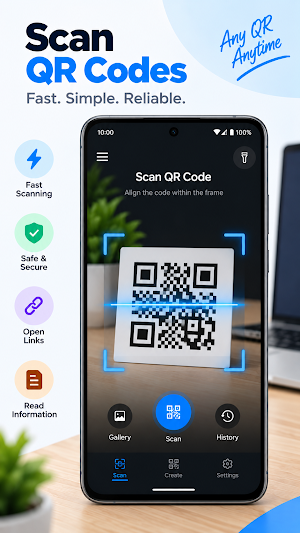
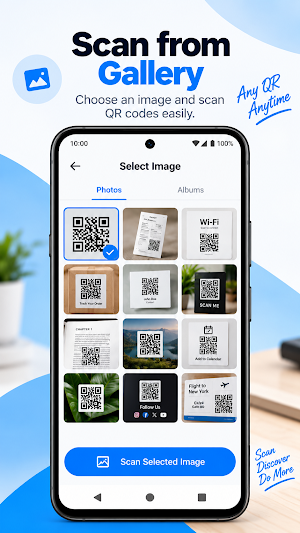
QR Code Scanner & Barcode Reader is a fast, simple, and reliable QR scanner and barcode scanner for Android. Scan QR codes and barcodes using your camera, or scan codes directly from images and screenshots in your gallery.
Whether you want to open a website, connect to Wi-Fi, read a product barcode, save an important scan, or create your own QR code, everything you need is in one lightweight app.
⚡ FAST QR & BARCODE SCANNING
Point your camera at a QR code or barcode and let the scanner automatically detect it. No complicated setup and no need to press a scan button.
📷 SCAN FROM CAMERA OR GALLERY
Scan QR codes from:
• Camera
• Photos
• Screenshots
• Saved images
Perfect for QR codes displayed on another phone, computer, documents, posters, tickets, and more.
🔍 QR CODE & BARCODE READER
Scan common QR code and barcode formats, including:
• QR Code
• EAN-13
• EAN-8
• UPC-A
• UPC-E
• Code 128
• Code 39
• Code 93
• Codabar
• ITF
• Data Matrix
• PDF417
• Aztec
📱 SCAN DIFFERENT TYPES OF QR CODES
Quickly access information from:
• Website URLs
• Wi-Fi networks
• Contact cards
• Plain text
• Email addresses
• Phone numbers
• SMS
• Calendar events
• Locations
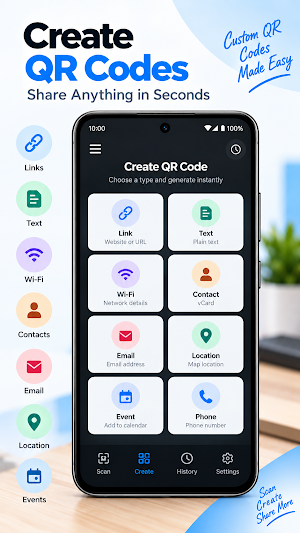
✨ CREATE QR CODES
Create your own QR codes in seconds.
Generate QR codes for:
• Website & URL
• Text
• Wi-Fi
• Contact / vCard
• Email
• SMS
• Phone number
• Location
• Calendar events
Save your generated QR codes and share them whenever you need.
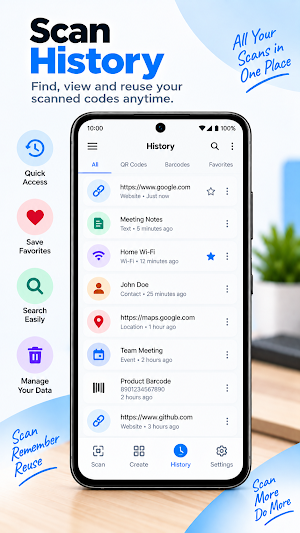
🕘 SCAN & CREATION HISTORY
Keep track of your scanned and created codes.
View previous scans, find important results, and quickly access codes you've already scanned.
⭐ FAVORITES
Save important QR codes and scan results to your favorites for quick access later.
🔗 SMART ACTIONS
After scanning a code, quickly:
• Open websites
• Copy text
• Share results
• Call phone numbers
• Send emails
• Access Wi-Fi information
• View locations
💡 FLASHLIGHT FOR DARK ENVIRONMENTS
Scanning in low light? Turn on the flashlight directly from the scanner for easier QR and barcode detection.
⚙️ SIMPLE & EASY TO USE
Designed with a clean interface so you can scan a QR code or barcode with minimal steps.
How to scan:
Open the QR & Barcode Scanner.
Point your camera at the QR code or barcode.
Let the app automatically detect it.
View the result and choose an available action.
Why use QR Code Scanner & Barcode?
✓ Fast QR code scanning
✓ Barcode scanner
✓ Scan QR codes from images
✓ QR code generator
✓ Wi-Fi QR scanner
✓ Contact QR scanner
✓ Scan history
✓ Favorites
✓ Flashlight support
✓ Simple interface
✓ QR and barcode format support
Download QR Code Scanner & Barcode and keep all your scanning and QR creation tools in one simple app.
