About ScanDocs
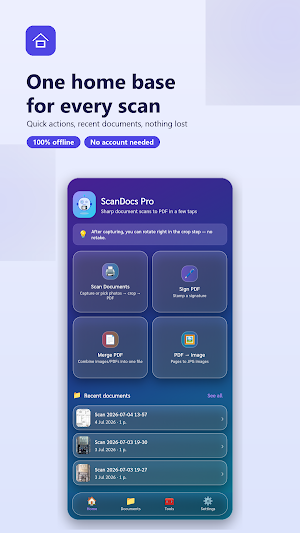
ScanDocs turns photos of paper into clean, sharp PDF files — and it works 100% offline. No account, no ads, no tracking.
📷 SCAN & ENHANCE
• Capture with the camera or import several photos at once
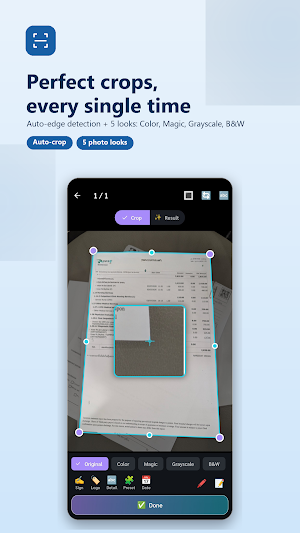
• Automatic edge detection with an adjustable crop frame, plus rotate — Happy Origin's own on-device technique, running fully offline
• Full-resolution perspective correction — your page comes out straight and clean
• 5 looks with a live preview: Original, Color, Magic (removes shadows), Grayscale, and clean black & white
💳ID CARD & PASSPORT
• Scan the front and back — or several pages — and place them neatly on one page.
• Great for ID cards, passports, and licenses, ready as a single PDF.
✍️ MARK UP & SIGN
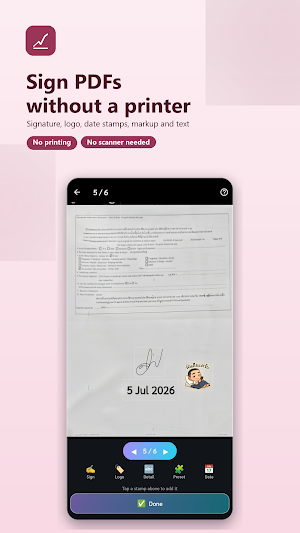
• Stamp your saved signature onto any page — drag it and resize it
• Add text and emoji anywhere (pick the color and size)
• Markup tools: pen, highlighter, circle, and box.
📄 BUILD & MANAGE PDFs
• Many photos become one multi-page PDF
• Merge, split, combine, compress, and reorder PDF. pages
• Lock a PDF with a password — or remove a password you already know
• Save to your device's Downloads, or share anywhere via the system share sheet
🎨 MAKE IT YOURS
• "My Preset" saves your default look — brightness, contrast, saturation, plus text-quality controls (sharpness, denoise, text darkness)
• 2 app themes — Glass + Carbon
• 16 languages — it remembers your choice
• Back up and restore all your documents.
• Built-in How-To guide
🔒 PRIVATE BY DESIGN
The app does not even request internet permission, so your documents never leave your device. No account, no ads, no tracking.
ScanDocs is free to use; an optional ScanDocs Pro subscription unlocks unlimited pages and tools.
Similar Apps
Smallpdf: Scanner & PDF Editor
The all-in-one PDF app trusted by 2.4B+ people for PDF scanning, editing & more.
Mobi PDF・Editor・Scanner・Reader
Read, scan, edit & sign PDFs, OCR, convert PDF to Word, annotate & merge PDFs

Geulgram - Text on Photo
Write words on photos & Save your emotions in photos

Photobook: Photo Books & Gifts
Photo books, prints and gifts
pdfFiller Edit, fill, sign PDF
PDF editor: edit, sign, annotate & convert docs, fill forms, create templates