About PhotoID: Passport & Visa Photo
Create perfect passport, visa, and ID photos that meet official standards, all from your phone.
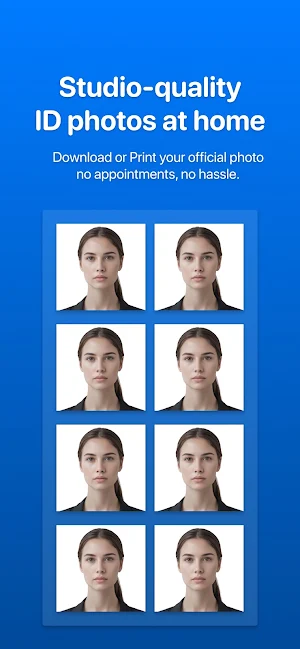
PhotoID helps you create compliant, print-ready ID photos for passports, visas, residence permits, and other official documents without visiting a studio or waiting in line. Whether you need a passport photo, a visa photo, or an ID photo for your next job or study application, PhotoID makes the process simple, accurate, and stress-free.
Professional results in seconds
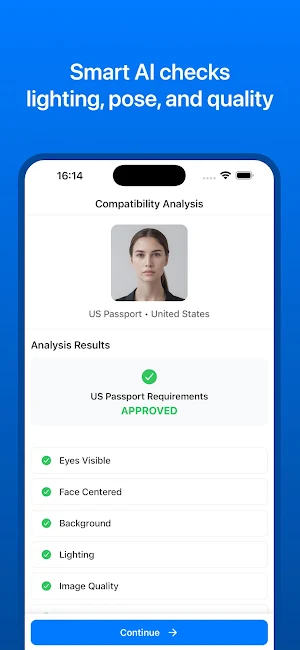
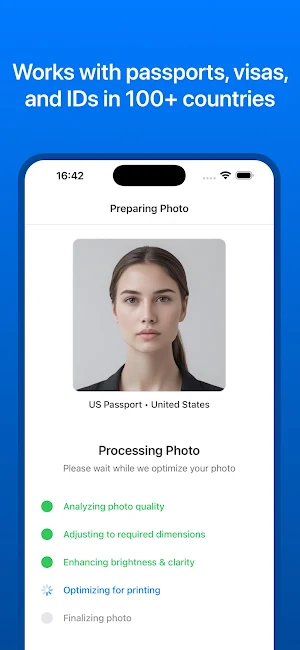
PhotoID automatically removes the background, adjusts the frame size, and prepares your photo according to the selected country’s requirements. Just choose your country and document type, take or upload a photo, and the app does the rest. AI technology analyzes your image to verify compliance with official rules such as:
- Face size and alignment
- Lighting and contrast
- Head position and eye visibility
- Background color and clarity
If something does not meet the requirements, PhotoID provides instant feedback so you can retake or adjust before exporting.
Templates for 100+ countries
Each passport and visa has different size and composition rules. PhotoID includes templates for more than 100 countries and 200 document types, including:
- Passports (US, UK, EU, Canada, India, Japan, Turkey, Brazil, and more)
- Visas (US Visa, Schengen Visa, Canada Visa, and others)
- ID cards, residence permits, work permits, student IDs, and Green Card (DV Lottery) photos
Every template follows the latest official specifications for full compliance.
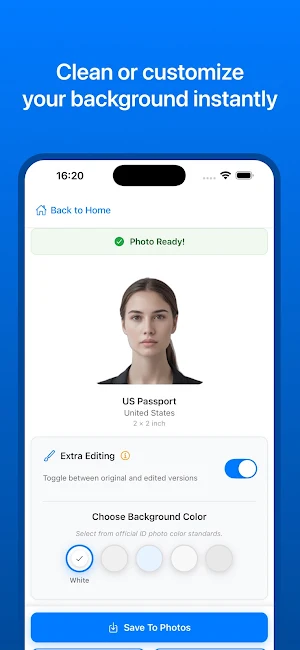
Background removal
Easily remove and replace your background with white, blue, or gray. These colors are accepted for most passports and visa photo standards worldwide. The app maintains natural edges and consistent lighting for a professional look.
Print-ready exports
PhotoID creates high-resolution layouts ready for home or professional printing. Export as JPG or PDF, with perfect alignment for 2x2 inch, 35x45 mm, 50x50 mm, and other standard formats. Print multiple copies per sheet or save your file instantly, watermark-free.
Privacy and security
Your data stays private. Photos are analyzed through secure, encrypted cloud processing using AI. Nothing is ever stored, shared, or used for any purpose other than generating your photo. PhotoID does not use your images for training or external data collection. All communication with cloud services is encrypted end-to-end to protect your privacy.
Why choose PhotoID
- Compliant results that meet official standards
- AI-based compliance analysis
- Automatic background removal and resizing
- Templates for 100+ countries and 200+ document types
- Print or download instantly
- Works for passports, visas, IDs, and more
- Secure and private cloud processing
Skip the studio and save time and money. Create your compliant passport and ID photos at home in just a few seconds.
Terms and Privacy
Terms of Use: https://photoid.app/legal/terms
Privacy Policy: https://photoid.app/legal/privacy
Support: https://photoid.app/support
Similar Apps

Event Photo
Smart photo sharing with face recognition, auto-tagging & instant delivery

Foto MX: Passport Photo App
Passport photo app for ID & visa. No server upload. 100% private & fast.
PhotoKit Studio
Image Resizer & Compressor & Resize Photos Easily

Smartpix Pro
Smart real estate photography!

Dual Format Camera - Gasero
Shoot once and save portrait 9:16 and landscape 16:9 videos together.

ペットのアルバム&成長記録 - ぺとふる
All your pet records are here. Share photo albums and records with your group safely. This all-in-one app for pets lets you see changes at a glance with calendars and graphs.

