Sillby | Notification Center
A notification center for your lock screen. You decide what shows, and how.
About Sillby | Notification Center
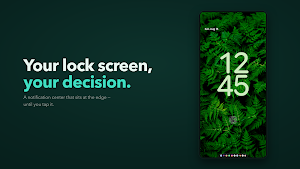
Sillby puts a notification center on your Android lock screen.
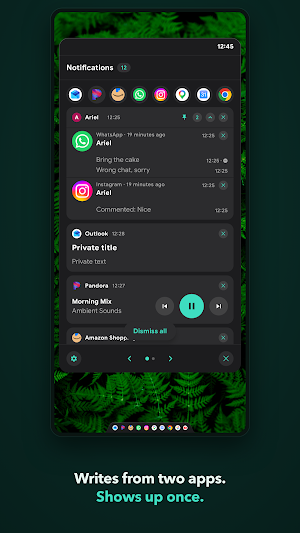
A slim tab sits at the bottom edge. Tap it and a panel opens with everything that arrived, readable in full. Reply from there. Dismiss from there. Then put your phone down, still locked.
YOU DECIDE WHAT SHOWS, AND HOW
• Group conversations by app — or by person, so someone writing from two different messaging apps lands in one card instead of two
• Exclude apps entirely, or filter the panel down to one
• Pin an app so "clear all" doesn't take it with the rest
• Hide ongoing notifications you don't need to look at
PRIVACY RULES FOR THE LOCK SCREEN
Not everyone looking at your lock screen is you. Hide the sender, the message text, the avatar or the media preview — each one separately, rule by rule. The full content isn't lost; it's waiting in your history, behind your unlock.
A LOCAL NOTIFICATION HISTORY
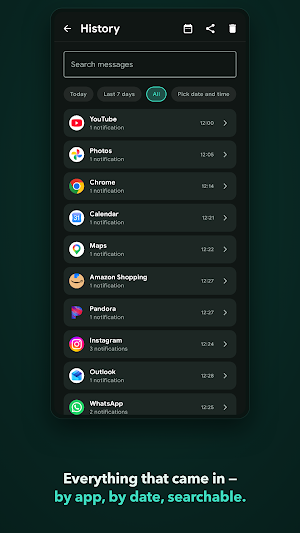
Everything that came in, searchable by app, by conversation and by date, kept for 1 to 30 days — you choose how long. Export it or erase it whenever you want. History is reachable only inside the unlocked app, never on the lock screen.
MADE TO FIT YOUR SCREEN
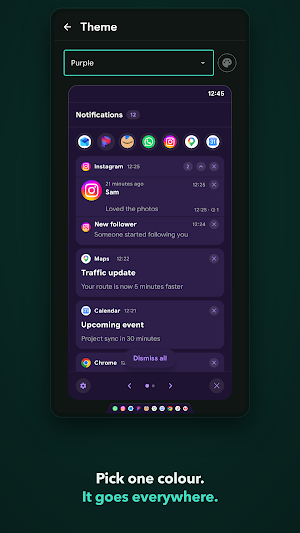
Several panel themes, or let the panel take its colours from your wallpaper — or from any photo you hand it. Adjust the tab's shape, height, width and position. The panel is a guest on your lock screen; it should dress like one.
MORE THAN NOTIFICATIONS
Notes, a calendar, quick toggles and a phone status page, all reachable from the panel without unlocking.
WAKE THE SCREEN
Sillby can turn the screen on when something arrives, and you pick which apps earn that, one by one.
NO INTERNET PERMISSION
Open Android's settings and look at Sillby's permissions: internet isn't one of them. An app without it cannot open a network connection — nothing to sign into, nothing to opt out of, nowhere for your notifications to end up. Your history stays on this phone and is kept out of cloud backup on purpose.
Full privacy policy: https://sillby.com/privacy
ACCESSIBILITY SERVICE
Sillby uses Android's Accessibility Service API because it is the only supported way to draw its tab and panel over the lock screen. It does not read your screen contents. While your phone is locked it is also told which app came to the front, so it can hide the tab in the apps you pick — that name stays in memory and goes nowhere.
SETUP
Requires Android 8.0 or later. Notification access and the accessibility service are granted in system settings, and the app walks you through both. If you'd rather not see your notifications twice, Android's own lock screen notifications can be turned off in system settings — Sillby shows you where.
Similar Apps

Audi Q4 Wallpapers 4K
Audi Q4 4K wallpapers in Ultra HD, Full HD & HD quality.

Victor Osimhen HD Wallpapers
Victor Osimhen 4K wallpapers: Napoli hero, Galatasaray, Lille, Wolfsburg & AFCON

Horse Wallpapers & Backgrounds
Horse wallpapers with majestic beauty, freedom, and wild nature vibes.
MicaWall Live 4K Launcher
4K live wallpapers, stylish screens, and launcher customization.

Audi A5 Wallpapers 4K
High-quality 4K Audi A5 wallpapers & Ultra HD luxury car backgrounds for you!
MentenantaPc Thank You
An application that unlocks all features of MentenantaPc apps
