Wifi on/off - Widget
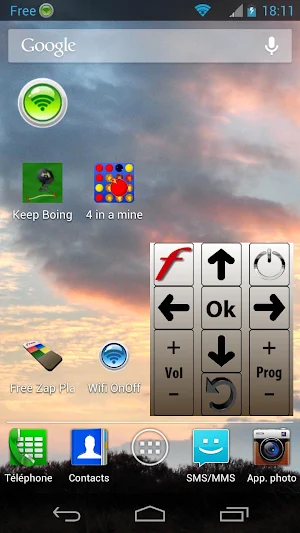
GREEN color if connected to a network
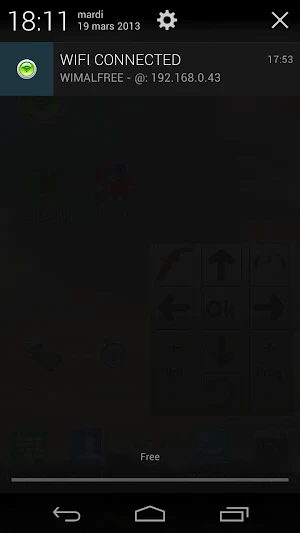
Toggle state through notification screen.
About Wifi on/off - Widget
WIFI On Off WIDGET
This WIDGET is showing 4 WIFI states :
- RED:Disabled (OFF)
- BROWN:State changing
- ORANGE:Enabled (ON) not connected
- GREEN:Enabled (ON) and connected
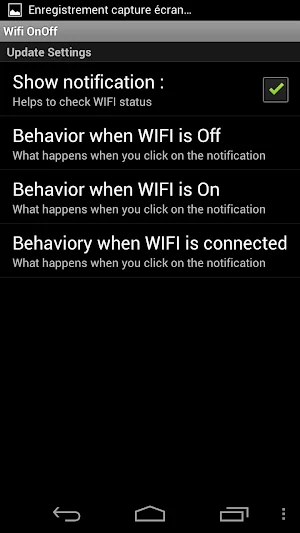
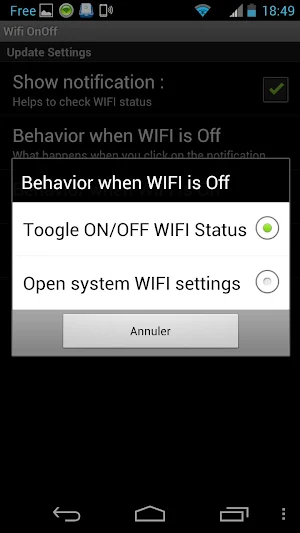
The Settings enables to decide if you want to have WIFI status SSID & IP in the notification bar. In addition, clicking on the WIFI status in the notification bar enables to toggle the WIFI state ON/OFF or to open the system WIFI settings, depending what choice you made in the WIFI On Off application settings.
Similar Apps

Slime Volley-Ball
An amazing volley-ball game !Control Slime through an intuitive gameplay. You can...

4 in a mine
An explosive version of the Connect Four game ! This version offers...

Keep Boing
Help Keeboo to arrive at the exit door ! Just draw trampolines...
Frequently Asked Questions (FAQ)
What does the WIFI On Off Widget show?
What can be done with the Settings in the WIFI On Off application?