AILinkPad One
Share videos & news to AI instantly. Customize summaries & fact-check with ease
About AILinkPad One
For anyone who uses AI apps daily.
When you want to summarize a YouTube video with AI,
do you copy the URL and type the same instructions every time?
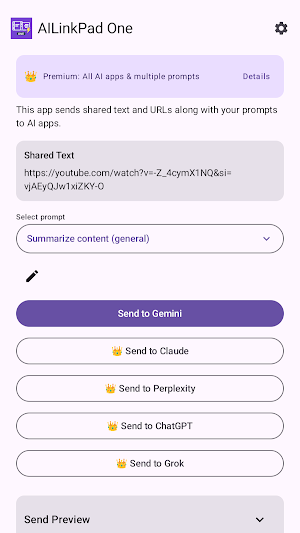
AILinkPad ONE receives URLs and text from your video apps or browser via "Share," then sends them to AI apps using your registered prompts.
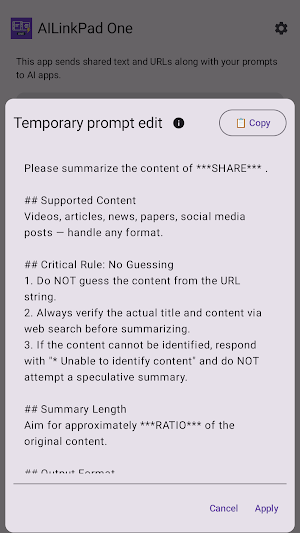
It doesn't just send — you can select prompts for summarization, fact-checking, or related article searches, edit them on the spot, and then send to AI.
Share → Select → Edit → Send to AI
From YouTube, news sites, or web pages, tap "Share" → select AILinkPad ONE
Choose a prompt for summarization, fact-checking, or related article search
Edit or customize on the spot if needed
Tap the AI app to send
That's all it takes to pass your URL or selected text along with organized instructions to an AI app.
What You Can Do
● Summarize YouTube Videos
Just share a video page to ask AI for a summary or analysis.
● Analyze News Articles & Web Pages
Share an article URL to get summaries, explanations, and comparisons.
● Fact-Check Selected Text
Select part of an article text and share it to verify that section or search for related articles.
● Specify Summary Ratio & Key Point Count (Premium)
Change the summary length (X% of the whole) or the number of key points to extract with one tap.
Switch between concise summaries and detailed analysis depending on your needs.
● Manage Registered Prompts
Register, save, and edit prompts by purpose.
Turn your frequently used instructions into templates to keep them consistent.
● Send to Multiple AI Apps (Premium)
Send directly to AI apps like Gemini / Claude / Perplexity / ChatGPT / Grok (installed apps only).
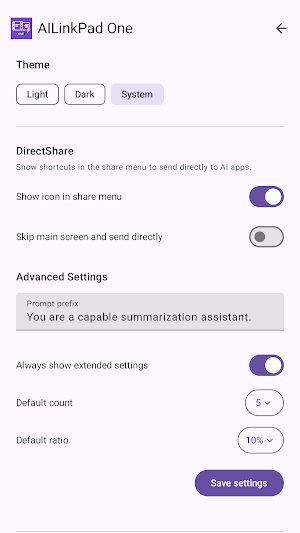
Direct Share (One-Tap Send)
On supported devices, Direct Share lets you go straight from the share menu to AI analysis.
Send to your preset AI app with one tap, without opening the main screen.
For those who use the same workflow daily, this provides the shortest path to analysis.
*Direct Share is a Premium feature.
Free vs. Premium
The free version includes the basic flow: Share → Select Prompt → Send to AI.
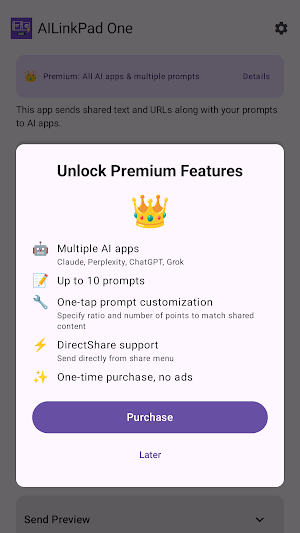
Premium unlocks the following:
- Send to multiple AI apps
- Manage up to 10 prompts
- Change summary ratio and key point count
- Customize AI app display order
- Direct Share (one-tap send)
*Premium is a one-time purchase upgrade.
Recommended For
- Those who want to efficiently summarize YouTube videos
- Those who fact-check or compare news articles
- Those who use multiple AI apps
- Those who want to control summary granularity
- Those tired of writing the same instructions every time
- Those who want to compare multiple articles from the same perspective
Notes
- This app is not an official YouTube, Gemini, Claude, or similar app. It is a tool that assists the sharing flow.
- Supported AI apps must be installed and logged in.
- This app is a helper tool that passes URLs and text to AI apps; it does not retrieve or display video content or article text.
- AI response content and quality depend on each AI app's specifications.
Privacy
- No user data is collected or transmitted.
- Prompt settings are stored only on the device.
- URLs and text are shared to AI apps only through user action.
Similar Apps

AutoClip Pro - Auto Clipboard
Auto-save copied text. Clipboard history & templates. No ads. Pay once!

PrivaPic - Privacy Editor
Mosaic, blur & Exif removal for privacy. No ads, one-time purchase!
ENUF Home Switcher
Instantly open home launcher settings. Switch your default home app in one tap.

Private Launcher
Quick access to Android 15 Private Space. One tap to your hidden apps.
