ATEQO • Delivery Route Planner
Optimize your multi-stop routes. Fewer detours. Stay in control.
About ATEQO • Delivery Route Planner
Don’t wing it. Optimize with ATEQO.
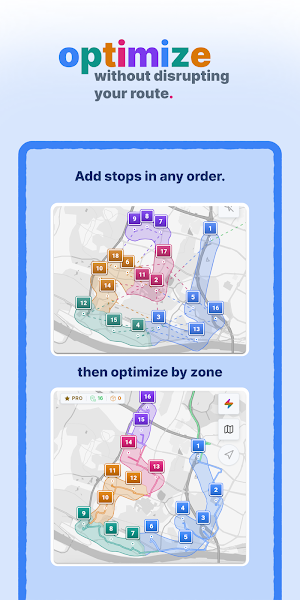
Spend less time planning your routes and making detours between stops. With ATEQO, plan and optimize your delivery routes, client visits, or service calls. See your addresses on a clear map, optimize your stop order, and adjust your route when the day takes an unexpected turn.
Independent delivery driver, courier, field technician, or professional on the go: plan your multi-stop route around your work. You stay in control of where you head next.
Start with 4 free optimized routes.
WHAT YOU GAIN EVERY DAY
• Less prep time
Add addresses by voice, pull up your saved routes, and optimize your trip without planning everything from scratch each morning.
• Fewer unnecessary miles
Cut down on detours and backtracking with an optimized stop order. Fewer miles also mean less fuel used.
• Less guesswork between stops
See your route at a glance. Check the recommended next stop and nearby locations to decide where to go next.
• Flexibility when plans change
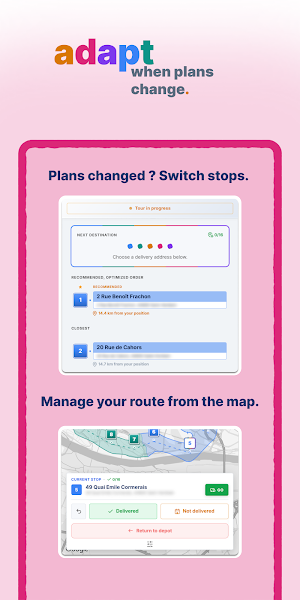
Roadwork, a moving truck blocking the street, or an entrance you can’t access? Pick another stop on the map and keep your route moving.
• Records you can look back on
A question comes up weeks after a delivery? Check your past routes, address book, and package history to find the details you saved.
TOOLS TO ORGANIZE YOUR ROUTE
Morning briefing
Check your daily briefing before heading out on your route.
Voice address entry
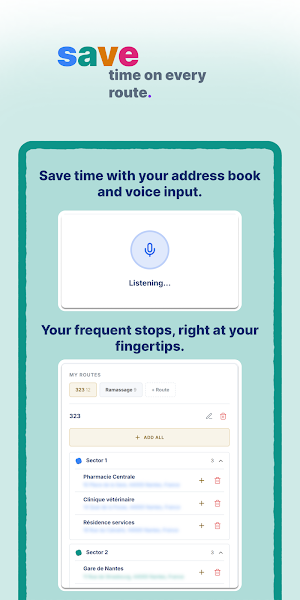
Tap the mic, say “123 Main Street, Springfield,” then add the suggested address to your list.
Address book and recurring routes
Save your addresses and regular routes. Pull them up to plan and optimize your next route without starting over.
Clear map with a simplified view
See the stops along your route. Street and city names appear by default. Switch to the simplified view if you’d rather focus on your stops.
Your choice of next stop
Scanned your packages in an order that doesn’t make sense on the road? Choose any stop on your route without following your delivery manifest. At each stop, check the recommended next destination and the closest stops.
Route planning by area
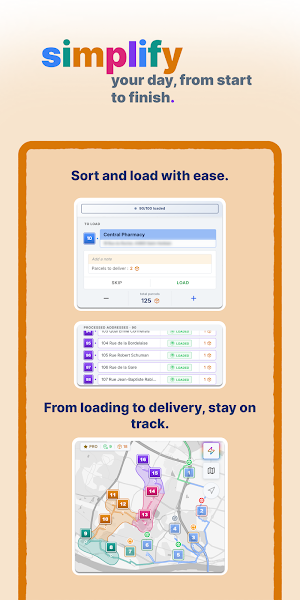
Covering a large territory? Group your stops into geographic areas and optimize the stop order within each one. Delivery drivers can also use these areas to sort packages at the loading dock.
Loading assistance when you need it
Follow the loading guide, address by address, based on how you organize your vehicle. Already know your route or don’t need to load anything for your job? Skip this step.
Package history and rescheduled deliveries
Look up your package history and saved delivery details. Customer unavailable or no access? Reschedule the delivery for a date you choose and see the reminder that day.
Navigation with Google Maps and Android Auto
Send your next destination from ATEQO to Google Maps for directions. Connect your phone to an Android Auto-compatible vehicle to follow the navigation on your vehicle’s display.
End-of-route recap
At the end of the day, review your route details: completed deliveries, packages, and time saved.
Optimization savings
Check the time, mileage, and fuel savings shown each time you optimize a route.
MULTIPLE STOPS, WHATEVER YOUR LINE OF WORK
Package delivery, courier services, maintenance, home services, or client visits: use the ATEQO route planner to organize your trips with the features that fit your work.
Start with your usual addresses and see what a better-planned route can change.
https://ateqo.fr
Similar Apps
Mileage Tracker by Driversnote
Automatically track, manage and categorize mileage for an IRS-compliant logbook.
Multi-Stop Route Planner
Save time - take a shorter route

Zeo Fast Multi Stop Route Plan
Get home faster. Shortest & fastest routes for multi stop deliveries
