DevPDF - PDF Scanner & Editor
PDF Editor & Scanner: Sign, merge, OCR & convert text to handwriting offline!
About DevPDF - PDF Scanner & Editor
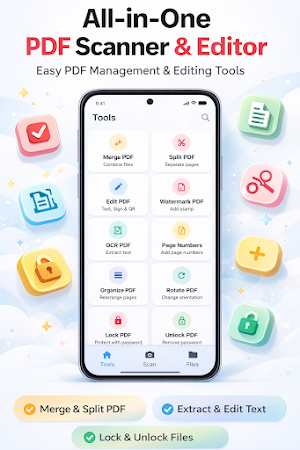
DevPDF is your ultimate all-in-one PDF toolkit for Android. Convert typed PDFs into realistic handwritten documents, scan papers, edit & annotate, merge & split files, extract text with OCR, and read PDFs aloud with text-to-speech. Fast, lightweight, and 100% offline—perfect for students, professionals, and anyone who manages documents on the go.
✍️ PDF TO HANDWRITING CONVERTER (NEW!)
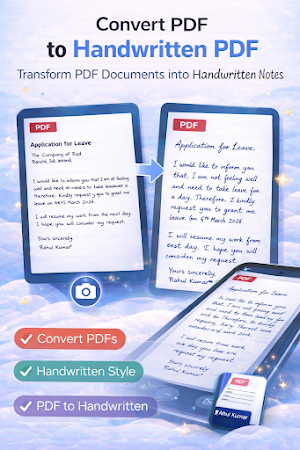
• Text to Handwriting: Instantly convert standard digital PDFs into realistic handwritten documents.
• Authentic Look: Generate natural-looking handwritten notes, letters, and documents directly from typed text.
• Perfect for Assignments: Save time by converting digital text into handwritten PDFs for school assignments or personalized letters.
📄 ADVANCED PDF SCANNER & OCR
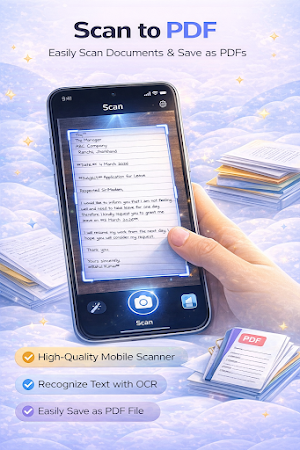
• Scan to PDF: Turn receipts, invoices, ID cards, and notes into high-quality PDFs with auto-edge detection and perspective correction.
• OCR Text Extraction: Extract and copy text from scanned documents, photos, and image-based PDFs. Supports multiple languages and makes scanned PDFs searchable.
✏️ PDF EDITOR, ANNOTATOR & E-SIGN
• Annotate & Highlight: Add sticky notes, text boxes, and freehand drawings to review documents.
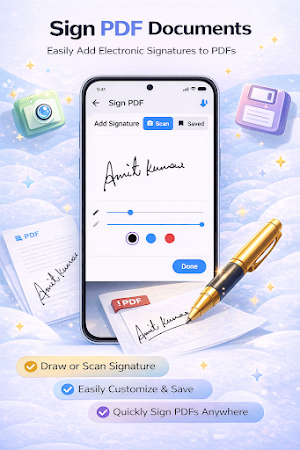
• E-Sign PDFs: Scan your handwritten signature and sign contracts instantly.
• Add Page Numbers: Insert and customize pagination for professional reports and assignments.
🔄 IMAGE TO PDF & PDF CONVERTER
• Image to PDF: Convert JPG/PNG photos and gallery images into a single PDF document.
• PDF to Image: Extract PDF pages into high-resolution images for easy sharing on social media or email.
🛠 MERGE, SPLIT & ORGANIZE PDFs
• Merge PDFs: Combine multiple files into one organized document.
• Split & Extract: Divide large PDFs or extract specific pages you need.
• Organize & Rotate: Drag and drop to reorder pages, or rotate them to fix upside-down scans.
🔊 TEXT-TO-SPEECH (TTS) PDF READER
• Read PDF Aloud: Listen to your documents hands-free with adjustable speed and real-time word highlighting.
• Smart PDF Viewer: Read comfortably with night mode, pinch-to-zoom, and a clean, distraction-free interface.
🔐 SECURE & PROTECT PDFs
• Password Protect: Lock sensitive files and financial records with strong encryption.
• Unlock PDF: Remove passwords from protected documents for easy access.
• Add Watermarks: Claim ownership with custom text watermarks to prevent unauthorized copying.
🌟 WHY CHOOSE DEVPDF?
• 100% Offline: Your documents never leave your device. Complete privacy.
• Fast & Lightweight: Instant processing with minimal battery drain.
• Dark Mode: Comfortable reading and editing in low-light environments.
📌 PERFECT FOR:
• Students: Generate handwritten assignments, scan notes, read textbooks aloud, and merge study materials.
• Professionals: E-sign contracts, protect confidential files, and extract text.
• Freelancers: Create invoices, watermark proposals, and organize projects.
Download DevPDF today—the smartest, fastest way to scan, edit, convert, and manage PDFs on Android!
Similar Apps
pdfFiller Edit, fill, sign PDF
PDF editor: edit, sign, annotate & convert docs, fill forms, create templates
PDF Editor – Edit Everything!
Unlock your PDF and edit everything, images, text and signatures. Fast & Easy!
PDF Reader(KDAN PDF): Edit PDF
The all-in-one document expert for reading, editing & signing PDFs on any device
Mobile Scanner App - Scan PDF
The Cool Mobile PDF Scanner App to scan documents, photos to PDF in 2022
Mobi PDF・Editor・Scanner・Reader
Read, scan, edit & sign PDFs, OCR, convert PDF to Word, annotate & merge PDFs

ConstructionOnline
The complete power of ConstructionOnline, with you wherever you go.