Boring Remove Water: Cleaner
Speaker cleaner: eject water and dust with 165 Hz tones. Free, no ads.
About Boring Remove Water: Cleaner
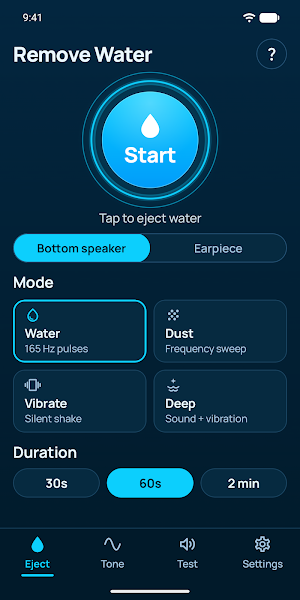
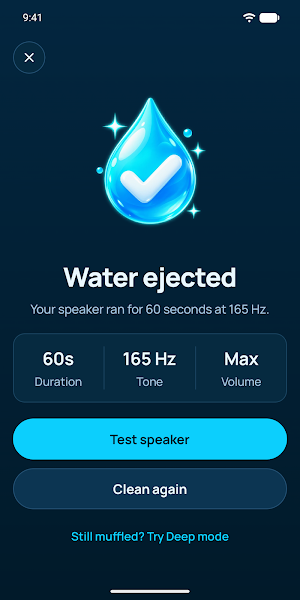
Got your phone wet? Boring Remove Water plays low-frequency tones through your speaker so its membrane vibrates and pushes trapped water out of the grille. The sound usually comes back clear in under a minute.
Everything is free. No ads, no subscriptions, no account, and the app has no internet access at all.
HOW IT WORKS
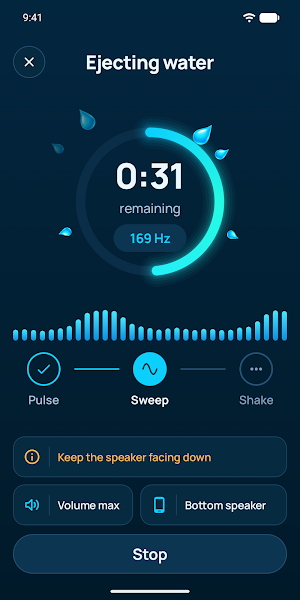
Low tones move a speaker's membrane the most. Short 165 Hz pulses and slow frequency sweeps shake droplets loose, and gravity does the rest. Hold the phone with the speaker facing down while the tones play.
CLEANING MODES
• Water: 165 Hz pulses, a low sweep and fast bursts to eject water
• Dust: high-frequency sweeps and chirps to loosen dust and lint
• Vibrate: a silent shake for places where you can't make noise
• Deep: tones and vibration together for stubborn water
MORE TOOLS
• Earpiece mode cleans the top speaker you hold to your ear during calls
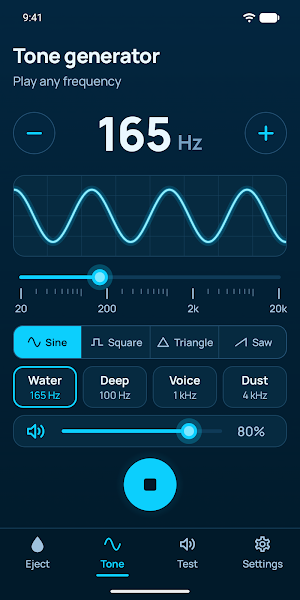
• Tone generator plays any frequency from 1 Hz to 20,000 Hz with sine, square, triangle or saw waves, and you can type an exact value
• Speaker test: left/right stereo check, a 20 Hz to 20 kHz sweep and a short melody to hear whether the sound is clear again
• Cleaning time of 30 seconds, 60 seconds or 2 minutes
• Max volume while cleaning, restored automatically when it ends
• Screen stays on while cleaning
TIPS FOR BEST RESULTS
1. Remove the case and unplug your earbuds.
2. Point the speaker toward the floor.
3. Tap Start. If the sound is still muffled, run it 2 or 3 times.
GOOD TO KNOW
• The tones are loud. Don't hold the phone to your ear while they play.
• The app helps clear water from the speaker grille. It can't repair hardware damage. If the sound stays distorted after the phone has fully dried, have it checked.
• If headphones are connected, the app asks where the cleaning sound should play.
PRIVACY
Boring Remove Water collects no personal data. Sounds are generated on your device and your settings never leave it.
Found a bug or have an idea? Use "Report a bug" in Settings.
