iBridgr
1:1 Real-time Video Session — AI Interpretation, Chat, and Assignment Management All in One
About iBridgr
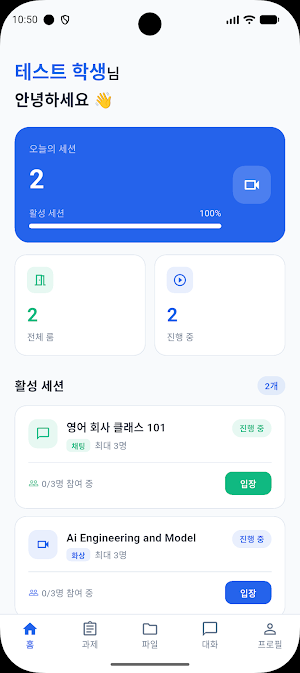
iBridgr is a professional client app that allows you to conduct 1:1 video sessions by connecting with an account issued by a host.
It supports real-time AI interpretation and subtitles to enable seamless communication with the host without language barriers, and incorporates all the features necessary for a session—including chat, file sharing, and assignment management—into a single app.
■ Key Features
▷ 1:1 Video Session
You can join immediately once the host starts the session.
Experience a professional session anywhere with stable video and audio connections.
The screen does not turn off during the session, allowing you to maintain focus.
▷ Real-time AI Interpretation and Subtitles
Speech during the session is converted into text in real-time and displayed on the screen.
You can communicate freely with hosts who speak different languages through two-way AI interpretation.
You can review your conversation history at any time, even after the session ends.
▷ In-Session Chat and File Sharing
You can exchange text messages during the video session and easily share various files (up to 20MB), such as images, videos, and documents, with the host.
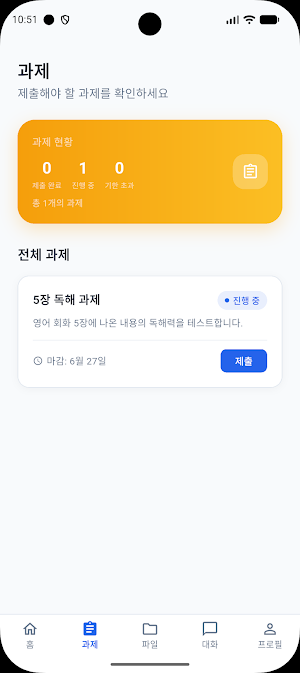
▷ Assignment Management
Check assignments assigned by the host within the app and submit them immediately by attaching text or files.
You can also receive feedback from the host directly within the app.
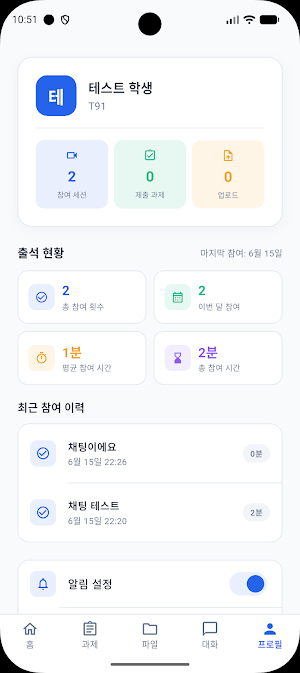
▷ View Session History
Conveniently view AI-subtitled conversation history and chat message records from past video sessions using tabs, and
You can manually delete unnecessary records.
▷ Push Notifications
Receive real-time notifications for session starts and assignment feedback so you don't miss important moments.
■ Recommended for:
• Those who want to conduct 1:1 sessions with overseas experts or instructors without language barriers
• Those who want to record session content as text for review
• Those who want to conveniently manage assignment submissions and feedback within a single app
■ How to Use
You can use the service immediately by logging in with the host code issued by the host, your client ID, or your PIN number.
No separate registration is required, and only clients invited by the host can use the service.
Experience closer and clearer communication with iBridgr.
iBridgr details
iBridgr is a free Education app for Android with 0+ installs on Google Play and a 5.0/5 average rating from 1 rating. It was released on July 7, 2026 and last updated on July 8, 2026. It's developed by %EA%B9%80%EC%9A%A9%ED%95%B4. It requires Android 7.0 or later.
- Category
- Education
- Rating
- 5.0 / 5 (1 rating)
- Installs
- 0+
- Price
- Free
- In-app purchases
- No
- Ads
- No ads
- Current version
- 1.1.1
- Requires Android
- 7.0
- Content rating
- Everyone
- Released
- July 7, 2026
- Last updated
- July 8, 2026
- Developer
- %EA%B9%80%EC%9A%A9%ED%95%B4
Similar Apps

مدارس الخورنق الاساسية الاهلية
Welcome to Al-Khornaq Private Primary Schools,
CDL Prep Practice Test 2026
CDL practice tests: General Knowledge, Air Brakes & endorsements

CPP-B Exam Prep
CPP-B production management practice questions & mock exams.

School Bus
School Bus for School students
redmi smart band 2 guide
A complete step by step user guide to help you use your redmi smart band 2 guide

Pinyin Reader
Learn Chinese with pinyin: read web & PDF, translate, pronounce, flashcards.
