Free website generator for mobile apps; privacy policy, app-ads.txt support and more...
AppPage.net
About Z-Tool+
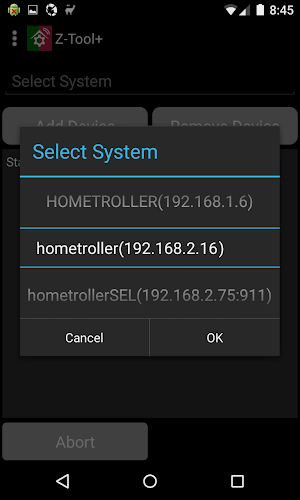
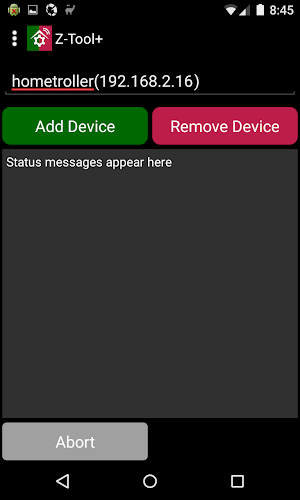
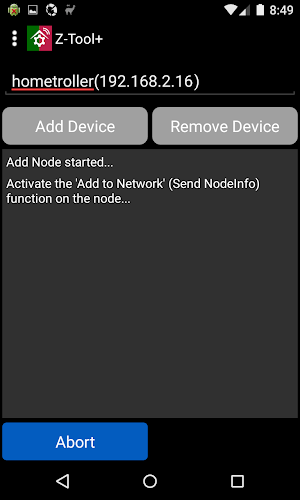
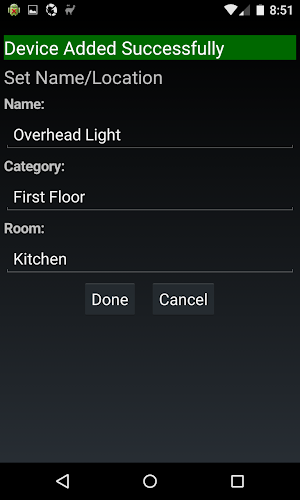
Z-Tool+ is a Z-Wave network installation tool for use with HomeSeer home automation software and controllers. Use Z-Tool+ with your phone or tablet to add, remove and set name and locations for your new Z-Wave devices. Click the settings icon to access advanced functions, including "Add Unsecure", "Node Connectivity", "Optimize" and "Optimize Full".
Similar Apps

HS4Touch
This is the viewer App that is used with our HS4Touch Designer...

HomeSeer Mobile
With HomeSeer Mobile, your smart home is always within reach! • Monitor...

HS3Touch Client App
IMPORTANT: This HS3Touch client app is designed ONLY for HomeSeer users who...
Frequently Asked Questions (FAQ)
What is Z-Tool+?
Z-Tool+ is a Z-Wave network installation tool for use with HomeSeer home automation software and controllers.
How can I use Z-Tool+?
You can use Z-Tool+ with your phone or tablet to add, remove, and set name and locations for your new Z-Wave devices.
What advanced functions are available in Z-Tool+?
Advanced functions in Z-Tool+ include "Add Unsecure", "Node Connectivity", "Optimize", and "Optimize Full".

Is replaced in HomeSeer 4 (HS4 - at all levels), BUT in the meantime, it will keep you from running from hub to Zwave (or other) device, back and forth. All done locally at Zwave device, with decent progress...

Really easy to use and helps a LOT.

Works well.

great tool to add units

Fantastic! Thank you Homeseer! This tool saved me a lot of time. I have 3 water valves that lost connection because of power failure. With Z-Tool+ I put them in order for 15 minutes instead of dismounting th...
works for me... Windows 7 and homeseer std
