ZeroLink - Phone to phone cast
Share your screen phone-to-phone. No internet. Fast & private.
About ZeroLink - Phone to phone cast
📱 Zero Link – Offline Screen Share
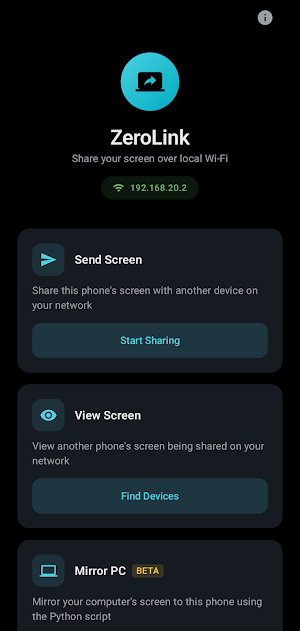
Zero Link lets you share your mobile screen directly to another phone — no internet required.
Fast, simple, and private. Built for real-time screen sharing between devices on the same network.
🚀 Why Zero Link?
📡 No Internet Needed
Works completely offline using local WiFi or hotspot
📱 Phone-to-Phone Sharing
Designed specifically for mobile devices
⚡ Instant & Fast
Connect and start sharing in seconds
🔒 Private & Secure
No cloud, no external servers — your data stays local
💯 Free to Use
No subscriptions, no hidden costs
🎯 Perfect For
Helping friends or family with their phone
Sharing screens in meetings or classrooms
Demonstrating apps or features
Local presentations without internet access
🛠️ How It Works
Open Zero Link on both devices
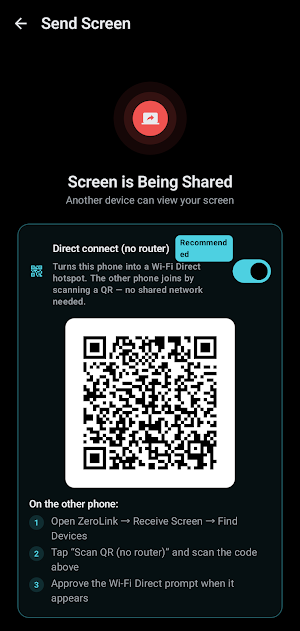
Connect using the same WiFi or hotspot
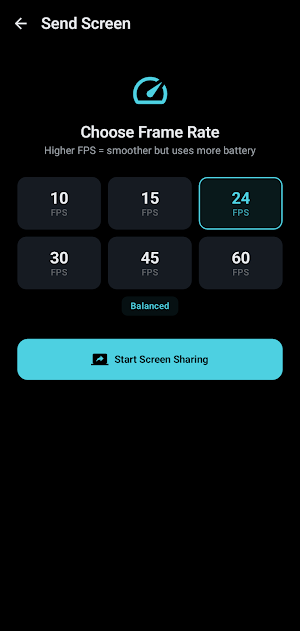
Start screen sharing instantly
🔐 Privacy First
Zero Link is built with privacy in mind:
No personal data collection
No account required
No internet-based screen transmission
Screen data is never stored
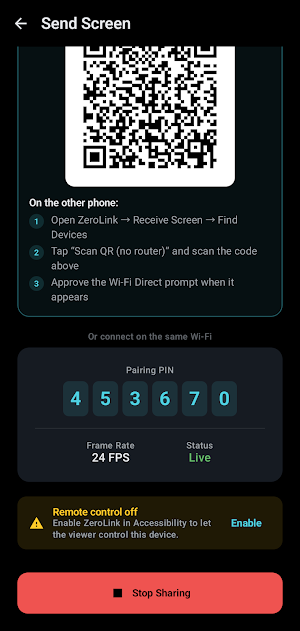
ZeroLink uses Android's Accessibility API to enable remote control
functionality during screen sharing sessions. This allows a connected
viewing device on the same local Wi-Fi network to simulate taps, swipes,
and gestures on the shared device — for example, to help a user
troubleshoot or control their device remotely from another screen.
Standard Android APIs do not provide the ability to programmatically
inject touch input on behalf of the user, which is why the Accessibility
API is required to support this remote-control feature.
ZeroLink does not use the Accessibility API to collect, read, transmit,
or store screen content, personal data, or any information beyond what
is necessary to relay input events during an active, user-initiated
sharing session. All communication happens directly over the local
network between devices controlled by the same user.
For stability and performance improvements, the app uses Firebase Crashlytics to collect anonymous crash reports.
⚠️ Requirements
Both devices must be connected to the same local network
Screen recording permission is required for sharing
🌟 Simple. Fast. Local.
Zero Link focuses on doing one thing perfectly —
direct mobile screen sharing without the internet.
Similar Apps
SIGAF - Should I Give A F ?
Just another cool app on play store
MJC - My Job Construction
The App for Construction Works

No Time
No Time To Rest
Muse - Your Muse, Your Way.
A fast, private AI assistant that runs locally on your device


