Arduino Bluetooth Controller
Take control of your Arduino projects wirelessly with this Bluetooth controller.
About Arduino Bluetooth Controller
This application revolutionizes the way you interact with microcontrollers by providing seamless wireless control through Bluetooth technology. With our user-friendly interface, you can effortlessly connect your Android device to any compatible microcontroller and take charge of its operations with just a few taps on your screen. Whether you're an electronics enthusiast, a hobbyist, or a professional, our app empowers you to remotely monitor and manipulate your microcontroller's functionalities, making it ideal for a wide range of applications such as home automation, robotics, IoT projects, and more. Experience the convenience of wireless control and unlock endless possibilities with this Bluetooth Controller App!
1.Arrow keys
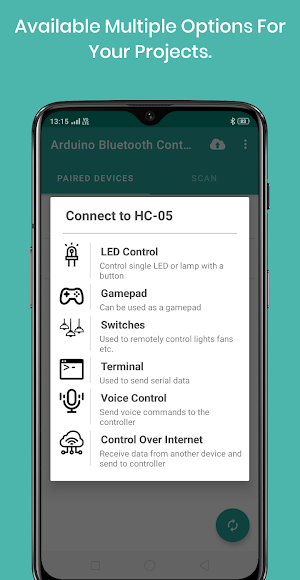
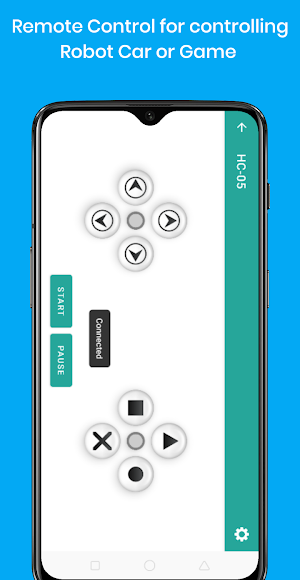
This tool provides direction buttons that can fully customized with the data to send. This is basically used to control a toy car.
2.Terminal
This tool is just a classic terminal that sends data to the board from your keyboard.
3.Switches
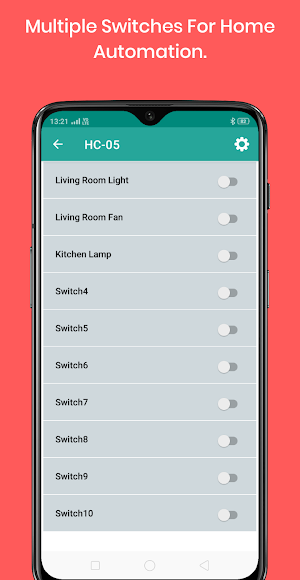
In this Activity you can use switches for your home automation or for any other purpose.
4. Voice Control
With this app, you can send your vocal commands to microcontroller and use them to control your LEDs, lamps, motors or anything else. !
5.Single Switch
This is a basic customized button to turn on/off any led or relay.
6. Web Control
This function allows you to control your arduino over internet without Ethernet shield. But to use this feature you should have two android device. One will connect to the board and second will connect to the android device which is connected to the arduino (Or any other Micro-controller).
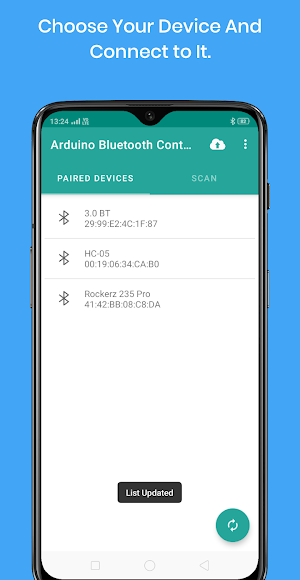
APP CONFIGURATION :- After Connecting app to arduino you will have to configure app according to how you have coded in the microcontroller. Otherwise the app will just send '0' and '1' when pressed off or on button in the application.
Attributions -
Iot icons created by Freepik - Flaticon
Energy-saving icons created by Freepik - Flaticon
Mic icons created by Freepik - Flaticon
Terminal icons created by Freepik - Flaticon
Gamepad icons created by Hilmy Abiyyu A. - Flaticon
Interior design icons created by Shehbaz Amaliya - Flaticon
Arduino Bluetooth Controller details
Arduino Bluetooth Controller is a free Tools app for Android with 100+ installs on Google Play and a 5.0/5 average rating from 1 rating. It was released on June 11, 2023 and last updated on June 14, 2023. It's developed by Giristudio. It requires Android 5.0 or later.
- Category
- Tools
- Rating
- 5.0 / 5 (1 rating)
- Installs
- 100+
- Price
- Free
- In-app purchases
- No
- Ads
- No ads
- Current version
- 1.1
- Requires Android
- 5.0
- Content rating
- Everyone
- Released
- June 11, 2023
- Last updated
- June 14, 2023
- Developer
- Giristudio
What’s new in Arduino Bluetooth Controller
Crashes Fixed.
Version 1.1 · Updated June 14, 2023
Similar Apps
Tap Battle
Tap Battle is a simple, exciting and addictive two player game. It...

Instant Chat for WA
If you want to send WA message to a person who is...

Instant Chat Pro
If you want to send whatsapp message to a person who is...
