About Retro BIOS Watch Face
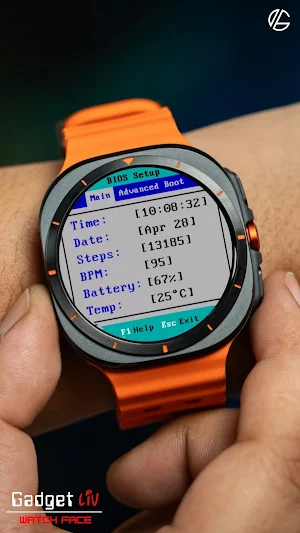
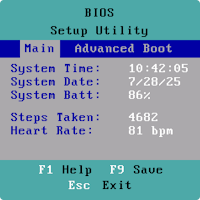
Remember the old PC setup screens? The blue BIOS menus, blocky text, and that unmistakable DOS-era look. BIOS Watch Face brings that nostalgic interface straight to your wrist.
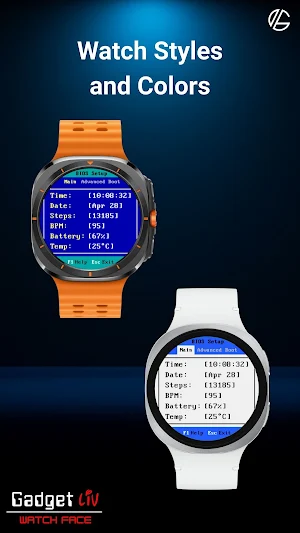
Instead of icons and flashy graphics, you get a clean, terminal-style layout that looks like a computer boot screen. Time, system-like stats, and essential info are displayed in a simple list - just like a classic BIOS settings page.
It’s minimal, a little geeky, and perfect if you like tech nostalgia or retro interfaces.
✨ Key Features
- Retro BIOS setup screen inspired design
- Classic DOS-style font
- Displays Step counter, Heart rate (BPM), Temperature, and Battery
- Supports 12-hour and 24-hour time formats
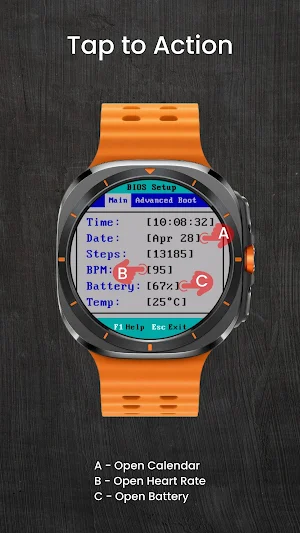
- Tap to Action: Open calendar, heart rate, and battery
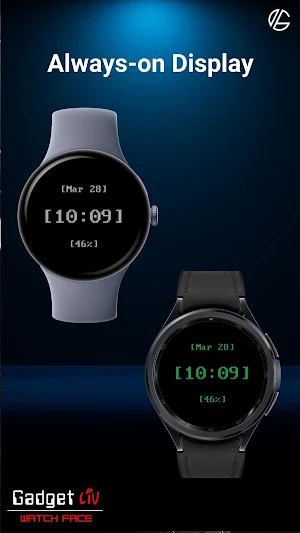
- Minimal always-on display for reduced battery usage
☀️ IMPORTANT: If the weather doesn't update:
1. Try switching between watch faces
2. Open the default 'Weather' app on your watch and enable location permission.
3. Ensure location access is set to "Always Allow" for both the watch face and the weather provider.
4. Check that Location (GPS) is toggled ON in both the watch and the paired smartphone settings.
5. Turn off battery Power Saving mode to allow background data sync.
⚠️ Compatibility
This is a Wear OS watch face app for smartwatches running Wear OS 5 or higher, built with the new Watch Face Format required on modern devices.
Compatible devices include:
➡️ Galaxy Watch 4, 5, 6 and later (including Classic and Ultra models)
➡️ Pixel Watch 1, 2, and above.
➡️ Other watches running Wear OS 5+
Contact Us
If you have questions or feedback, feel free to contact me at [email protected] for support.
Retro BIOS Watch Face details
Retro BIOS Watch Face is a paid Personalization app for Android with 100+ installs on Google Play and a 5.0/5 average rating from 1 rating. It was released on April 10, 2026 and last updated on June 2, 2026.
- Category
- Personalization
- Rating
- 5.0 / 5 (1 rating)
- Installs
- 100+
- Price
- $1.29
- In-app purchases
- No
- Ads
- No ads
- Requires Android
- Varies with device
- Content rating
- Everyone
- Released
- April 10, 2026
- Last updated
- June 2, 2026
What’s new in Retro BIOS Watch Face
- Updated app icon and screenshots based on the latest watch face design
Updated June 2, 2026
Similar Apps
Dashboard 3
Watch Face designed for Wear OS with One UI Watch by Samsung
HMK WD342
HMK WD342 – Retro Weather Digital Watch Face for Wear OS
![[KNA027] GAME PAD](https://apppage.net/img/bsybPLOqe_xV4ndMSiAqy7EMUhq-ECTyigyX40fKue2MuA4OTEyGyhl_uKoteAKipQjUY2X4o_fmkMrG5EVz7ig=w200-rw)
[KNA027] GAME PAD
Art of combination wear os watch faces
Sagehuz Retro A025 Watch face
Turn your watch into a classic 90s computer. Nostalgic retro OS for Wear OS.
WFP 105 Retro watch face
Digital watch face. For Wear OS devices.
BIOS Watch Face
Nerdy watch face in a BIOS Setup Utility style


