PDF Editor & Scanner - Foliox
PDF editor & reader, document scanner, OCR, convert PDF to Word, Excel & images
About PDF Editor & Scanner - Foliox
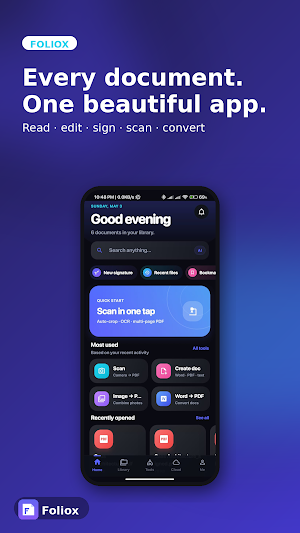
Foliox is a free PDF editor, PDF reader, and document scanner with offline OCR. Edit PDFs, sign documents, scan to PDF, run text recognition, and convert PDF to Word, Excel, and images — all on-device. No account, no ads, no subscription, ever.
A modern, lightweight document workspace and a fast alternative to bloated office suites. Read, edit, sign, scan, OCR, and convert — every feature unlocked and free. Built on the latest React Native architecture for speed, smooth animations, and a tiny memory footprint.
KEY FEATURES
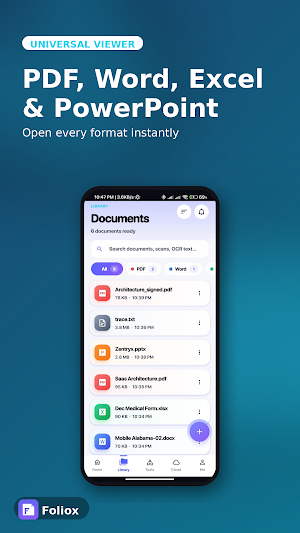
- PDF Reader & Document Viewer — Open PDF, DOCX, XLSX, PPT, TXT, and image files instantly. Resume where you left off, bookmark pages, and search inside any document.
- Word, Excel & PowerPoint Editor — Tap to edit, type, and save. Real .docx and .xlsx output that opens cleanly in Microsoft Office, Google Docs, WPS, and LibreOffice.
- Document Scanner — Scan documents with auto edge-detection and perspective correction. Color, B&W, and grayscale filters, rotation, and multi-page PDF export, powered by Google ML Kit.
- Offline OCR — Extract text from any photo or scan with ML Kit Text Recognition v2. Fully offline, multi-language. Scan a receipt and turn it into editable text in seconds.
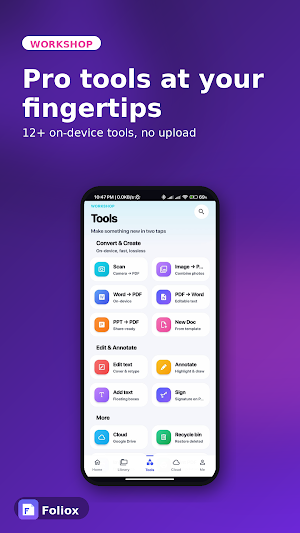
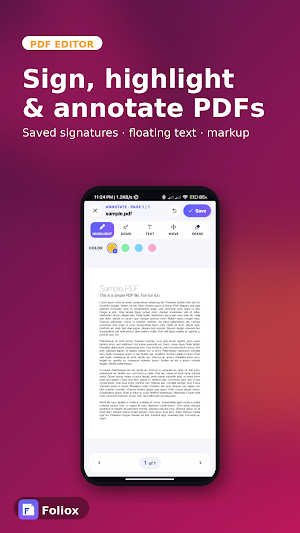
- PDF Editor & Tools — Sign PDFs with a saved handwritten or typed signature, annotate with highlight, draw, and text, drop floating text boxes, and merge PDF pages.
- PDF Converter — Convert PDF to Word, PDF to Excel, image to PDF, Word to PDF, PowerPoint to PDF, and Excel to PDF. All conversions run on-device — your files never leave your phone.
- Smart File Manager — Browse, search with full-text indexing, filter, rename, and share. A built-in recycle bin keeps deletions safe — restore in one tap.
- Smart Notifications — A toast appears the moment a conversion finishes. Tap to jump straight into the result.
- System Integration — Foliox appears in Android's file picker as a real document source with PDF and image thumbnails. "Open with Foliox" routes any file into the matching editor.
- Cloud Sync — Connect Google Drive to browse, download, and back up documents. OAuth-only; your tokens stay on-device.
- Universal Sharing — Send via WhatsApp, Email, Drive, or any installed app.
- Beautiful Themes — Polished light and dark modes that follow your system theme.
WHY FOLIOX
✓ 100% free PDF editor — every feature, forever.
✓ No ads. No banners. No tracking.
✓ No account required for core features.
✓ Privacy-first — files stay on your device unless you choose to sync.
✓ Fully offline PDF editor, scanner, and OCR — works without internet.
✓ Tiny install size, low memory usage.
WHAT YOU CAN DO
- Read a contract on the bus, bookmark pages, and resume on your tablet.
- Scan a receipt, run OCR, and email yourself the text in seconds.
- Sign a PDF rental agreement with your finger and share it back.
- Convert a PDF report into an editable Word document, on-device, in under a minute.
- Bundle paper pages into one multi-page PDF and share to WhatsApp.
- Open a Word file from Drive, edit it inline, and save changes back.
- Search every document on your phone — full-text — without uploading anywhere.
PERMISSIONS
- Camera — to scan documents.
- Photos / Media — to import images for OCR and conversion, and to save scanned PDFs.
- Internet — only when you choose cloud sync or open external links.
We do not collect personal data. We do not show ads. We do not sell anything. Foliox is a one-time gift to anyone who handles documents on the go.
Built for the way you actually work with documents.

