FocusPulse: App Blocker
App blocker and screen time control. Schedules, strict mode, stats.
About FocusPulse: App Blocker
FocusPulse is a privacy-first app blocker and screen-time manager. It blocks distracting apps and websites on a schedule, tracks your usage honestly, and lets you lock yourself out of your own phone when willpower runs out.
SCHEDULED BLOCKING
- Block apps by time schedule: weekdays, weekends, custom hours
- Block by Wi-Fi network - no focus at home, or no YouTube at the office
- Usage limits and launch limits per app: 30 minutes of Instagram a day, then it's blocked
- Blocklist and allowlist modes
FOCUS SESSIONS
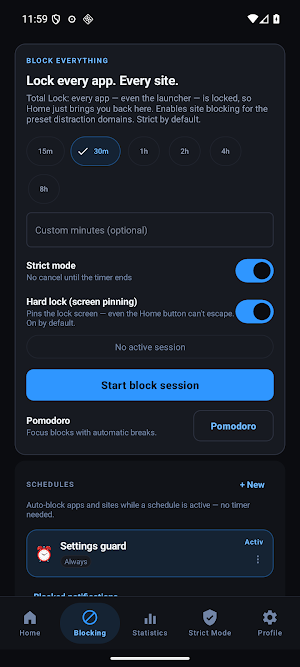
- Quick Block: block all distracting apps for 15, 30, 45 or 60 minutes
- Pomodoro timer with built-in blocking
- Timer, PIN and Charger-based access methods in Strict Mode
STRICT MODE
- Lock your schedule so you can't turn it off
- PIN protection with lockout after failed attempts
- Emergency unlock with a monthly limit
- Device-admin protection against uninstalling the blocker
HONEST STATISTICS
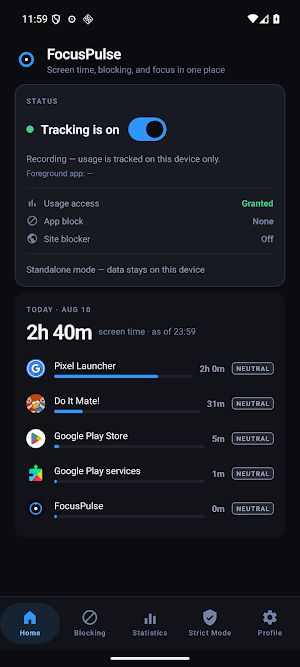
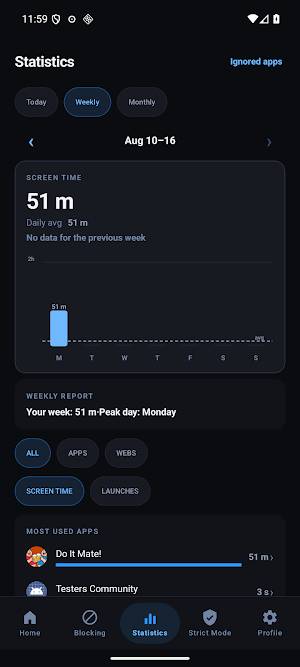
- Daily, weekly and monthly screen-time breakdown per app
- Blocked-attempt counter - see how many times you tried to open a blocked app
- App Feel check: how does each app make you feel?
- Insights into your patterns
NOTIFICATION BLOCKING
- Block notifications from distracting apps during focus time
- Notification digest - review what you missed without opening the app
PRIVACY FIRST
- No account. No cloud. No tracking.
- All usage data is stored on your device
- Internet permission is only used for optional dashboard sync you enable
Permissions used: FocusPulse uses the Accessibility Service and Usage Access only to block apps and measure screen time. No data leaves your device unless you enable dashboard sync.
