Launcher OS: Pure Style
Transform your Android into a sleek OS style! Fast, smooth, and customizable.
About Launcher OS: Pure Style
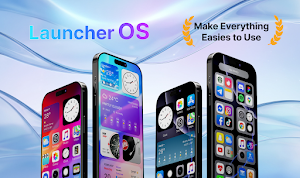
Have you always admired the sleek, elegant, and smooth design of the latest OS user interface? Do you want to completely refresh your current Android experience without buying a new phone?
Launcher OS is the ultimate tool to transform your Android device into a premium, modern OS-style interface. With just a single tap, you can enjoy fluid animations, clean layouts, and the aesthetic design of a brand-new operating system right on your current smartphone.
Core Features of Launcher OS
Smart Control Center
Swipe to instantly access essential settings such as Wi-Fi, Bluetooth, screen brightness, volume, and the flashlight. You can fully customize this panel to match the signature OS style and fit your daily habits.
Aesthetic App Library
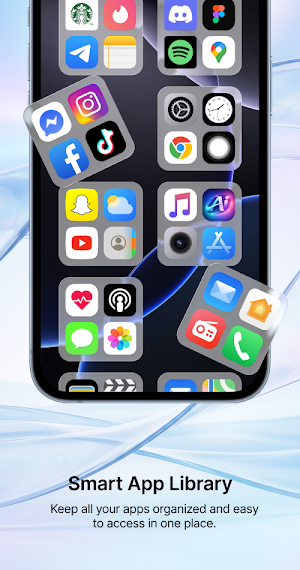
Say goodbye to cluttered screens. This feature automatically categorizes your installed applications into smart folders such as Social, Games, Productivity, and Entertainment, allowing you to find what you need in milliseconds.
Rich System Widgets
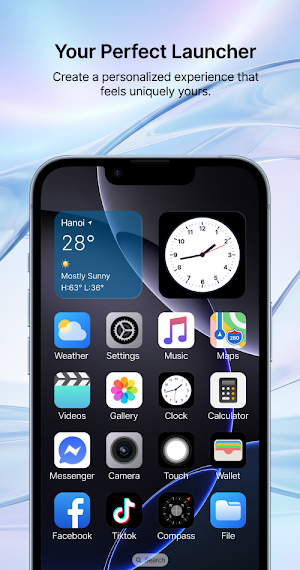
Support for beautifully designed widgets including Weather, Clock, Battery, and Calendar. All widgets are crafted with the iconic rounded-corner design to deliver a uniform and premium look.
Smart Search (Spotlight)
Efficiency at your fingertips. Simply swipe down anywhere on your home screen to instantly search for local applications, device contacts, or look up information directly on the web.
Hide and Lock Apps
Protect your personal privacy with ease. You can hide sensitive applications from the home screen entirely or secure them with a reliable built-in application locker.
Exclusive OS Wallpapers
Gain access to a massive collection of high-quality, trendy OS wallpapers. The library is updated regularly to ensure your device always looks fresh and modern.
Custom Icon Pack
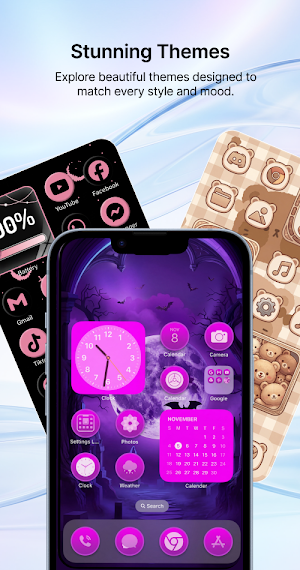
Go full transformation by changing your default Android icons to matching OS-style icons, ensuring a completely seamless and unified user interface.
Why Choose Launcher OS?
Lightweight and Battery Friendly: The application is deeply optimized to ensure smooth scrolling and zero lag while keeping battery consumption at an absolute minimum.
Easy Setup: Enjoy a one-click installation process that completely overhauls your user interface in under five seconds.
Completely Free: Access high-end personalization features and premium layouts without any hidden costs.
Upgrade your phone interface and experience the best of both worlds today. Download Launcher OS and redefine your Android experience
Similar Apps
Fire TV Remote - FireStick
Remote Control allows you to control your Amazon Fire TV

LiveScore: Live Sports Scores
Live football scores, stats, news, highlights & match alerts.
Speaker Cleaner - Water Eject
Speaker Cleaner - Water Eject App For Speakers
Palmistry AI: Destiny - Zodiac
Discover your future with AI palm reading, daily horoscope & Tarot card insights

Beauty Camera: Sweet Selfie
Professional beauty camera & photo editor for perfect sweet selfies every time

Story Maker - Maker Video
Insta Story Art is a powerful app that has lots of well-designed story templates
