Carets - Code Editor
A fast, minimal code editor and notes app for your phone. Quiet by design
About Carets - Code Editor
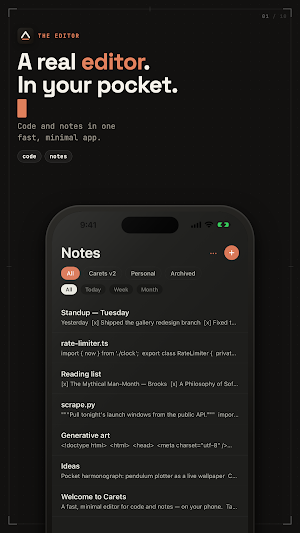
Carets is two great apps in one: a genuinely capable pocket code editor and a fast, beautiful notes-and-lists app. Built for speed, minimalism, and a monospace-clean aesthetic, reshaped for a phone.
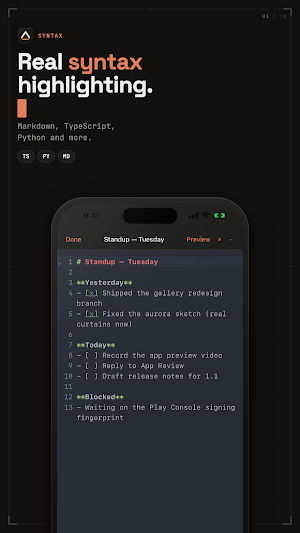
On the editor side, Carets opens and edits the real files on your device, in Google Drive, and in iCloud Drive. You get syntax highlighting across the common languages, line numbers, code-aware editing, find and replace with full regex, and a touch-reimagined command palette for jumping between files and actions. Edits save back to the file's original location, not a copy. Opening and editing external files is unlimited on the free tier — it's a core editor function, not a stored note.
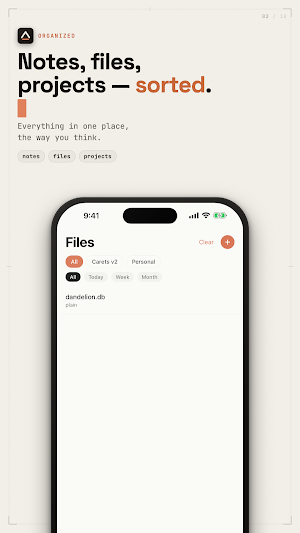
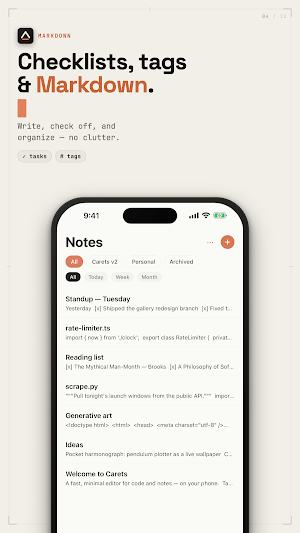
On the notes side, Carets keeps internal notes in a local SQLite store you own. Plain text or Markdown, with live preview when you want it. Lists and checklists with tap-to-toggle to-dos. Folders and tags for lightweight organization. Instant full-text search across everything you've written, powered by SQLite's FTS5. No login required, no account, no cloud — until you ask for one.
The bridge between the two halves is the editor surface itself: the same fast, monospace, distraction-free typing experience whether you're editing a config file from Google Drive or jotting a grocery list. The chrome fades while you type. The keyboard never jumps. The cursor stays where you left it.
Features:
- Syntax highlighting across common languages
- Line numbers and code-aware editing
- Find and replace, with regex
- Command palette for fast navigation
- Open and edit external files from the Files app, Google Drive, and iCloud Drive
- Save changes back to the original file
- Plain text and Markdown notes with live preview
- Lists and checklists, auto-continued
- Folders and tags
- Instant full-text search across all notes
- Auto-save with cursor and scroll restore per document
- Light and dark themes, including a deep, editor-style dark
- Native sign-in only when you opt into paid cloud sync — no passwords ever
- Delete-all-data button that means it
Pricing:
- Free — open and edit unlimited external files; create up to 30 internal notes
- Carets Pro — 5.99 USD, one-time (no subscription)
Carets Pro is a single one-time unlock: unlimited internal notes, cloud sync to your own Google Drive (Android) or iCloud (iOS), cross-device editing, the premium theme pack and custom fonts, export to Markdown / PDF / .txt, and library restore on a new device. Pay once, keep it forever.
Privacy:
- Local-first. The app works fully offline with no account.
- We collect no personal information by default.
- Sign-in is only invoked if you turn on paid cloud sync.
- Cloud sync goes to your own Google Drive app-data folder or your own iCloud container — not a server we operate.
Legal:
- Terms of Service: https://carets.app/terms
- Privacy Policy: https://carets.app/privacy
- End-User License Agreement (EULA): https://carets.app/terms
Carets - Code Editor details
Carets - Code Editor is a free Productivity app for Android with 50+ installs on Google Play and a 5.0/5 average rating from 1 rating. It was released on June 2, 2026 and last updated on July 15, 2026. It requires Android 7.0 or later. The app offers in-app purchases.
- Category
- Productivity
- Rating
- 5.0 / 5 (1 rating)
- Installs
- 50+
- Price
- Free
- In-app purchases
- Yes
- Ads
- No ads
- Current version
- 1.1.0
- Requires Android
- 7.0
- Content rating
- Everyone
- Released
- June 2, 2026
- Last updated
- July 15, 2026
What’s new in Carets - Code Editor
A fresh coat of phosphor. • New app icon — the caret, properly lit • Gallery, rebuilt: every sketch draws itself in your editor theme—try Coder Dark • Five new sketches: Caret Swarm, Glyph Rain, Trace Routes, ASCII Terrain, Harmonograph • Aurora rewritten — real curtains of light • Live previews on every Gallery card • Pro unlocks the code behind any sketch—open it in the editor and make it yours
Version 1.1.0 · Updated July 15, 2026
