About dil.map
Projection mapping, directly on your projector.
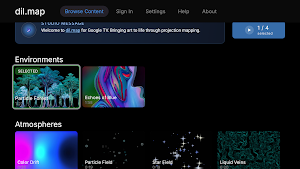
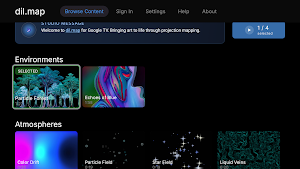
dil.map turns compatible Google TV and Android TV projectors into simple projection-mapping players. Install it from Google Play on the projector, then use the same email in Dil Studio from any web browser for more control.
No laptop connected to the projector. No separate media server.
HOW IT WORKS
1. Install dil.map from Google Play on your compatible projector.
2. Sign in with your email and use the magic link to open Dil Studio in a browser.
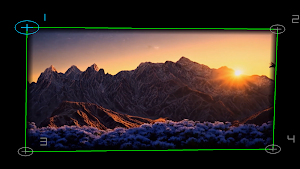
3. Map and select surfaces with the projector remote, or use Dil Studio for more detailed control.
4. Apply your visuals, save the scene, and play it again whenever you return.
CREATE WITH YOUR OWN CONTENT
Upload images, video, and supported 3D content to your Dil Studio catalogue. Name each visual, choose its thumbnail, organize your collection, and sync it to the projector.
MAP AND CONTROL
• Add and remove mapped surfaces
• Adjust alignment and mapping overlays
• Apply different visuals to each surface
• Change surface and effect controls
• Save scenes for easy replay
• Connect, sync, and control multiple projectors
• Arrange saved scenes into Shows
CREATE IN MEDIA LAB
Make visual effects or create a Living Image by uploading a still image and animating it with layer effects. Save your creation and it will appear in your catalogue, ready to use in a mapped scene.
SHARE WITH THE COMMUNITY
Submit eligible visuals to the Dil Studio Gallery for public viewing and discover what other creators are making.
WHAT YOU NEED
• A compatible Google TV or Android TV projector with Google Play, or a compatible Google TV streaming device connected to your projector by HDMI
• The dil.map app installed on the projector
• The same email used in dil.map and Dil Studio
• A web browser on your phone, tablet, or computer for full Studio control
To confirm compatibility, search for “dil.map” in Google Play on the projector. If Install appears, that device, account, and region are supported.
dil.map is designed for projector playback. Use Dil Studio in your browser to upload content, manage your catalogue, build layouts, create media, connect projectors, and develop shows.
Some features and device limits vary by subscription plan.
Similar Apps
Giggle: Smile Live Wallpaper
Silly smile & smiley face live wallpapers to make you giggle every unlock
LED Scroller - LED Banner
Zero ads. No tracking. The premium, camera-safe LED banner for concerts & events
Hand Bill Maker
Hand Bill Maker to design custom flyers, promotional posters, and advertisements
BloxLux | Roblox Skin Maker
Roblox Skins Editor & Makers Designs and creates clothing for your roblox avatar
ピクチャークラフト
Automatically convert photos into Minecraft pixel art
GreeCut - Pro Video Editor
Edit videos with speed control, sound removal and more.
