Piano Solfeo: Sight Reading
Learn to read sheet music: notes, chords, intervals, scales and theory.
About Piano Solfeo: Sight Reading
Piano Solfeo is an app for learning sight reading and music theory at the piano. Practise reading notes on the staff in both treble and bass clef, and study chords, intervals, scales, key signatures and the circle of fifths in short question sessions, with an interactive keyboard for playing the note you see written. You can switch on an optional daily reminder so the app prompts you to practise at a time you choose; that notification is the only thing the notification permission is used for, and it stays off until you turn it on.
WHAT YOU WILL PRACTISE
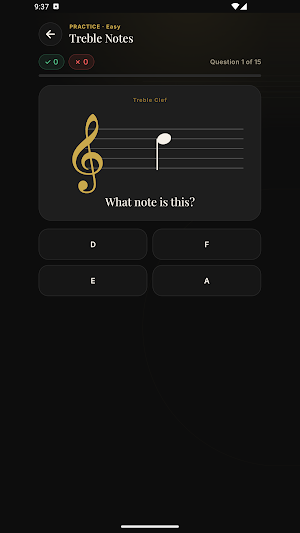
• Note reading on the staff, in treble clef and bass clef
• Chords: major, minor, diminished, augmented and sevenths
• Intervals, by number and by semitones
• Major, minor and pentatonic scales, plus the Greek modes
• The circle of fifths and key signatures
• Music theory: rhythm and note values, harmonic function, cadences, dynamics and articulation
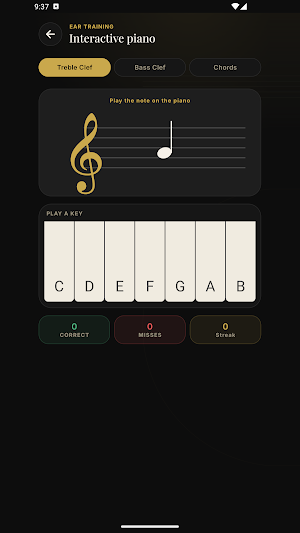
• Interactive piano: read the note on the staff and play it on the keyboard
LEARN IT BEFORE YOU DRILL IT
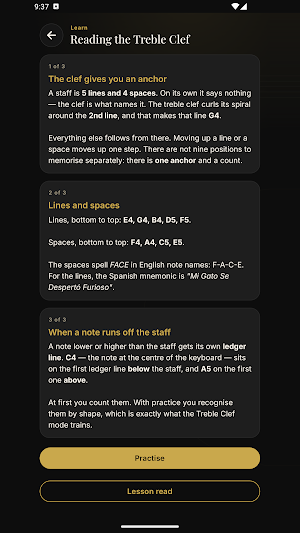
Every mode has its own lesson explaining the idea with examples before you answer a single question. Where each note lives on the staff, why a major and a minor chord differ by a single semitone, how an interval is counted, what the circle of fifths actually orders. Read the lesson and go straight into practising it, or come back to it whenever something stops making sense.
START FROM ZERO, OR PICK IT BACK UP
If you have never read music, start with the note lessons and work through mode by mode. If you already read but read slowly, skip ahead to the drills and raise the difficulty. It works just as well for piano students taking lessons or preparing for an exam, for guitarists, singers and producers who want to read the staff properly, and for anyone returning to an instrument after years away and rebuilding their reading.
WHAT A SESSION LOOKS LIKE
Quick flashcard-style questions you can get through in five minutes. Three difficulty levels, with sessions of 15, 25 or 35 questions depending on the level. The point is a short run every day, not one long stretch every couple of weeks.
WHAT YOU GET WRONG COMES BACK
Questions you miss reappear later in the same session, far enough away that you have to recall the answer rather than copy it off the previous screen. Getting one wrong does not make the session longer — the repeat takes another question's place.
DO-RE-MI OR C-D-E, YOUR CHOICE
Note naming is independent of the app's language. You can read the interface in English with Do-Re-Mi names, or in Spanish with C-D-E. The setting applies everywhere: the staff, the keyboard, the answer options and the text of the lessons.
YOUR PROGRESS, ON YOUR DEVICE
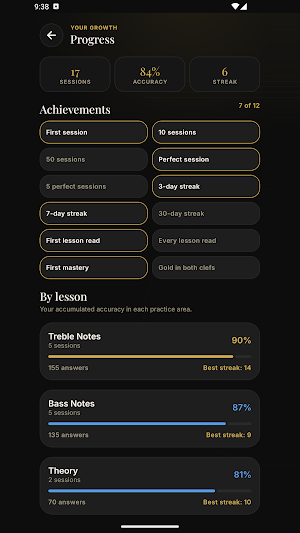
Daily streak, an adjustable daily goal, accuracy per mode, best run of correct answers, and achievements. All of it is stored on your phone and none of it leaves.
OFFLINE, AND NO ACCOUNTS
The app works entirely without an internet connection, so it works the same on the bus, in a classroom, or sitting at the piano. There is no sign-up, no login and no personal detail asked of you. Also, no ads.
Available in English and Spanish.
Suggestions or problems? Write to [email protected]
Privacy policy: https://cpinan.github.io/piano-solfeo/privacy.html
